<?xml version="1.0" encoding="utf-8"?><feed xmlns="http://www.w3.org/2005/Atom" ><generator uri="https://jekyllrb.com/" version="3.9.5">Jekyll</generator><link href="https://blog.mcfisch.com/feed.xml" rel="self" type="application/atom+xml" /><link href="https://blog.mcfisch.com/" rel="alternate" type="text/html" /><updated>2024-07-16T22:32:58-07:00</updated><id>https://blog.mcfisch.com/feed.xml</id><title type="html">McFiscH’s</title><subtitle>It's-a me, Mario, sharing my notes, knowledge, projects etc.</subtitle><author><name>Mario Fischer</name></author><entry><title type="html">Making a Dice Tray</title><link href="https://blog.mcfisch.com/woodworking/Making-a-Dice-Tray/" rel="alternate" type="text/html" title="Making a Dice Tray" /><published>2024-07-14T12:00:00-07:00</published><updated>2024-07-14T12:00:00-07:00</updated><id>https://blog.mcfisch.com/woodworking/Making-a-Dice-Tray</id><content type="html" xml:base="https://blog.mcfisch.com/woodworking/Making-a-Dice-Tray/"><![CDATA[<p>Playing any kind of board or table top game with little kids leads to a lot of dice on the floor, or even broken if unlucky (we have some older dice that were made from glass). We needed something that we can use to roll our dice in to keep them where we need them, so I built a dice tray using mostly scraps, some screws and a bit of glue.</p>

<h2 id="modeling">Modeling</h2>

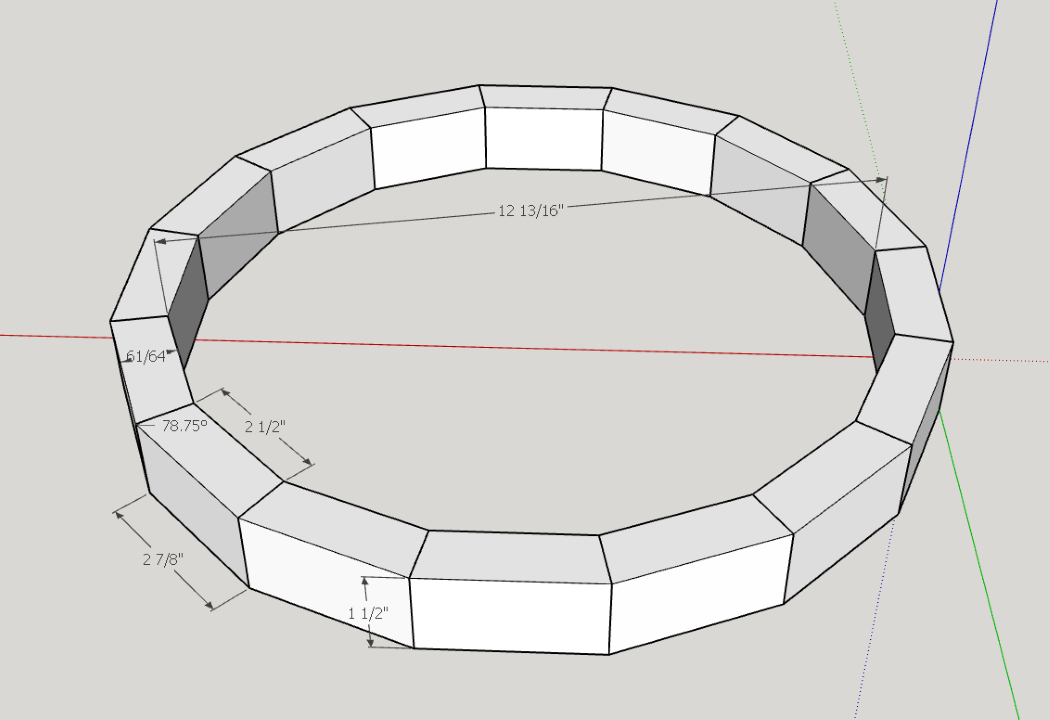
<p>As often I started sketching out a basic model of what I thought it should look like. The main reason to not just start building and “designing” on the fly was because I had no clue what the angles needed to be.</p>

<p>So my idea was to use leftover strips of a 2x4 and cut them into 16 pieces with the same dimensions. Since the overall shape is supposed to resemble roughly a circle, I needed to cut the mating surfaces with an angle of 78.75°. The math to get there is:</p>

<p>360°/16=22.5°</p>

<p>Since these 22.5° are equally split to the two sides, each of these sides is going to be 11.25° away from square, or 78.75° from the outer edge.</p>

<figure class="justify-content">
  
    
      <a href="/assets/images/woodworking/Making-a-Dice-Tray/dice_tray_sketchup.png" title="Model of the dice tray created in SketchUp.">
          <img src="/assets/images/woodworking/Making-a-Dice-Tray/dice_tray_sketchup-350.png" alt="Model of the dice tray created in SketchUp." />
      </a>


    <figcaption>Model of the dice tray created in SketchUp
</figcaption>
  
</figure>

<h2 id="materials--tools">Materials &amp; Tools</h2>

<p>To build this tray I’ve used some offcuts from 2x4’s, a piece of 1/4” plywood, a pocket hole jig plus the respective screws, and glue. For the liner I cut up a red felt place mat.</p>

<p>BTW, today I know that gluing the wooden blocks together would have been enough since they are also glued to the plywood bottom. At the time (this build actually happened in May 2021) I was convinced the screws were necessary. Heck, I didn’t even have painters tape yet, so apparently I did use regular office adhesive tape. Well, we all have to start somewhere…</p>

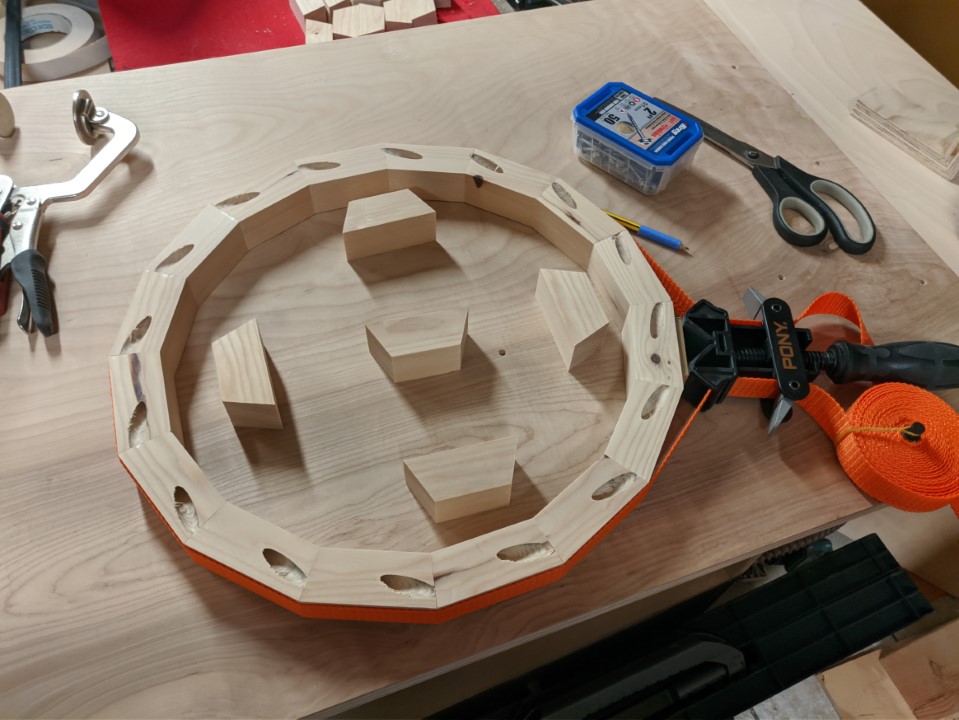
<p>But I did have a corner band clamp, so I used that in the process, though this is particularly useful in cases where the angles are not cut accurately which leads to gaps - which this strap can help closing.</p>

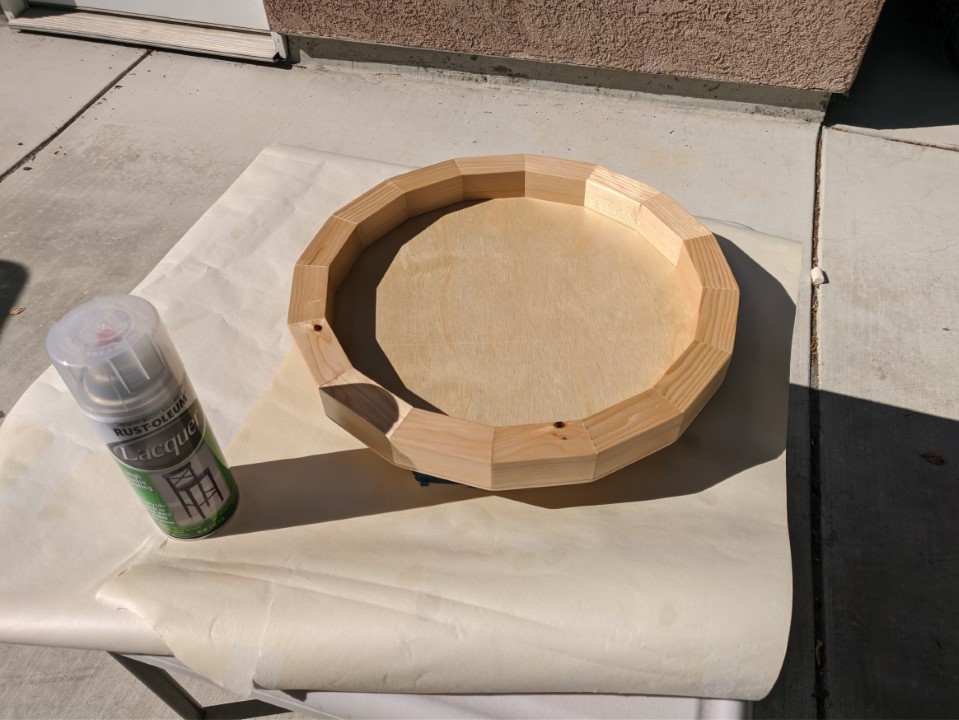
<p>For the final finish I’ve used a spray can of lacquer as I was told this would give a nice and relatively durable finish that is easy to apply and doesn’t darken much over time.</p>

<h2 id="construction">Construction</h2>

<p>The build itself was pretty straight forward. I cut the leftover strips of 2x4 into pieces of roughly 3” x 1.5” x 1”. After planing and sanding everything the final measurements were slightly below that, but didn’t matter too much anyway. I’ve just updated my 3D sketch to reflect the new measurements as well. in case I ever need to repair or remake it.</p>

<p>The angled ends of the blocks I’ve on the table saw using a miter gauge as that’s way safer than cutting such small parts with the miter saw. Unless one has a method of holding them in place properly without using their own fingers so close to the blade. Also, these small off-cuts like to turn into ninja-star-like projectiles on a miter saw…</p>

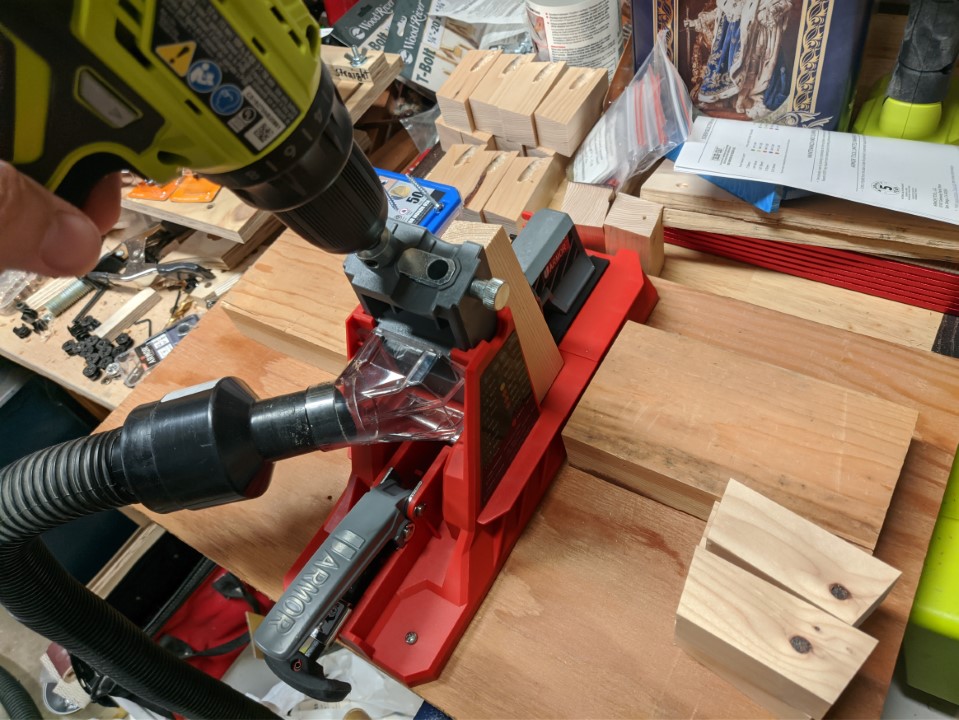
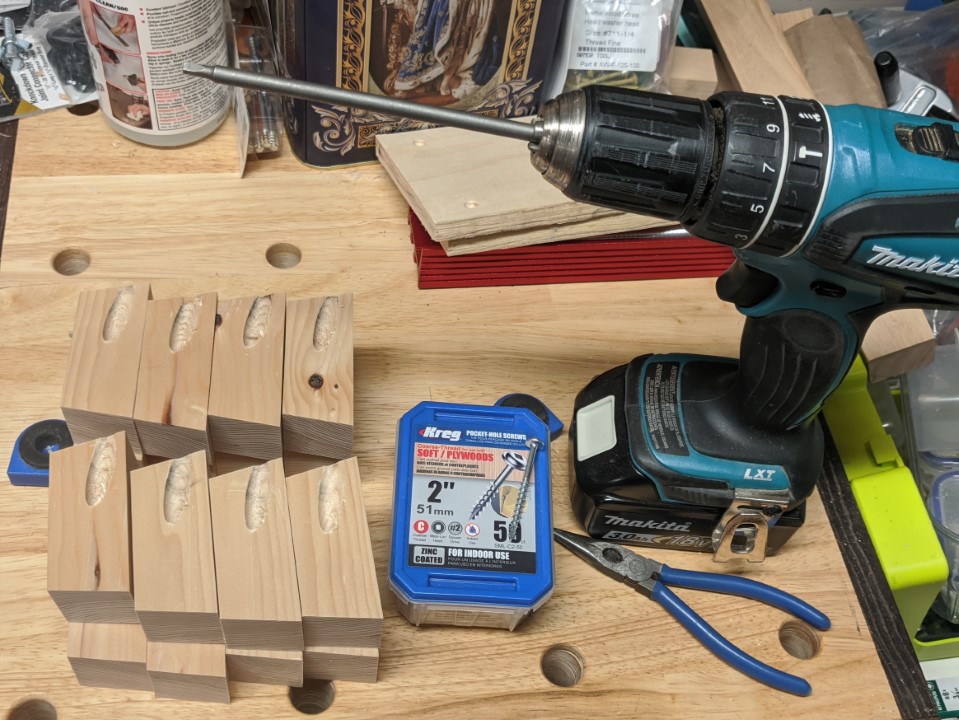
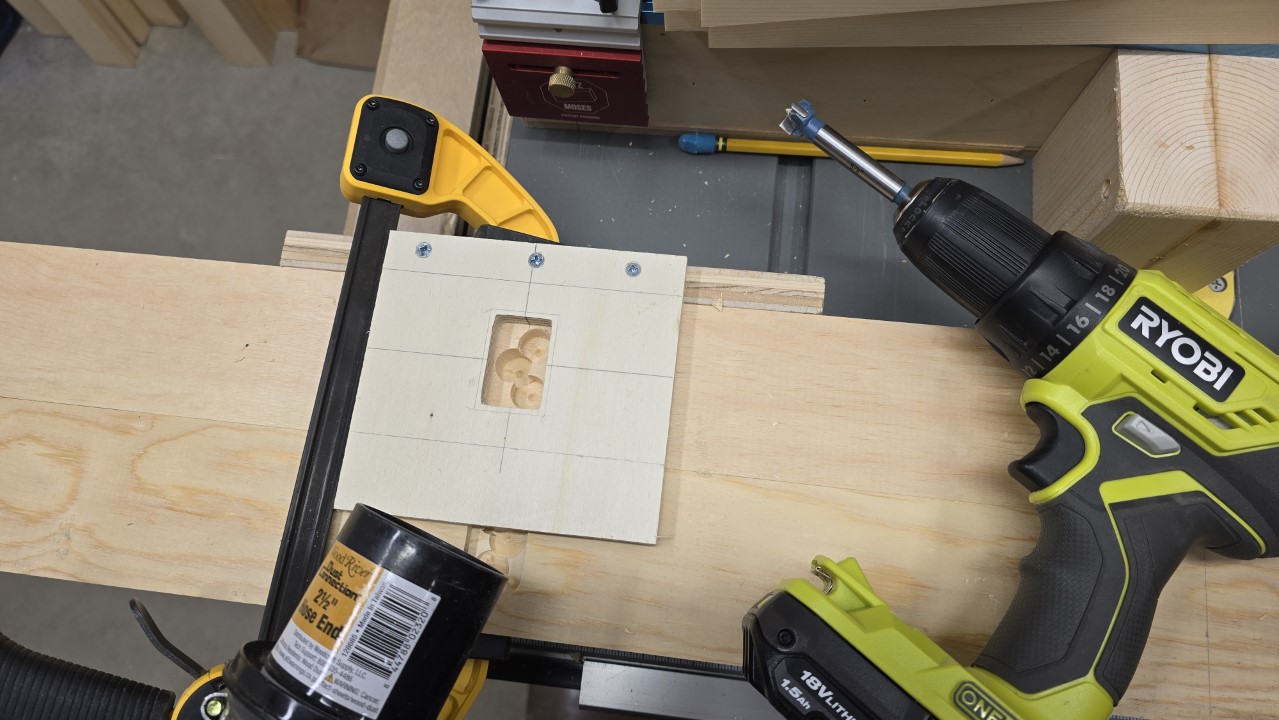
<p>Then I’ve put the pocket holes in using my Armor Tools jig.</p>

<figure class="half ">
  
    
      <a href="/assets/images/woodworking/Making-a-Dice-Tray/dice_tray_pocket_hole_jig.jpg" title="The Armor Tools pocket hole jig works great.">
          <img src="/assets/images/woodworking/Making-a-Dice-Tray/dice_tray_pocket_hole_jig-350.jpg" alt="The Armor Tools pocket hole jig works great." />
      </a>


      <a href="/assets/images/woodworking/Making-a-Dice-Tray/dice_tray_prep.jpg" title="All parts prepared for assembly.">
          <img src="/assets/images/woodworking/Making-a-Dice-Tray/dice_tray_prep-350.jpg" alt="All parts prepared for assembly." />
      </a>


    <figcaption>I’ve used my Armor Tools jig to drill a pocket hole into each block.
</figcaption>
  
</figure>

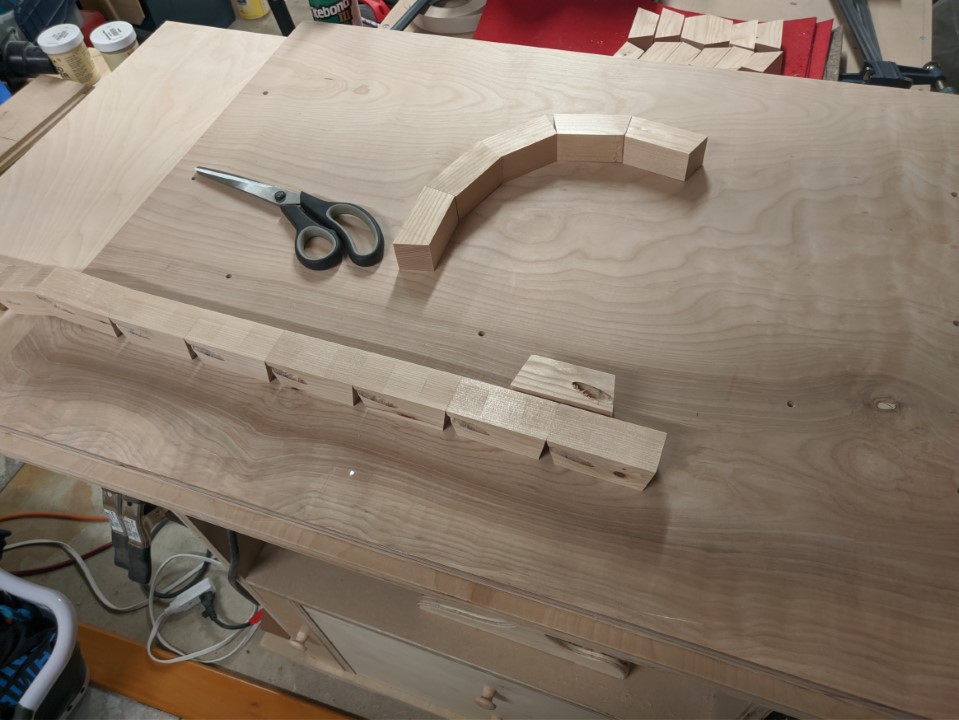
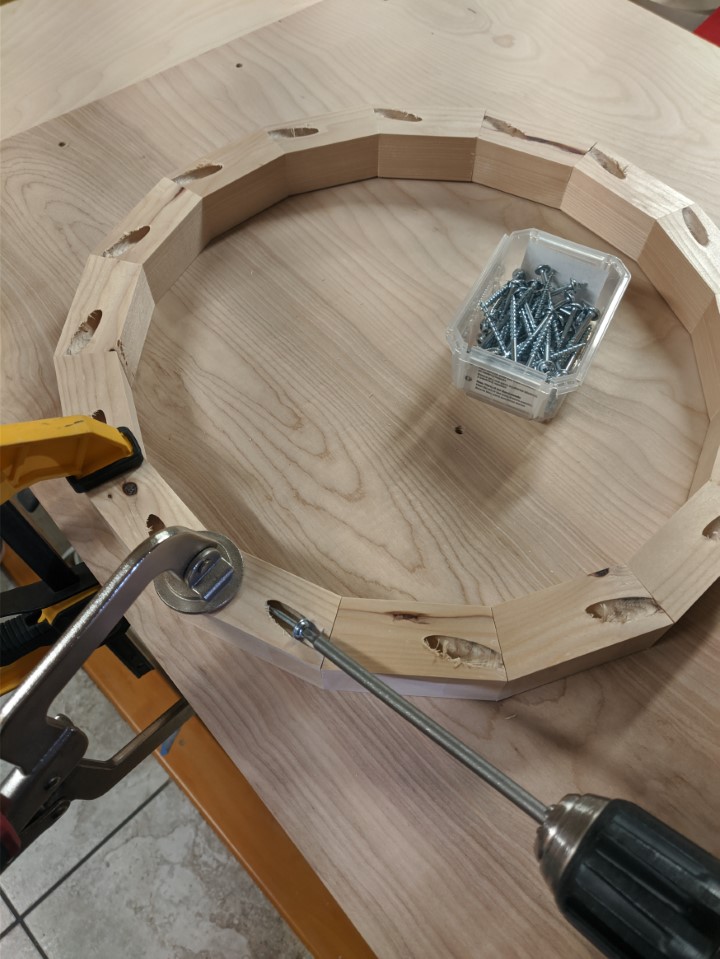
<p>Once all 16 parts were done I’ve taped and glued them together and tightened with the band clamp. After that I screwed them together while holding them down tight with clamps so nothing could move other than the screws.</p>

<figure class="third ">
  
    
      <a href="/assets/images/woodworking/Making-a-Dice-Tray/dice_tray_glueup.jpg" title="Glue and screws together were a bit of overkill - one or the other would suffice, too.">
          <img src="/assets/images/woodworking/Making-a-Dice-Tray/dice_tray_glueup-350.jpg" alt="Glue and screws together were a bit of overkill - one or the other would suffice, too." />
      </a>


      <a href="/assets/images/woodworking/Making-a-Dice-Tray/dice_tray_band_clamp.jpg" title="A band clamp with the corner brackets removed is perfect for gluing up a roughly round shape like this.">
          <img src="/assets/images/woodworking/Making-a-Dice-Tray/dice_tray_band_clamp-350.jpg" alt="A band clamp with the corner brackets removed is perfect for gluing up a roughly round shape like this." />
      </a>


      <a href="/assets/images/woodworking/Making-a-Dice-Tray/dice_tray_pocket_hole_screws.jpg" title="Pocket holes are perfect where you can't see them.">
          <img src="/assets/images/woodworking/Making-a-Dice-Tray/dice_tray_pocket_hole_screws-350.jpg" alt="Pocket holes are perfect where you can't see them." />
      </a>


    <figcaption>All blocks were first taped, then glued together. A band clamp put enough pressure on. Then it was the pocket screws’ turn (pun intended).
</figcaption>
  
</figure>

<p>The next task was to put a thin plywood panel on as a bottom and trim its edges. For that I cut the shape with a jigsaw, leaving it protruding by an eighth of an inch, then used a router and a trim bit to cut it flush. I glued on the panel, and then used three screws to secure it even more (again, not really necessary as the glue is plenty strong).</p>

<h2 id="wood-finish">Wood Finish</h2>

<p>As mentioned earlier I went with lacquer in a spray can to give the wood a nice finish. The application was easy and quick, and it has held up really well over the past three years. While the lacquer’s appearance is like that of a water-based polyurethane, the application is so much easier. It quickly dries, and multiple layers are easy to put on as well. The only thing to keep in mind is to not over-spray it - leave spots that still seem dry for the next layer to cover.</p>

<figure class="justify-content">
  
    
      <a href="/assets/images/woodworking/Making-a-Dice-Tray/dice_tray_lacquer.jpg" title="Spray lacquer looks beautiful, is durable, and very easy to apply.">
          <img src="/assets/images/woodworking/Making-a-Dice-Tray/dice_tray_lacquer-350.jpg" alt="Spray lacquer looks beautiful, is durable, and very easy to apply." />
      </a>


    <figcaption>Spray lacquer looks beautiful, is durable, and very easy to apply.
</figcaption>
  
</figure>

<h2 id="liner">Liner</h2>

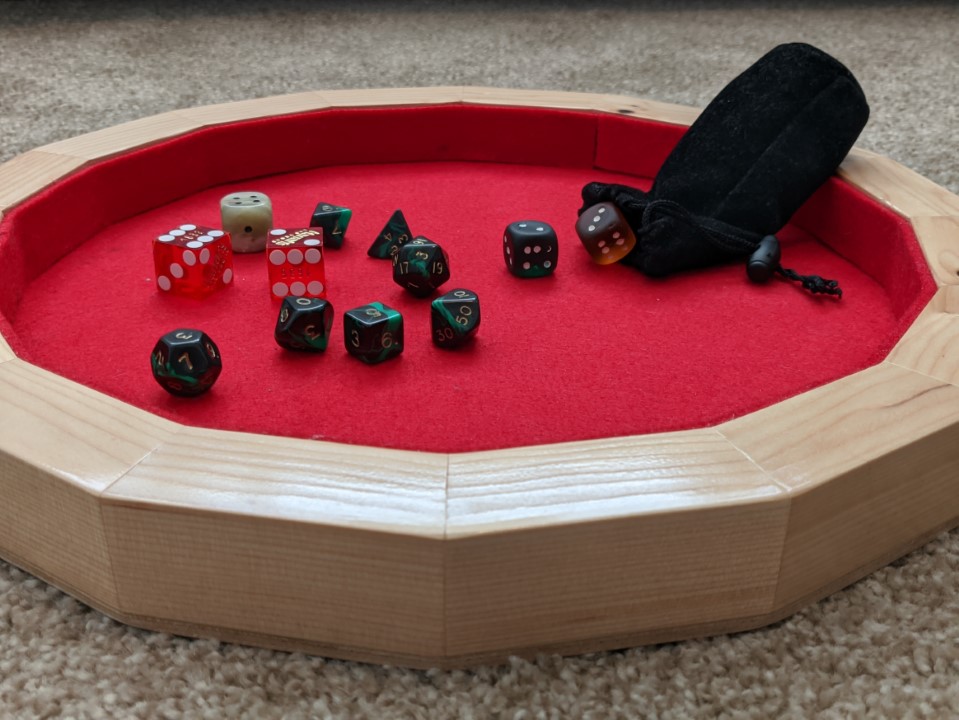
<p>Now only one piece was still missing: a liner. For that I used one of our old place mats that which were made from red felt. These I saved from the garbage bin earlier that year, intending to use them for something exactly like this. I cut one piece that perfectly fit the inner bottom of the tray, and then a long strip that fit all around the inner side wall. I glued them on with a spray adhesive.</p>

<h2 id="the-finished-project">The Finished Project</h2>

<p>Once the math was figured out the real difficulty for me at the time was once more the lack of experience. I used a lot of screws that weren’t really necessary - and also increased the weight quite a bit. However, this tray is now so sturdy, that I can pick it up with whatever somebody left on it without having to fear it coming apart.</p>

<figure class="justify-content">
  
    
      <a href="/assets/images/woodworking/Making-a-Dice-Tray/dice_tray_finished.jpg" title="The finished tray in all its beauty - not too shabby for an all-construction-lumber project, right?">
          <img src="/assets/images/woodworking/Making-a-Dice-Tray/dice_tray_finished-350.jpg" alt="The finished tray in all its beauty - not too shabby for an all-construction-lumber project, right?" />
      </a>


    <figcaption>The finished tray in all its beauty - not too shabby for an all-construction-lumber project, right?
</figcaption>
  
</figure>

<p>In the years since the tray has seen quite some rounds of Dungeons &amp; Dragons, Sorry! and others. It holds up very well, and the only minor nuisance is its size: with about 13.5” it sometimes appears a little too big to use it on a crowded desk or table, i.e. in a Zoom-D&amp;D session. But on the other hand it is perfect for when we sit with the kids at the dining or coffee table and everybody can easily reach and use it.</p>

<p>I think I’ll make some more of these, maybe for next holiday season? But a little bit smaller and with different shapes, maybe…</p>]]></content><author><name>Mario Fischer</name></author><category term="Woodworking" /><category term="Woodworking" /><summary type="html"><![CDATA[Playing board games with little kids leads to a lot of dice on the floor. We needed a dice tray, so I built one using mostly construction lumber scraps.]]></summary></entry><entry><title type="html">Building a Loft Bed for my Kid</title><link href="https://blog.mcfisch.com/woodworking/Buillding-a-Loft-Bed/" rel="alternate" type="text/html" title="Building a Loft Bed for my Kid" /><published>2024-07-02T12:00:00-07:00</published><updated>2024-07-02T12:00:00-07:00</updated><id>https://blog.mcfisch.com/woodworking/Buillding-a-Loft-Bed</id><content type="html" xml:base="https://blog.mcfisch.com/woodworking/Buillding-a-Loft-Bed/"><![CDATA[<p>When one of my children wanted to have a loft bed after moving into their own room I had no objection. We used to have a shared bunk bed for the kids, which they used for a couple years and also switched out who sleeps where occasionally, so both are used to sleeping up high.</p>

<p>However, when checking online for loft beds to buy we noticed that those actually available and of seemingly good quality are pretty expensive, and those which weren’t didn’t look like I would trust them with my kid’s life every night for years.</p>

<p>So I decided to build one myself, and there are plenty resources available online for inspiration.</p>

<h2 id="modeling">Modeling</h2>

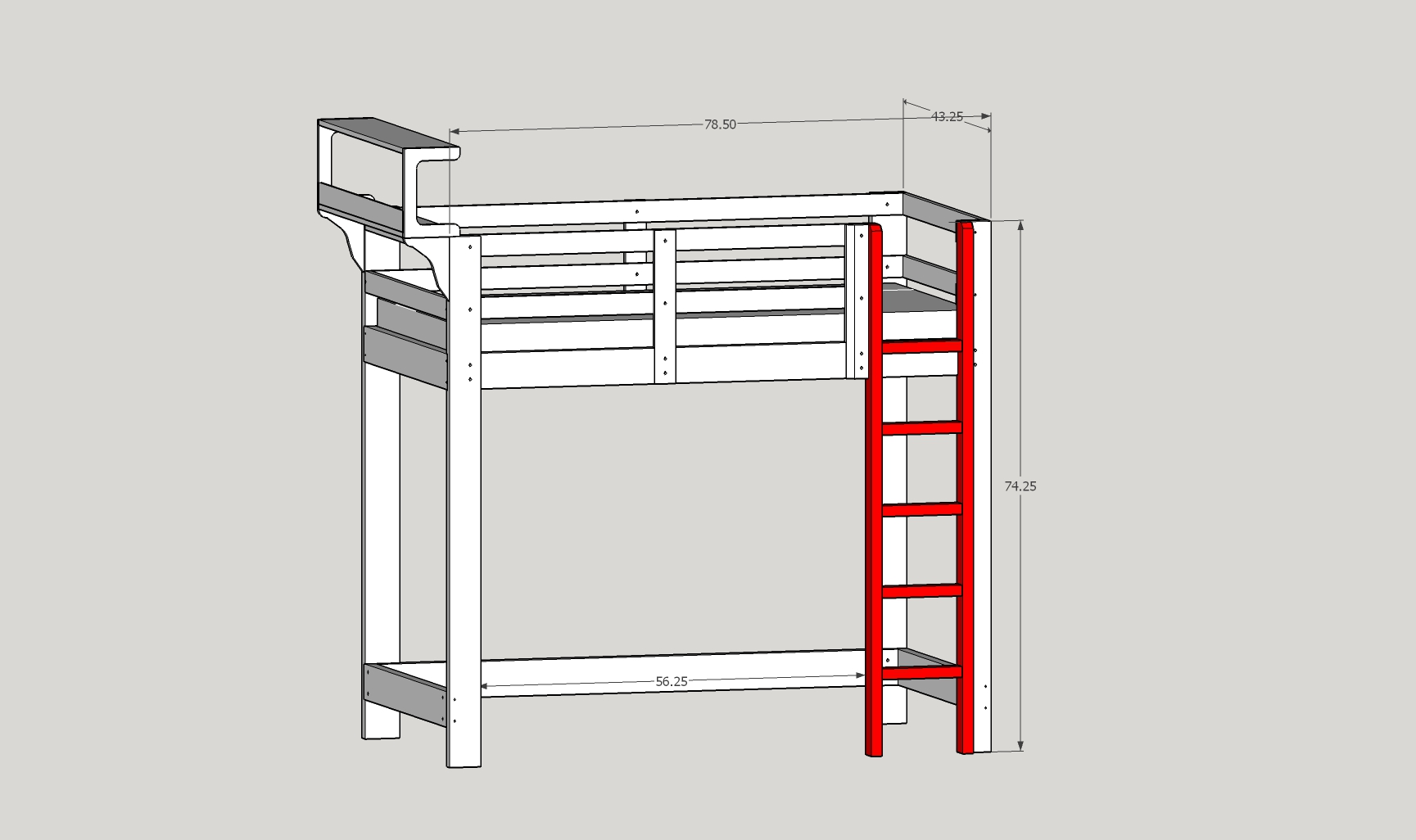
<p>As so often in the past I started sketching out a basic model of what I considered a nice looking but also stable build on paper. Then my kid got some say in the final shape as well, and once we were on the same page I’ve built a respective model in SketchUp 2017.</p>

<figure class="justify-content">
  
    
      <a href="/assets/images/woodworking/Building-a-Loft-Bed/loft_bed_sketchup.jpg" title="Model of the loft bed created in SketchUp">
          <img src="/assets/images/woodworking/Building-a-Loft-Bed/loft_bed_sketchup-350.jpg" alt="Model of the loft bed created in SketchUp" />
      </a>


    <figcaption>Model of the loft bed created in SketchUp
</figcaption>
  
</figure>

<h2 id="materials">Materials</h2>

<p>The materials used in this project were basically construction lumber and hardware:</p>

<ul>
  <li>4 14’ long 2x12 pine boards</li>
  <li>2 6’ long 1x1 strips of poplar</li>
  <li>a box of 2.5” long 3/8”-16 carriage bolts plus washers and locking nuts</li>
  <li>a couple dozen deck screws in lengths 3”, 2” and 1-1/4”</li>
  <li>a good dozen of 4” and 2=1/4” cabinet bolts each, plus the respective amount of barrel nuts</li>
</ul>

<p>The slatted mattress base we’ve actually bought from a furniture store.</p>

<figure class="justify-content">
  
    
      <a href="/assets/images/woodworking/Building-a-Loft-Bed/loft_bed_materials.jpg" title="These four boards are 2&quot; x 12&quot; 14 &apos;">
          <img src="/assets/images/woodworking/Building-a-Loft-Bed/loft_bed_materials-350.jpg" alt="These four boards are 2&quot; x 12&quot; 14 &apos;" />
      </a>


    <figcaption>These four boards are 2" x 12" 14 '
</figcaption>
  
</figure>

<h3 id="preparation">Preparation</h3>

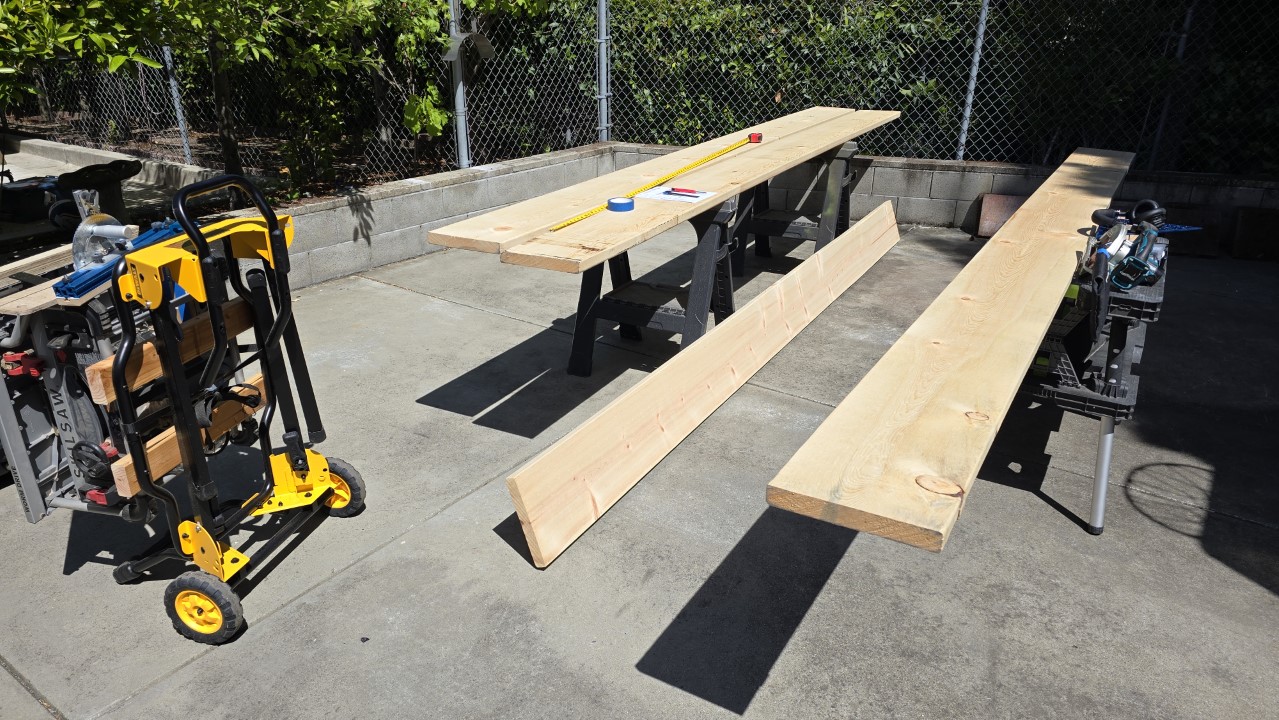
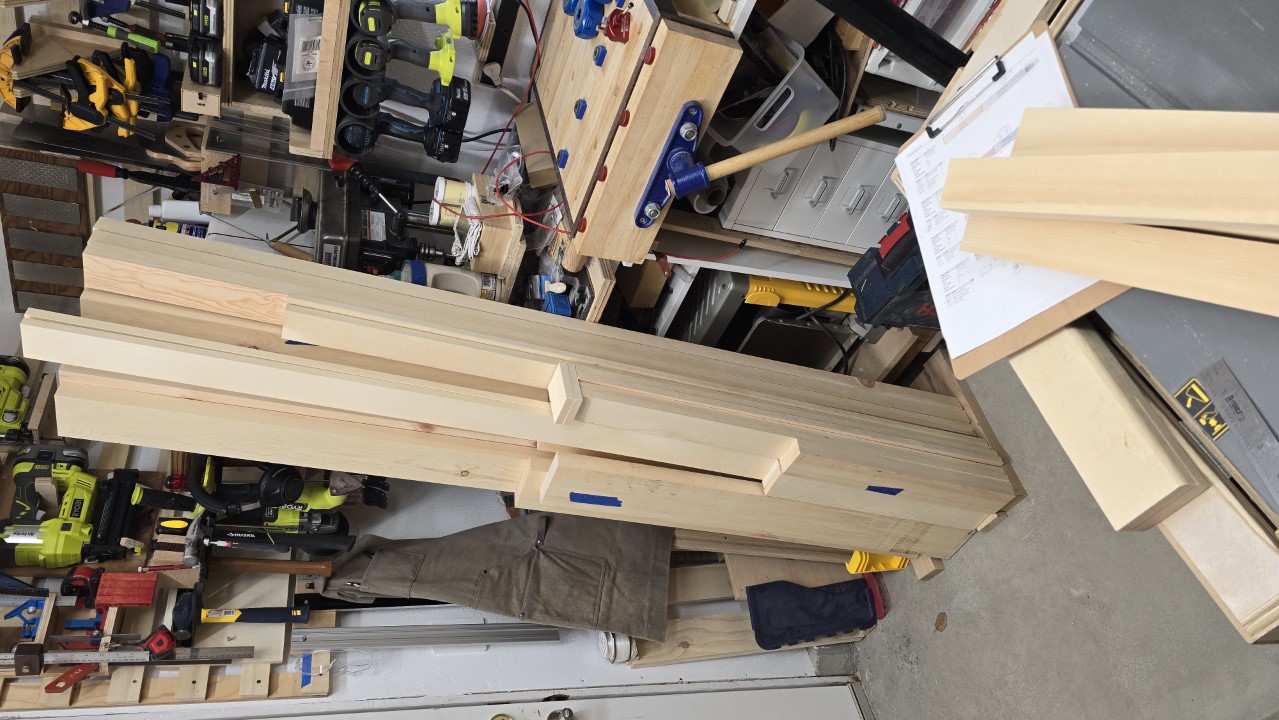
<p>Before I bought the boards, I’ve calculated the exact amount of wood I needed, then gathered information about what is available to me close by, that is of a decent quality and size. A local lumber yard had the perfectly sized pine boards available, and that to a reasonable price. So I put on the trailer and got these 4 boards, picking them from the lot by determining how I could make the most out of the material. I had to already figure how I would cut them so I could avoid knots that were too large to have them in the build in places where the structural integrity would suffer.</p>

<p>I was also planning on some pieces that I could rip in half to get double the amount of boards for the guard rails, as well as creating waste pieces which I then could cut other smaller pieces from. The “OpenCutList” plugin for SketchUp as well as the <a href="https://www.cutlistoptimizer.com/">Cut List Optimizer</a> were helping a lot with that. I only had to minimally alter the suggestions to account for knots and holes in the boards before making final cutting decisions.</p>

<p>Once I’ve known how to cut up each board I’ve marked all future parts clearly with respective marks on painters tape and noted the same marks down in the cutting plan.</p>

<h2 id="tools">Tools</h2>

<p>For the most part the tools used for this build were quite basic for a more serious hobby-woodworker, I think: a table saw to cut up the boards, a planer to get nice surfaces (I used both, an benchtop planer as well as a hand plane), several power drills and impact drivers plus the respective drill, drive and forstner bits.</p>

<p>I did pre-drill and countersink the deck screws even though they are supposed to self-drill and -sink as I wanted to reduce the stress on these relatively delicate pieces. An electric brad nailer helped keeping the guard rails in place after aligning them with the legs, which made it so much easier to screw them on.</p>

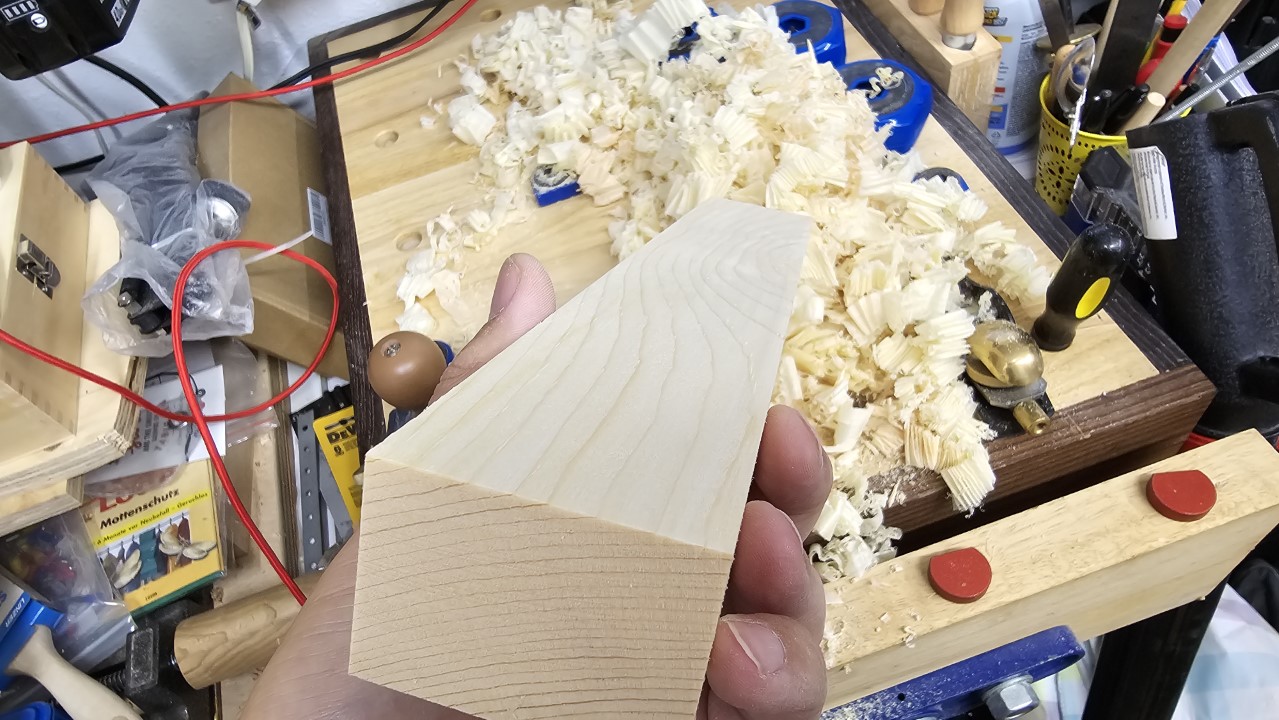
<p>I did plane some parts with a hand plane as they were too short for the benchtop planer or had angled surfaces.</p>

<figure class="justify-content">
  
    
      <a href="/assets/images/woodworking/Building-a-Loft-Bed/loft_bed_hand_planed.jpg" title="The sound a sharp plane is making when creating nice and thin shavings is really satisfying">
          <img src="/assets/images/woodworking/Building-a-Loft-Bed/loft_bed_hand_planed-350.jpg" alt="The sound a sharp plane is making when creating nice and thin shavings is really satisfying" />
      </a>


    <figcaption>The sound a sharp hand plane is making when creating nice and thin shavings is really satisfying
</figcaption>
  
</figure>

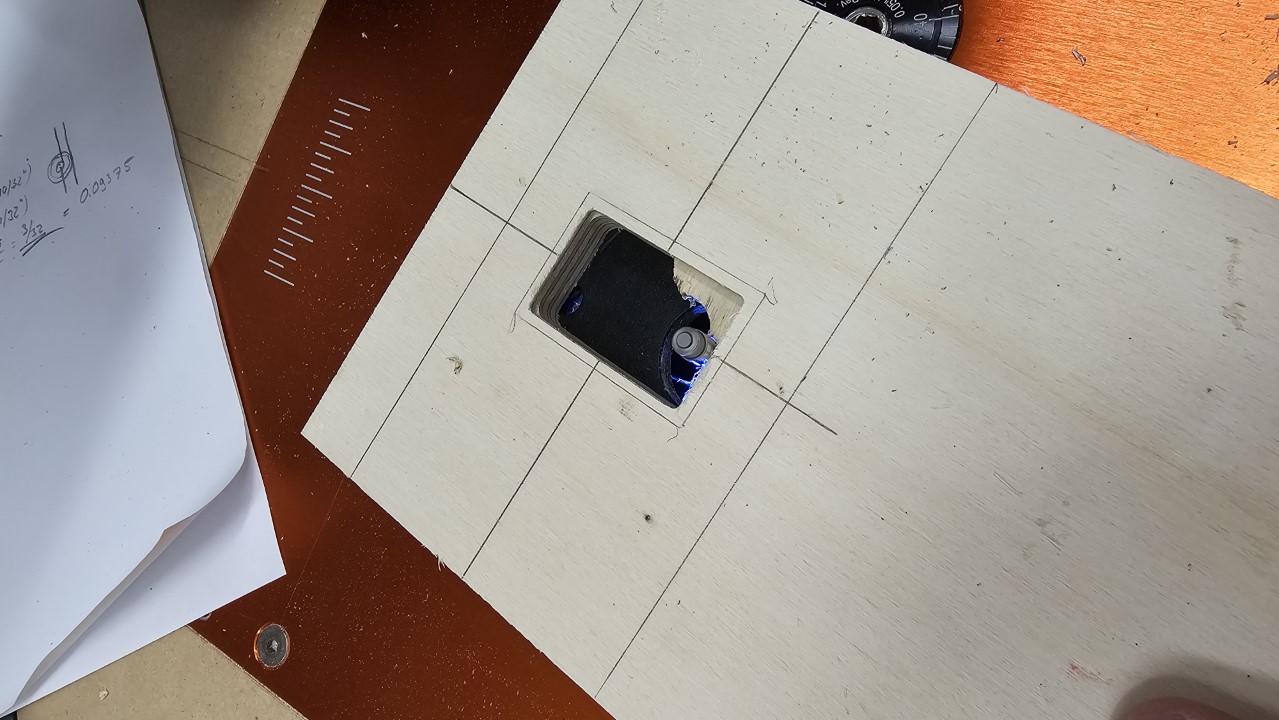
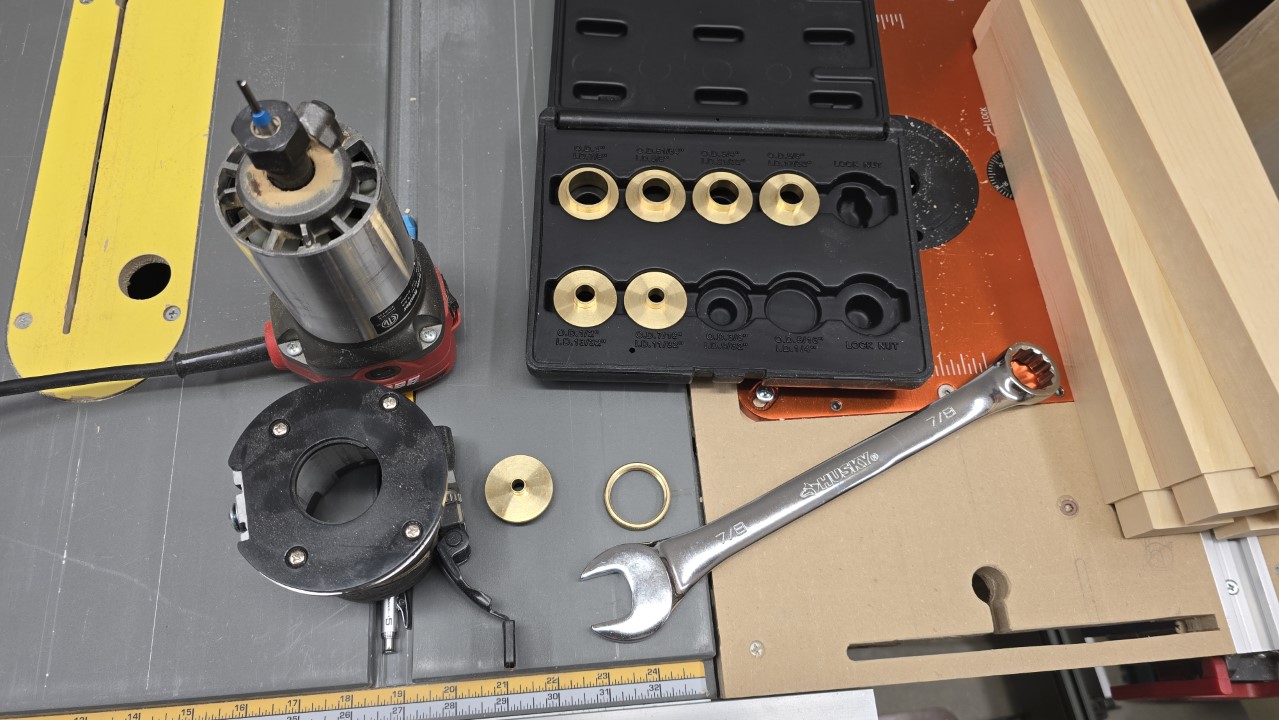
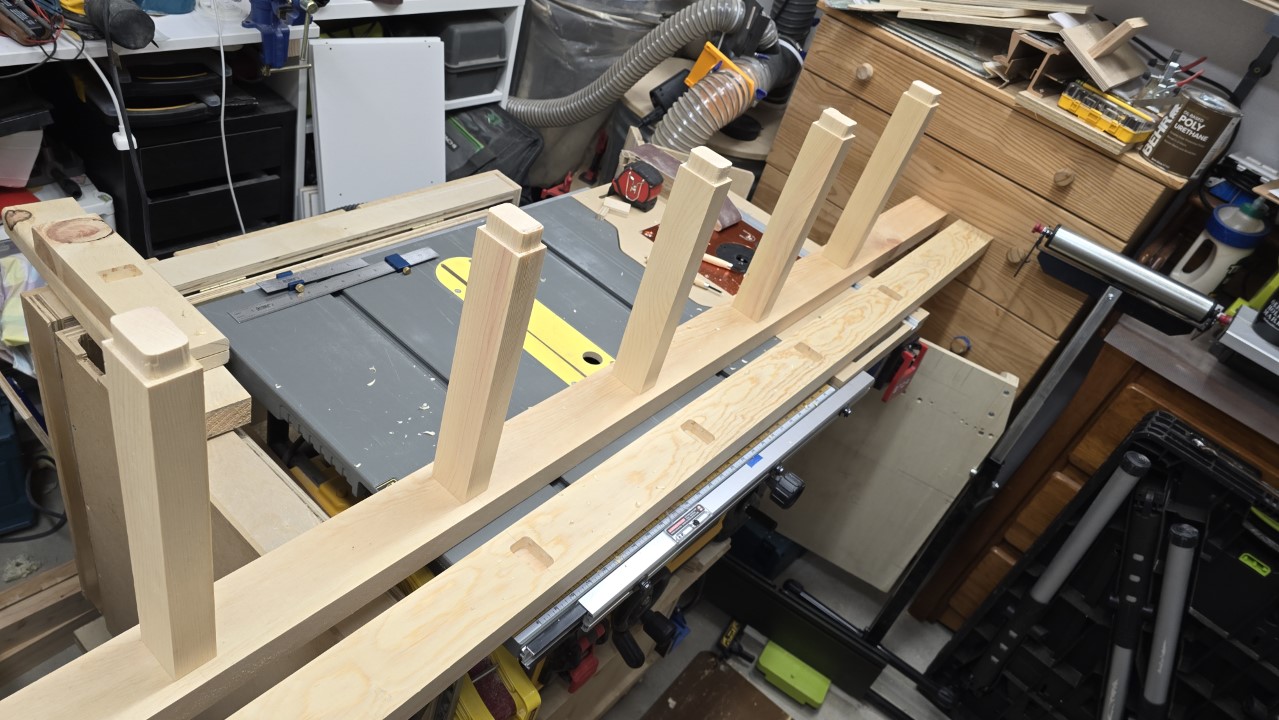
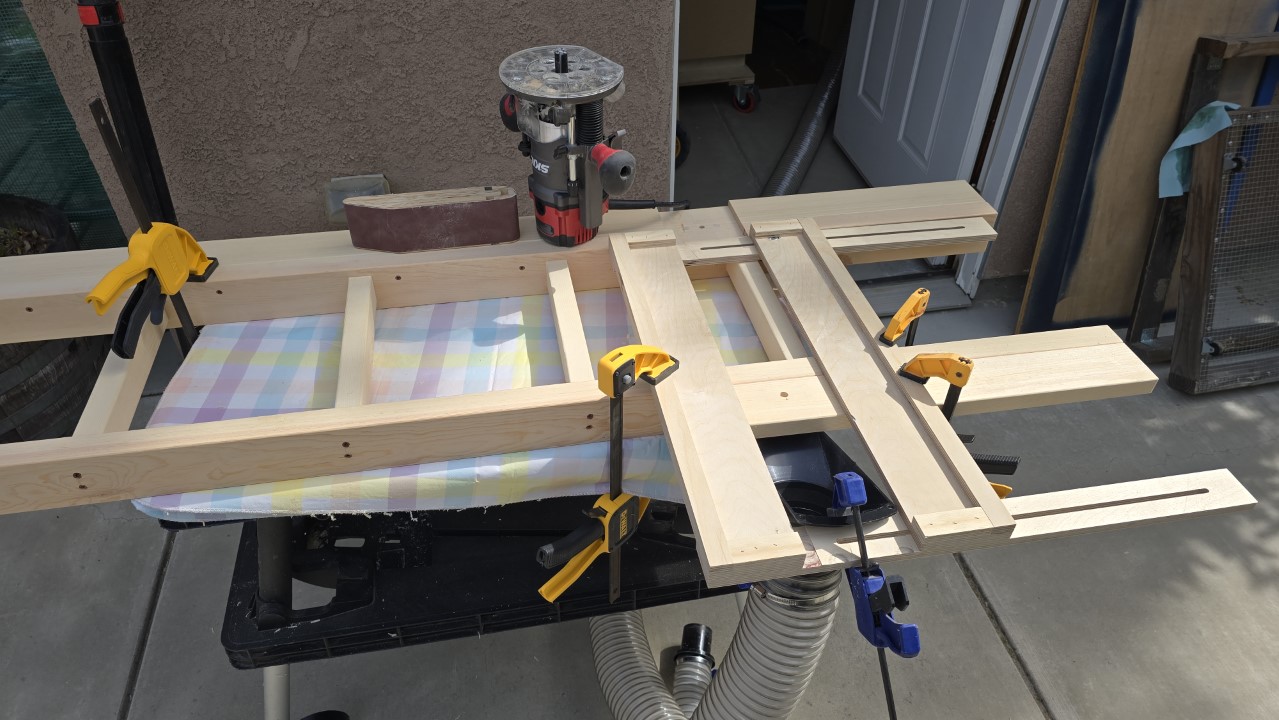
<p>I’ve also used the router table to joint some parts, as well as a handheld router to route out the mortises where the ladder steps were set in. To create the necessary template first I’ve used a 1/4” spiral bit in combination with a pattern ring and a variable template. Once I got the template for the mortises right I used a 1/2” mortising bit with it on the ladder parts.</p>

<figure class="half ">
  
    
      <a href="/assets/images/woodworking/Building-a-Loft-Bed/loft_bed_mortise_template.jpg" title="It took me a couple attempts to get the template right as I had to improvise with a template ring and a set of spiral bits">
          <img src="/assets/images/woodworking/Building-a-Loft-Bed/loft_bed_mortise_template-350.jpg" alt="It took me a couple attempts to get the template right as I had to improvise with a template ring and a set of spiral bits" />
      </a>


      <a href="/assets/images/woodworking/Building-a-Loft-Bed/loft_bed_mortise_routing.jpg" title="Once the template was ready I used it to route out the mortises for the ladder step tenon ends">
          <img src="/assets/images/woodworking/Building-a-Loft-Bed/loft_bed_mortise_routing-350.jpg" alt="Once the template was ready I used it to route out the mortises for the ladder step tenon ends" />
      </a>


    <figcaption>This template I used to route out the mortises where the ladder steps were set in
</figcaption>
  
</figure>

<p>The forstner bit removed a part of the waste and created room for the router bit to get an easier start.</p>

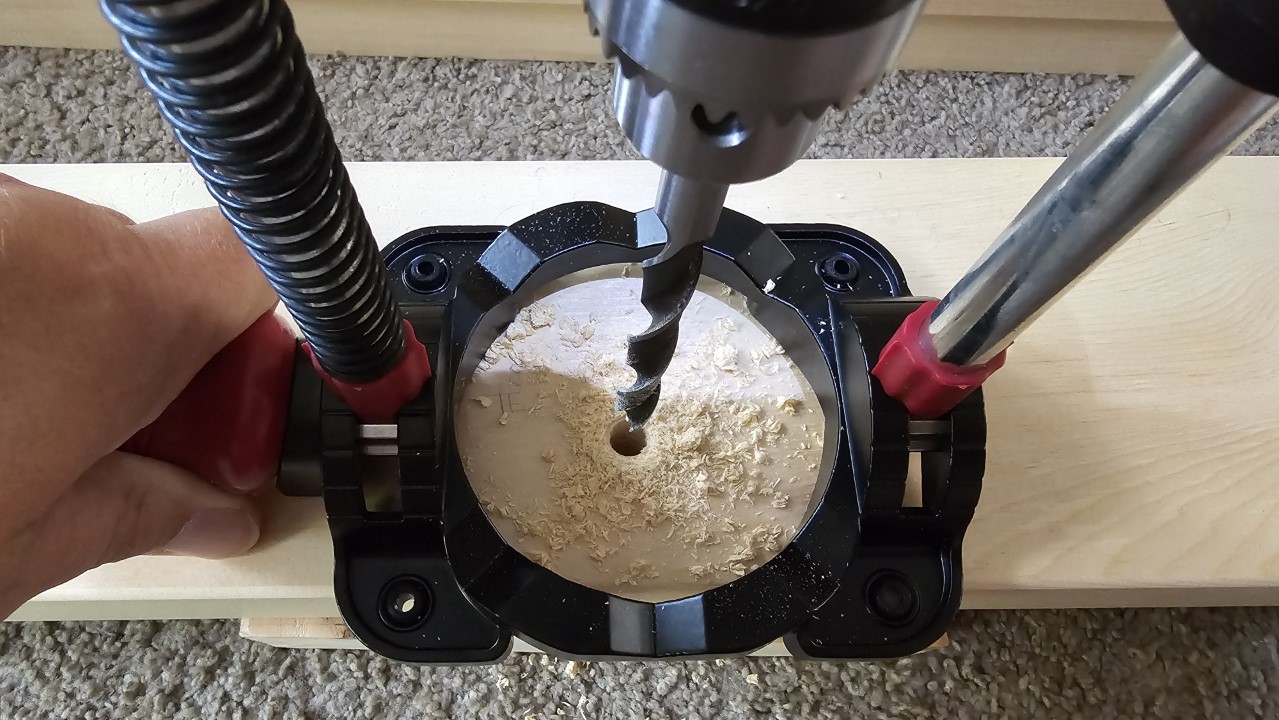
<p>One tool I actually bought for this build is a drill guide that helped to repeatedly drill straight holes in a 90 degree angle as I needed to make sure they meet when putting two 1 to 1.5” thick boards together. As the boards were way to long to handle them inside my workshop on my small drill press the Milescraft drill aid I got for this proved to be extremely helpful.</p>

<figure class="third ">
  
    
      <a href="/assets/images/woodworking/Building-a-Loft-Bed/loft_bed_table_saw.jpg" title="My old table saw mounted to an unused rolling stand which I now use outdoors when cutting larger pieces that won't fit in the workshop">
          <img src="/assets/images/woodworking/Building-a-Loft-Bed/loft_bed_table_saw-350.jpg" alt="My old table saw mounted to an unused rolling stand which I now use outdoors when cutting larger pieces that won't fit in the workshop" />
      </a>


      <a href="/assets/images/woodworking/Building-a-Loft-Bed/loft_bed_drill_guide.jpg" title="This drill guide I've bought to not having to rely on my freehand drilling skills as the holes should perfectly match in the respective leg and frame pieces">
          <img src="/assets/images/woodworking/Building-a-Loft-Bed/loft_bed_drill_guide-350.jpg" alt="This drill guide I've bought to not having to rely on my freehand drilling skills as the holes should perfectly match in the respective leg and frame pieces" />
      </a>


      <a href="/assets/images/woodworking/Building-a-Loft-Bed/loft_bed_pattern_routing.jpg" title="A handheld router, a 1/4&quot; spiral bit and a pattern ring were needed to create a template I later could use to route out the mortises for the ladder's steps">
          <img src="/assets/images/woodworking/Building-a-Loft-Bed/loft_bed_pattern_routing-350.jpg" alt="A handheld router, a 1/4&quot; spiral bit and a pattern ring were needed to create a template I later could use to route out the mortises for the ladder's steps" />
      </a>


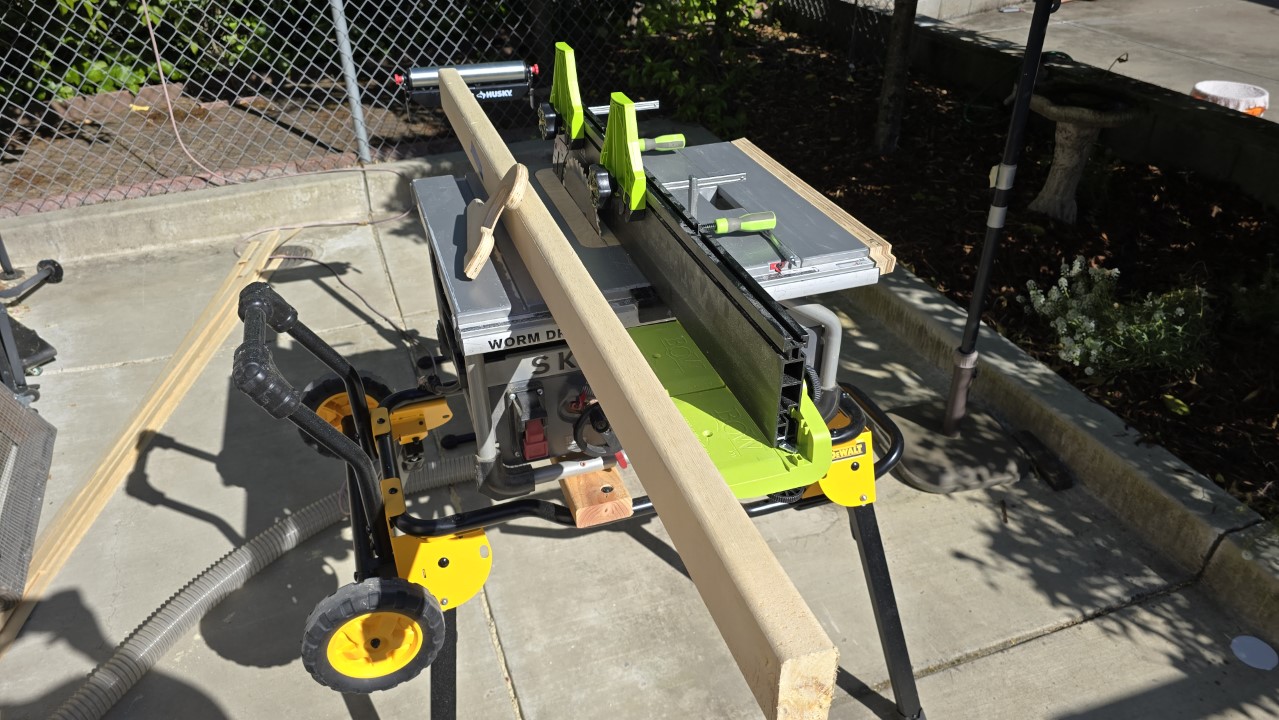
    <figcaption>These are the main tools I’ve used for this build, plus a couple different power and impact drills.
</figcaption>
  
</figure>

<p>Since I have the luxury of having a second table saw I can cut larger boards and sheets outside my shop, before taking the smaller parts inside. That saw is my previous table saw and is now mounted onto the unused rolling/folding stand of my current saw. This makes it easy to wheel around, so I put it up wherever I need it. For ripping long boards I temporarily attach my add-on fence from the other saw as it gives almost double the surface for the board to ride against. Otherwise I’d have to wheel out my table saw cabinet every time, and that would not be as much fun (though it would be possible).</p>

<h2 id="parts">Parts</h2>

<p>The bed’s construction consists of three main parts: frame, legs, and guard rails. All of these parts were cut from the 4 boards I started with. The only “external” addition to that was a pair of 1x1 poplar runners that I screwed to the frame so the slatted mattress base can rest on them.</p>

<figure class="justify-content">
  
    
      <a href="/assets/images/woodworking/Building-a-Loft-Bed/loft_bed_all_pieces.jpg" title="All parts have been cut from the four boards the build started out with">
          <img src="/assets/images/woodworking/Building-a-Loft-Bed/loft_bed_all_pieces-350.jpg" alt="All parts have been cut from the four boards the build started out with" />
      </a>


    <figcaption>All parts have been cut from the four boards the build started out with
</figcaption>
  
</figure>

<h3 id="the-frame">The frame</h3>

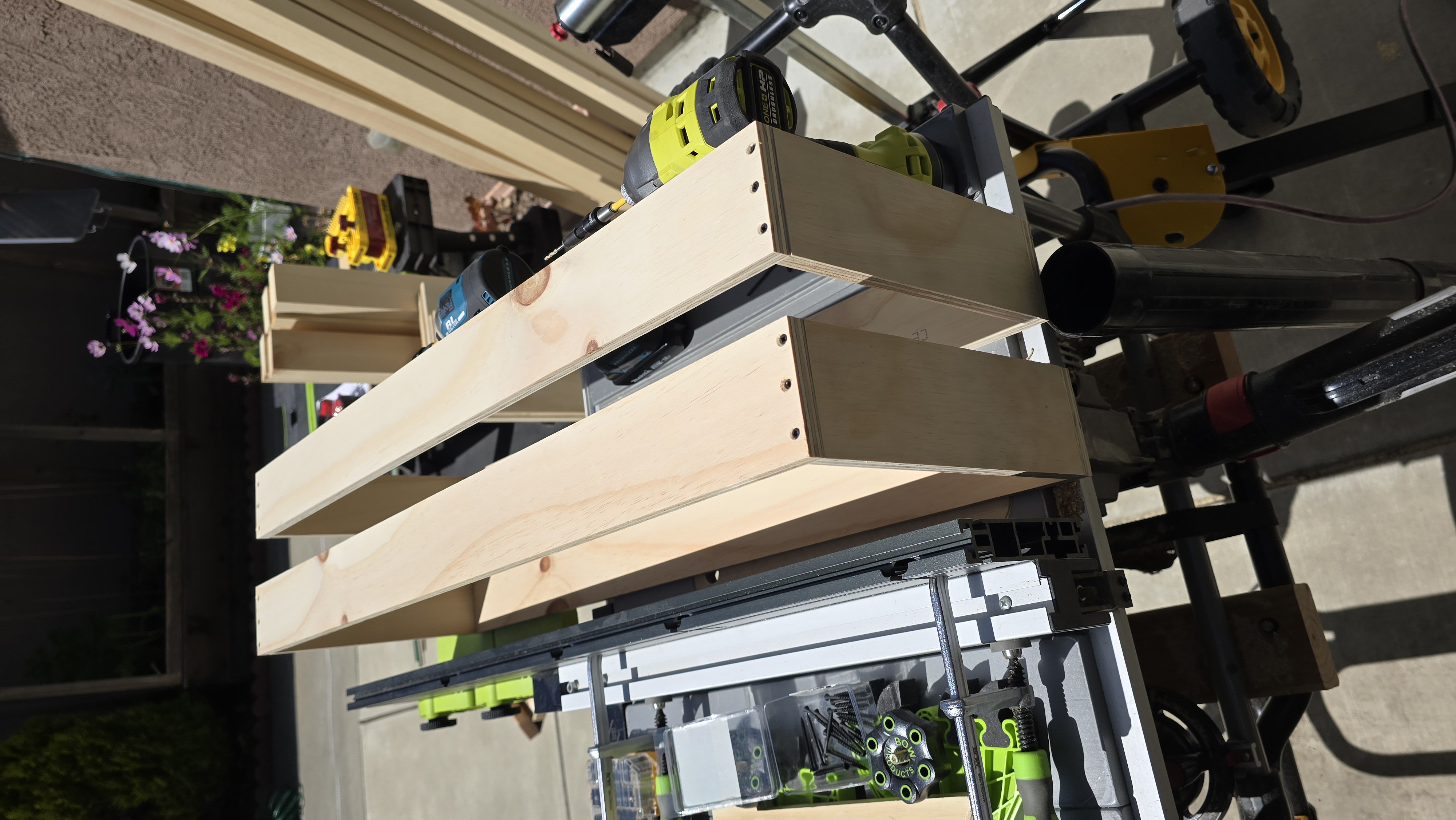
<p>The main structural component of the bed is its horizontal frame. It is comprised of a set of 2x6 that are butt-joined with cabinet bolts and barrel nuts. Inside the frame are the poplar strips mounted to the long sides so the mattress base has something to sit on. The frame then also got a couple 3/8” through-holes where it then is mounted to the legs. These holes are bored out on the inside with a forstner bit so the hex nuts clear the mattress base.</p>

<h3 id="the-legs">The legs</h3>

<p>In the back the bed stands on legs that are also cut as 2x6, while the front leg on one side is only 4.5”, so it appears a little less bulky. The other front leg actually is the ladder that allows the kid to climb up, plus another 2x4 to allow for easier mounting to the frame.</p>

<p>All legs incl. the ladder have a 1/2” recess cut into them all at the same height, so the frame sits inside of a half lap. This increases general stability and helps spreading the rocking and shearing forces away from the 2 carriage bolts each leg is mounted with.
About 5” from the floor another frame stabilizes the construction at the bottom on three sides to further reduce possible movements.</p>

<h3 id="the-ladder">The ladder</h3>

<p>The ladder is an integral part of the bed’s structure as it replaces the fourth leg. The steps are set in 1” deep mortises, and fixed with deck screws from the outside. These screws are set in two different angles on each side to make the construction more durable.</p>

<figure class="third ">
  
    
      <a href="/assets/images/woodworking/Building-a-Loft-Bed/loft_bed_step_tenon.jpg" title="The steps's ends are rabbeted to give a nice fitting look once fully seated">
          <img src="/assets/images/woodworking/Building-a-Loft-Bed/loft_bed_step_tenon-350.jpg" alt="The steps's ends are rabbeted to give a nice fitting look once fully seated" />
      </a>


      <a href="/assets/images/woodworking/Building-a-Loft-Bed/loft_bed_ladder_assembly.jpg" title="The steps are seated into the mortises, and then two screws, which sit at an angle on each end, are holding them in place">
          <img src="/assets/images/woodworking/Building-a-Loft-Bed/loft_bed_ladder_assembly-350.jpg" alt="The steps are seated into the mortises, and then two screws on each end are holding them in place" />
      </a>


      <a href="/assets/images/woodworking/Building-a-Loft-Bed/loft_bed_ladder_assembly_2.jpg" title="A 2x4 is screwed onto each of the ladders sides to allow for easier mounting of the ladder as a leg to the bed frame">
          <img src="/assets/images/woodworking/Building-a-Loft-Bed/loft_bed_ladder_assembly_2-350.jpg" alt="A 2x4 is screwed onto on of the ladders sides to allow for easier mounting of the ladder as a leg to the bed frame" />
      </a>


    <figcaption>The ladder is put together without any glue, just screws - this should make it possible to relatively easily do repairs if ever needed
</figcaption>
  
</figure>

<h3 id="the-guard-rails">The guard rails</h3>

<p>This is the “fence” at the top of the bed that protects the occupant from falling off. It is made of 5/8 thick and 2x3 wide boards that are mounted to the frame with some 1.5” pieces of 2x3 and to the legs directly. They are also connected to each other via cabinet bolts and barrel nuts. The connection with the legs was originally intended to be done with short cabinet bolts and fitting nuts, but I forgot to account for the loss of thickness of the boards due to planing them. Since they were made by ripping 1.5” thick boards into supposedly 3/4” thick pieces, their thickness was already going to be at least half a saw blade kerf (which in this case would be 3/64” each) less than 3/4”, but then I had to plane them quite a bit as the cutting quality wasn’t optimal, and neither were the outer surfaces.</p>

<p>So I had to improvise and decided to go with deck screws instead. This has the benefit that the connection is sturdier by using three screws per joint instead of one bolt. On the other side the looks aren’t as good - on the inside one can see the screw heads, and on the outside the recurring element of the nice-looking flat cabinet bolt heads is missing. But I had to finish the bed so I didn’t have time to remake the respective parts from additional material, and my kid likely will never care about a certain type of fastener anyway.</p>

<h2 id="difficulties">Difficulties</h2>

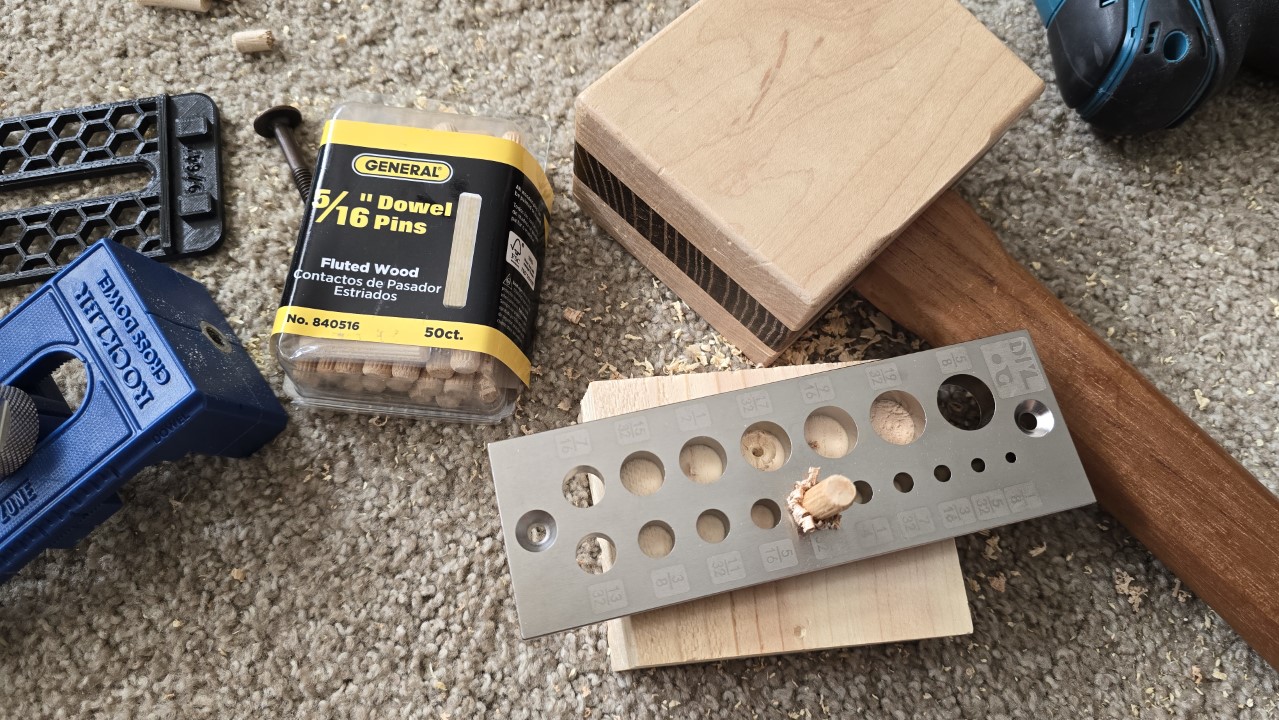
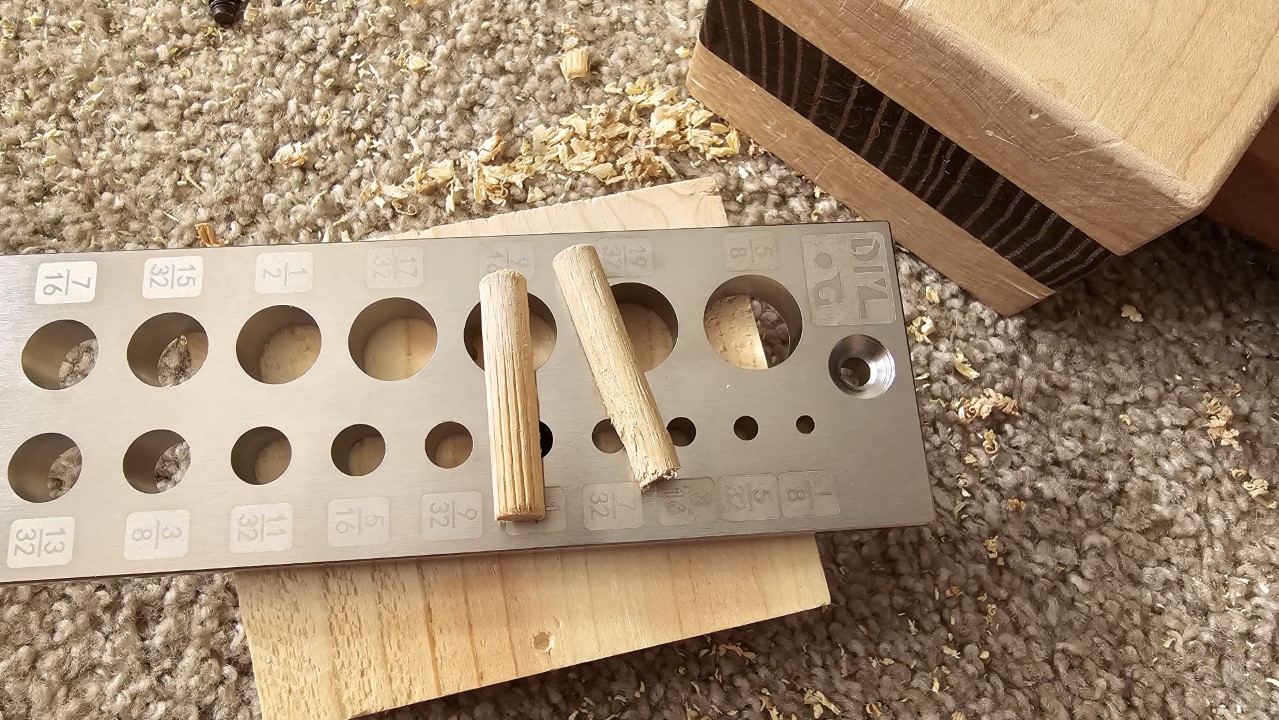
<p>I already mentioned the boards that were a tad too thin. Besides that there were other things that didn’t quite work out as expected. For instance I kept messing up where to drill the holes for the cabinet bolts, so I ended up filling holes by glueing in wooden dowels - which I also had to make first.</p>

<figure class="half ">
  
    
      <a href="/assets/images/woodworking/Building-a-Loft-Bed/loft_bed_dowel_shrinking.jpg" title="I used some 5/16*quot; dowel pins, this doweling plate and a mallet to resize the dowel pins to fit the holes I'd drilled">
          <img src="/assets/images/woodworking/Building-a-Loft-Bed/loft_bed_dowel_shrinking-350.jpg" alt="I used some 5/16*quot; dowel pins, this doweling plate and a mallet to resize the dowel pins to fit the holes I'd drilled" />
      </a>


      <a href="/assets/images/woodworking/Building-a-Loft-Bed/loft_bed_shrunk_dowel.jpg" title="After punching the pins through the respective holes I had them down to the size 9/32&quot;, so they perfectly fit into the wrongly positioned holes">
          <img src="/assets/images/woodworking/Building-a-Loft-Bed/loft_bed_shrunk_dowel-350.jpg" alt="After pressing the pins through the respective holes I had the down to the size 9/32&quot; " />
      </a>


    <figcaption>I wasn’t paying attention and messed up the position of some of the holes needed for the cabinet bolts, so I had to make some dowels to fill them
</figcaption>
  
</figure>

<p>When trying to connect the stretchers at the bottom with the legs I had so many problems to get everything lined up and seated neatly I ran out of patience and ended up using 5” deck screws which I salvaged from an old workbench I’ve demolished recently. I screwed them in diagonally so they crossed each other, similar to how it’s done with beams in framing.</p>

<p>Then I forgot that I’ve used screws to put together the ladder, and promptly destroyed a brand new router bit when routing out the dados for the frame as - of course - I hit a screw. For a moment I was wondering why there were sparks everywhere before it dawned on me… However, the bit still finished its job relatively well, but required a little bit of cleanup afterwards as the corners of the carbide blades of the bit broke off. So I guess I won’t use that bit any longer.</p>

<figure class="justify-content">
  
    
      <a href="/assets/images/woodworking/Building-a-Loft-Bed/loft_bed_dado_jig.jpg" title="Cutting the dados for the half lap joint between frame and legs required me to mke a jig first - using it made the actual process so much easier">
          <img src="/assets/images/woodworking/Building-a-Loft-Bed/loft_bed_dado_jig-350.jpg" alt="Cutting the dados for the half lap joint between frame and legs required me to mke a jig first - using it made the actual process so much easier" />
      </a>


    <figcaption>Cutting the dados for the half lap joint between frame and legs required me to mke a jig first - using it made the actual process so much easier
</figcaption>
  
</figure>

<h2 id="todo">ToDo</h2>

<h3 id="paint">Paint</h3>

<p>My kid has chosen a set of three colors of which I already bought a couple small cans, and which I will put on once we are sure there are no more changes required. Then I’ll put on these three paints plus a clear coat on top to make them more durable.</p>

<h3 id="subsequent-changes">Subsequent changes</h3>

<p>One change my kid has asked me to do after I’ve finished the actual build: widen the “entrance” at the top of the ladder a bit as it turned out to be too narrow. The gab between the ladder’s stiles is 12 inches, which is the maximum I could provide as there is a sleeper sofa that needs to fit between the ladder and the other leg when pulled out. For now the idea is to cut off a couple of inches at the upper ends of the ladder itself, and then smooth out the remaining surfaces and edges so it feels extra nice to the touch.</p>

<h3 id="additions-planned">Additions planned</h3>

<p>An addition that is already in my plan but hasn’t been done yet is a set of shelves the kid asked to build as well. They are going to be mounted to the head end of the bed, that not only provides space for a night light, a glass of water, a book, etc., but also allows for blocking out the sun when needed. We haven’t finalized the design just yet, so this may also take quite some more time to get done.</p>

<p>I’ll update this post once I’ve finished these tasks as well.</p>

<h2 id="the-kind-of-finished-project">The (kind of) finished project</h2>

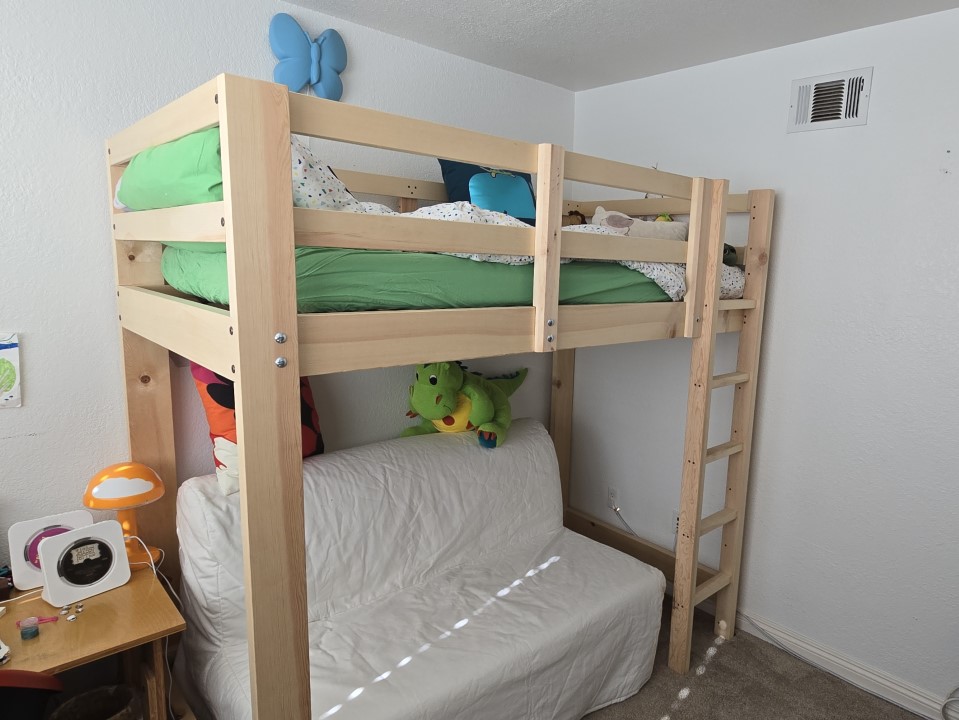
<p>For a couple of weeks this bed is now already in use as we needed the sleeper sofa otherwise, and the kid loves it so far. It turned out quite nice, even without any paint on. The entire build took me about three weeks of work including the modeling and material purchasing runs.</p>

<figure class="justify-content">
  
    
      <a href="/assets/images/woodworking/Building-a-Loft-Bed/loft_bed_finished.jpg" title="The bed's construction is finished, now it just needs to get some paint and the shelf the kid has asked for as well">
          <img src="/assets/images/woodworking/Building-a-Loft-Bed/loft_bed_finished-350.jpg" alt="The bed's construction is finished, now it just needs to get some paint and the shelf the kid has asked for as well" />
      </a>


    <figcaption>The finished loft bed with mattress and bedding in place
</figcaption>
  
</figure>

<p>Did it, in hindsight, make sense to build it myself? Absolutely, the passion and enthusiasm for a project like this is exactly what brought me into woodworking in the first place.
Was it cheaper than buying a bed in a store? Not necessarily, as for the roughly $250 for the material we could have bought one that would at least get the job done. For something as nice and sturdy as I’ve built it the costs would have been at least twice as much, though there seems to be no upper limit.</p>

<p>As I have more time at my hands at the moment and want to build up more skills anyway I happily invested the time needed to plan and build this bed.</p>

<p>Some of that time I did kind of waste by working around the lack of certain tools (or knowledge). For instance a small pattern routing bit would have made routing out the mortises for the ladder steps so much easier.
Another time I just made life harder on myself and had to remake the steps entirely because I removed too much material when cutting the tenons the first time, making them too weak for my liking. Or when I messed up the holes for the cabinet bolts…</p>

<p>And of course I got sidetracked multiple times, i.e. to <a href="https://blog.mcfisch.com/woodworking/Building-a-Miter-Saw-Station/">build a miter saw station</a>, or to make a new table saw sled, or to build a dado template.</p>

<p>However, the best of all in this is that my kid got to have a say in how it had to be designed and even was able to help with the assembly of some parts - and this is invaluable.</p>]]></content><author><name>Mario Fischer</name></author><category term="Woodworking" /><category term="Woodworking" /><summary type="html"><![CDATA[My kid wanted a loft bed. but these are so expensive that I was sure I could do it much cheaper myself. Will this be a waste of money? Or will it turn out good enough to be proud of it?...]]></summary></entry><entry><title type="html">Building a Miter Saw Station for the Shop</title><link href="https://blog.mcfisch.com/woodworking/Building-a-Miter-Saw-Station/" rel="alternate" type="text/html" title="Building a Miter Saw Station for the Shop" /><published>2024-06-25T12:00:00-07:00</published><updated>2024-06-25T12:00:00-07:00</updated><id>https://blog.mcfisch.com/woodworking/Building-a-Miter-Saw-Station</id><content type="html" xml:base="https://blog.mcfisch.com/woodworking/Building-a-Miter-Saw-Station/"><![CDATA[<p>There is never enough space in the shop, and the miter saw needs a place to stay as well - so why not building a miter saw station with storage for other things?</p>

<p>To be clear: this is not meant to be the “ultimate miter saw station” as many woodworking content creators seem to claim for their own builds and adaptations, but rather my own attempt to use the available space in my small shop as efficiently as possible.</p>

<h2 id="modeling">Modeling</h2>

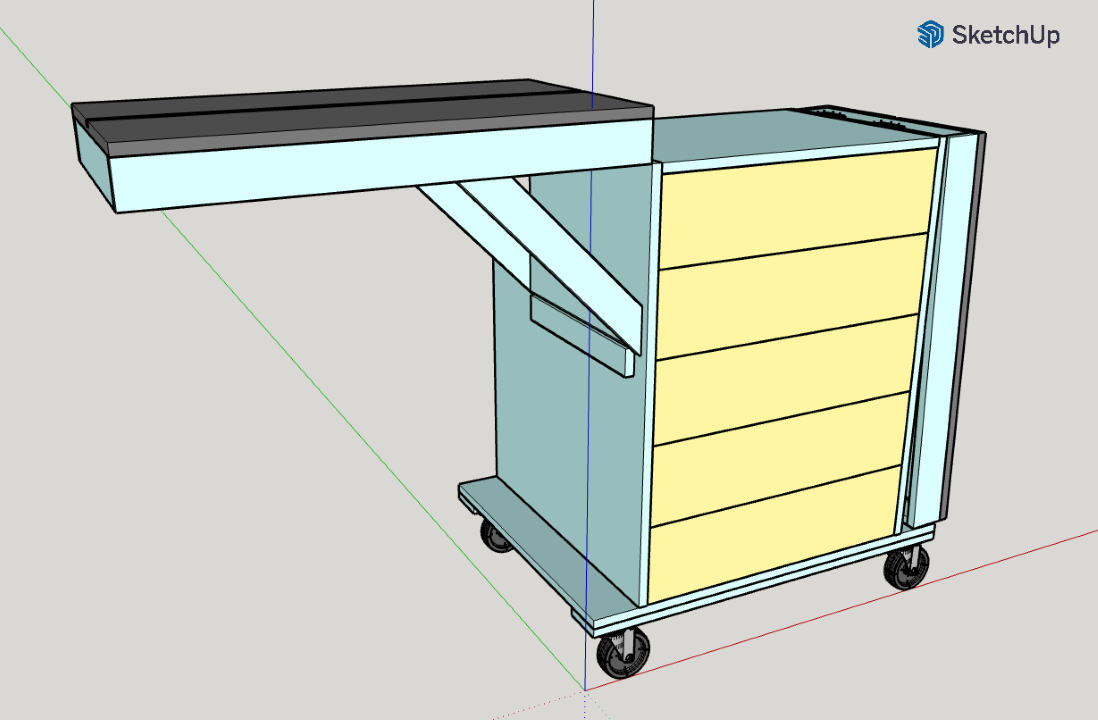
<p>As so often I used the free SketchUp 2017 to create a model that was initially inspired by some tutorials I have seen in woodworking magazines. That means it has a similar bottom as my table saw stand, which consists of reinforced 3/4” plywood and sits on four 3” swivel casters.</p>

<figure class="justify-content">
  
    
      <a href="/assets/images/woodworking/Building-a-Miter-Saw-Station/mobile_miter_saw_station_sketchup.png" title="Model of the miter saw station created in SketchUp">
          <img src="/assets/images/woodworking/Building-a-Miter-Saw-Station/mobile_miter_saw_station_sketchup-350.png" alt="Model of the miter saw station created in SketchUp" />
      </a>


    <figcaption>Model of the miter saw station created in SketchUp
</figcaption>
  
</figure>

<h2 id="dust-collection">Dust collection</h2>

<p>Initially I was also planning to install a dust hood I have found in SketchUp’s 3D-model warehouse, which I intended to build from 1/4” plywood. But when I was finally ready to start with that part another interesting way became available: the YouTube content creator <a href="https://www.youtube.com/c/ShopNation">Shop Nation</a> had developed a nice dust chute replacement for the miter saw model I have (Ridgid 4251 a.k.a. Delta Cruzer 12”) and added it to his online shop. As I also own a 3D printer I’ve bought the respective 3D print files from Shop Nation, then just printed that port and installed it - and I’m very pleased with how well it works. I might build the hood at a later point if it turns out I use the saw more often and the current solution couldn’t keep up well enough.</p>

<h2 id="materials">Materials</h2>

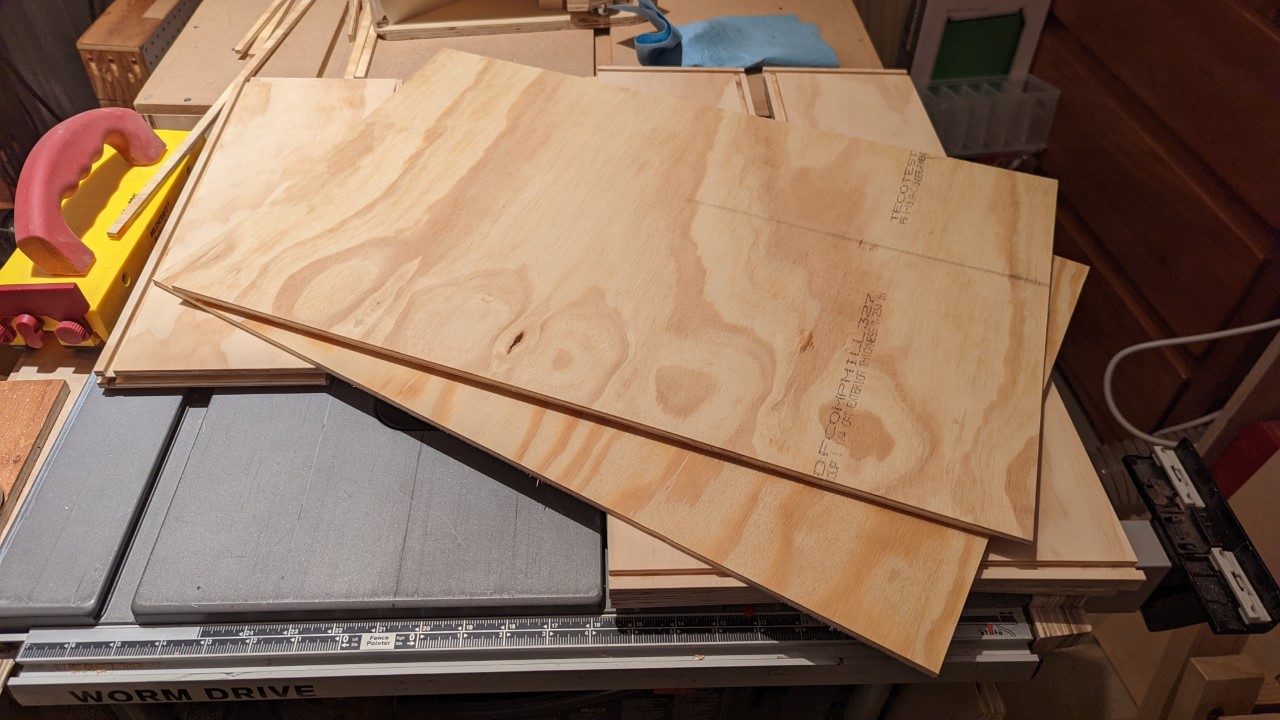
<p>The building material in this project is mainly ACX plywood in the nominal thicknesses of 1/4”, 1/2” and 3/4”. Have I used mainly scraps for my shop projects in the past, this time around I’ve shelled out some money to buy good quality plywood from a local hardwood store, which all the structural parts and the drawers are made from. Just the drawer fronts are from some scraps of poplar plywood, which is a lot more lightweight than ACX, but looks a lot better, too.</p>

<figure class="justify-content">
  
    
      <a href="/assets/images/woodworking/Building-a-Miter-Saw-Station/miter_saw_station_panels.jpg" title="Selection of plywood panels, cut to build drawers from">
          <img src="/assets/images/woodworking/Building-a-Miter-Saw-Station/miter_saw_station_panels-350.jpg" alt="Selection of plywood panels, cut to build drawers from" />
      </a>


    <figcaption>Selection of plywood panels, already cut to build drawers from
</figcaption>
  
</figure>

<h2 id="base-cabinet">Base cabinet</h2>

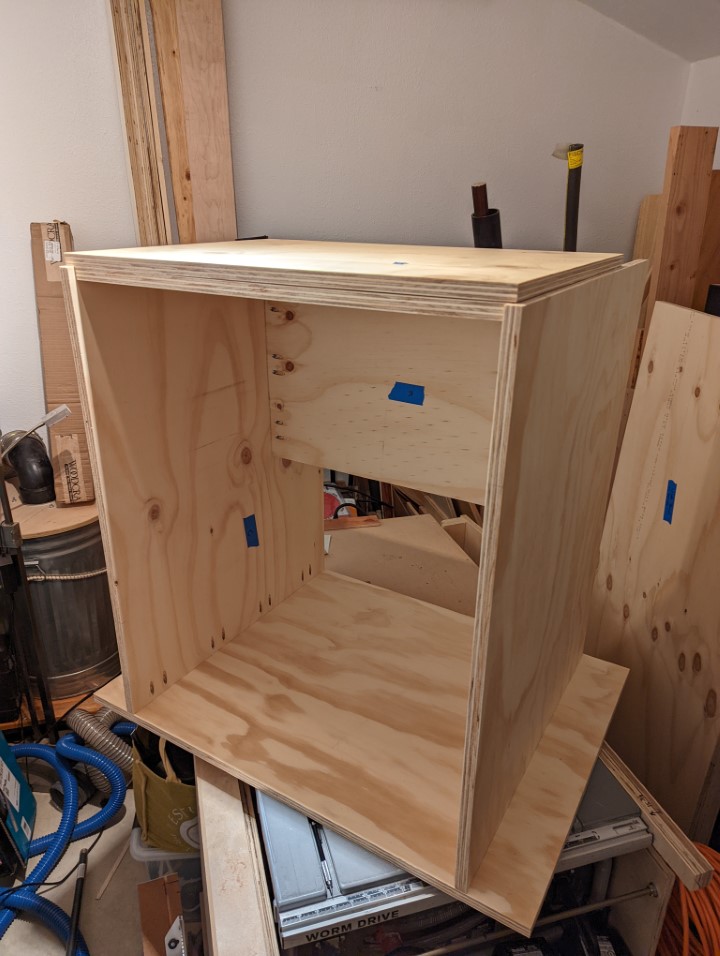
<p>The cabinet consists of two sides, a wider bottom panel to increase stability, and two strips across the top, so basically just like a regular kitchen cabinet (except for the bottom). A 1/2” thick back panel gives the cabinet its rigidity.</p>

<figure class="justify-content">
  
    
      <a href="/assets/images/woodworking/Building-a-Miter-Saw-Station/miter_saw_station_corpus.jpg" title="The base cabinet's corpus assembled - pocket hole screws for the win!">
          <img src="/assets/images/woodworking/Building-a-Miter-Saw-Station/miter_saw_station_corpus-350.jpg" alt="The base cabinet's corpus assembled - pocket hole screws for the win!" />
      </a>


    <figcaption>The base cabinet assembled - pocket hole screws for the win!
</figcaption>
  
</figure>

<p>Since the original plan included a dust hood, which was supposed to drop the dust and chips to the bottom of the cabinet’s rear, there is a gap between the upper three drawers and the rear end of the cabinet. This gap is closed off from the drawers by an additional panel, acting as a sort of dust/chips chute and has a hole on one side, where the hose of the dust collector was supposed to go. This has currently no function, but it still causes the upper three drawers to be a couple inches shorter. It isn’t a problem for me, so it likely will stay like that forever. Since this extra panel is also 3/4” thick it further increases the cabinet’s stability, which will be important when I have to wheel it in and out of the shop later.</p>

<p>To reinforce the bottom I’ve glued and screwed a piece of a 2x4 along each of the front and back edges underneath the bottom. This is enough to carry the weight of the cabinet, the drawer’s contents, the saw itself, and any workpieces on top of it.</p>

<p>All panels were joined with pocket hole screws.</p>

<h2 id="top">Top</h2>

<p>In addition there is another 3/4” panel screwed to the top stretchers to give the saw a flat surface to sit on. This panel covers the entire cabinet’s top and spreads the weight of the saw and everything else on top equally over both sides.</p>

<h2 id="drawers">Drawers</h2>

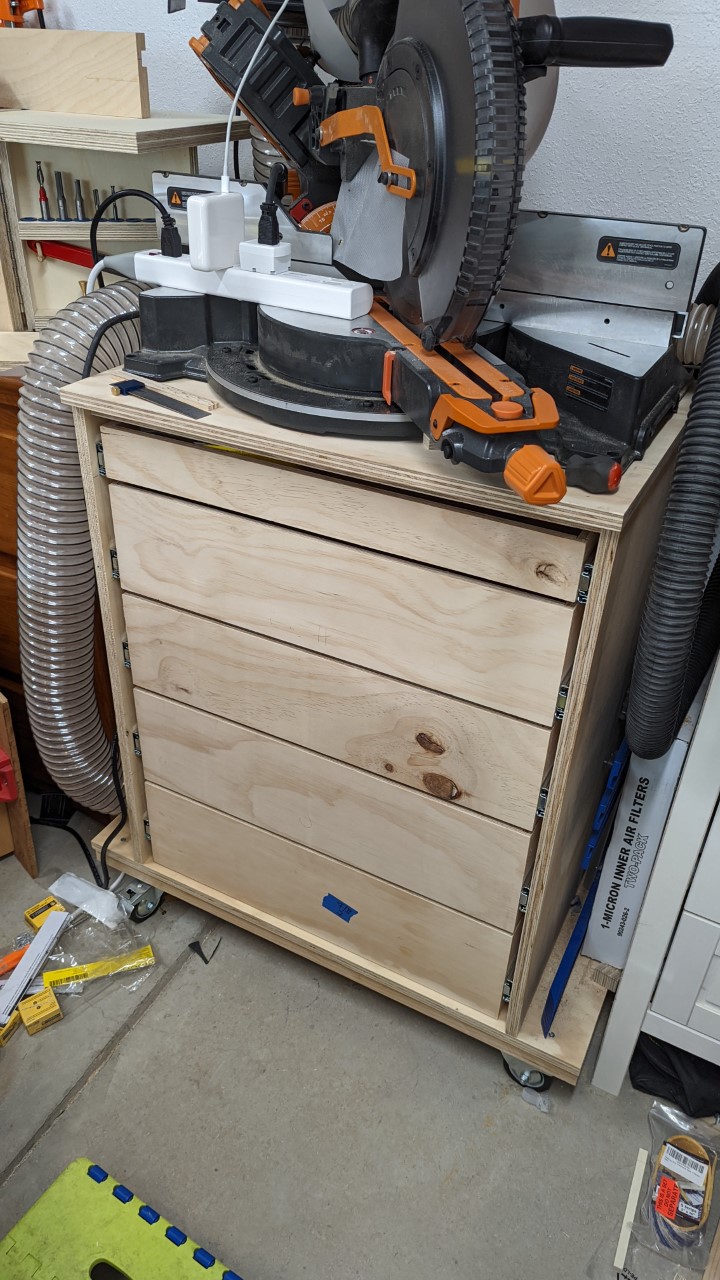
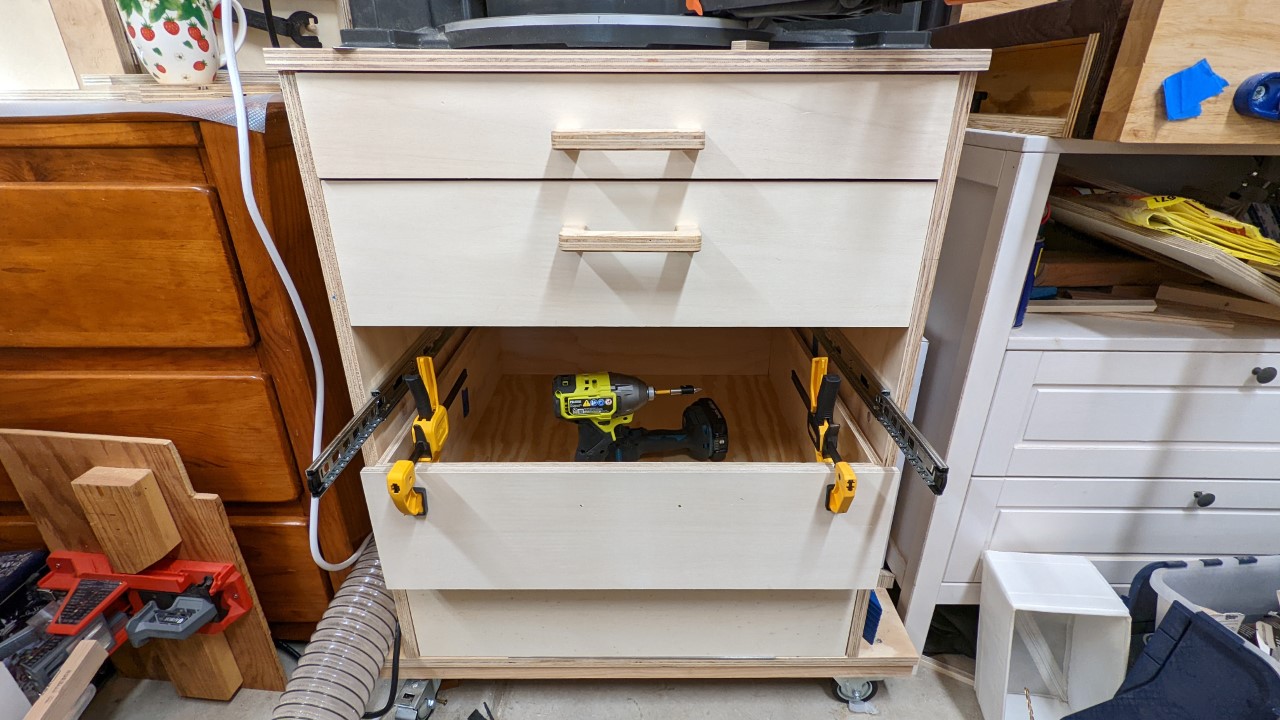
<p>The miter saw station has 5 drawers total, with 3 different heights. The two bottom drawers are the largest, with about 7.5” each. The next two drawers are only 6,5” high, and the top drawer is a little lower at almost 4”. This is different than what the SketchUp model shows, with the reason being my better understanding of my shop storage needs later into the build.</p>

<figure class="justify-content">
  
    
      <a href="/assets/images/woodworking/Building-a-Miter-Saw-Station/miter_saw_station_assembled.jpg" title="The miter saw station cabinet with the drawers installed">
          <img src="/assets/images/woodworking/Building-a-Miter-Saw-Station/miter_saw_station_assembled-350.jpg" alt="The miter saw station cabinet with the drawers installed" />
      </a>


    <figcaption>The miter saw station cabinet with the drawers installed
</figcaption>
  
</figure>

<p>This setup allows me to store larger tools like routers and their bases in the bottom drawers, and smaller stuff incl. screws and other hardware to go into the upper ones.</p>

<figure class="third ">
  
    
      <a href="/assets/images/woodworking/Building-a-Miter-Saw-Station/miter_saw_station_drawer_assembly.jpg" title="A drawer getting assembled">
          <img src="/assets/images/woodworking/Building-a-Miter-Saw-Station/miter_saw_station_drawer_assembly-350.jpg" alt="A drawer getting assembled" />
      </a>


      <a href="/assets/images/woodworking/Building-a-Miter-Saw-Station/miter_saw_station_drawer_stack.jpg" title="A stack of drawers, which are glued up and clamped, waiting to get installed">
          <img src="/assets/images/woodworking/Building-a-Miter-Saw-Station/miter_saw_station_drawer_stack-350.jpg" alt="A stack of drawers, which are glued up and clamped, waiting to get installed" />
      </a>


      <a href="/assets/images/woodworking/Building-a-Miter-Saw-Station/miter_saw_station_drawer_fronts.jpg" title="The drawer fronts are getting installed">
          <img src="/assets/images/woodworking/Building-a-Miter-Saw-Station/miter_saw_station_drawer_fronts-350.jpg" alt="The drawer fronts are getting installed" />
      </a>


    <figcaption>Drawer assembly and installation
</figcaption>
  
</figure>

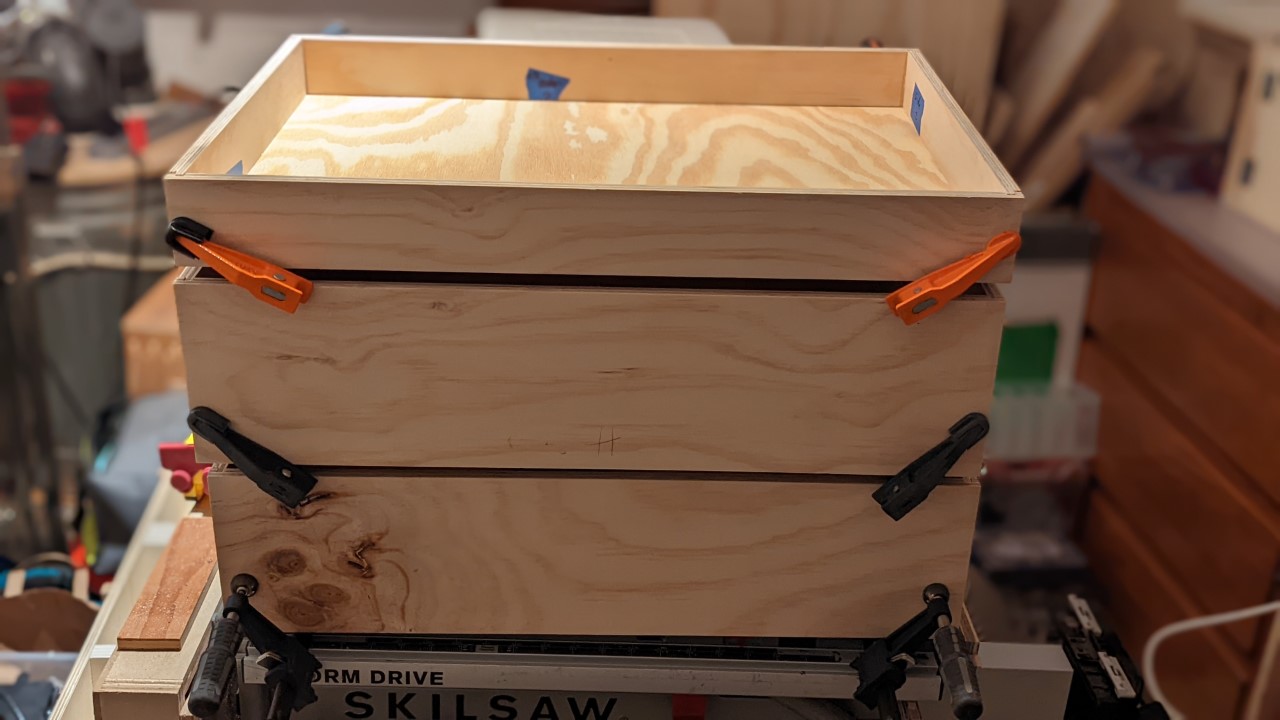
<p>The drawer parts were all joined with the 1/4-1/4-1/4 method: The sides get either a groove or a rabbet on both ends as well as a groove at the bottom, all being 1/4” wide. Once the router or the table saw are set up properly this allows for a continuous workflow, where everything is cut with just this one setting, and the orientation of the board dictates the actual cut being made.
Then all pieces can be glued together - square, strong, and without any hardware.</p>

<h3 id="slides">Slides</h3>

<p>For the slides I chose to go with some good quality soft-closing slides. Slides without this feature would cause a lot of stress on the cabinet structure when not handled carefully, and the last thing I want is for the station to become unstable. Shop furniture doesn’t need to be pretty, but it has to be sturdy at least.</p>

<p>It doesn’t have to be ugly either, so I’ve opted for some nice looking fronts, which also keep most of the dust out of the drawers.</p>

<h3 id="handles">Handles</h3>

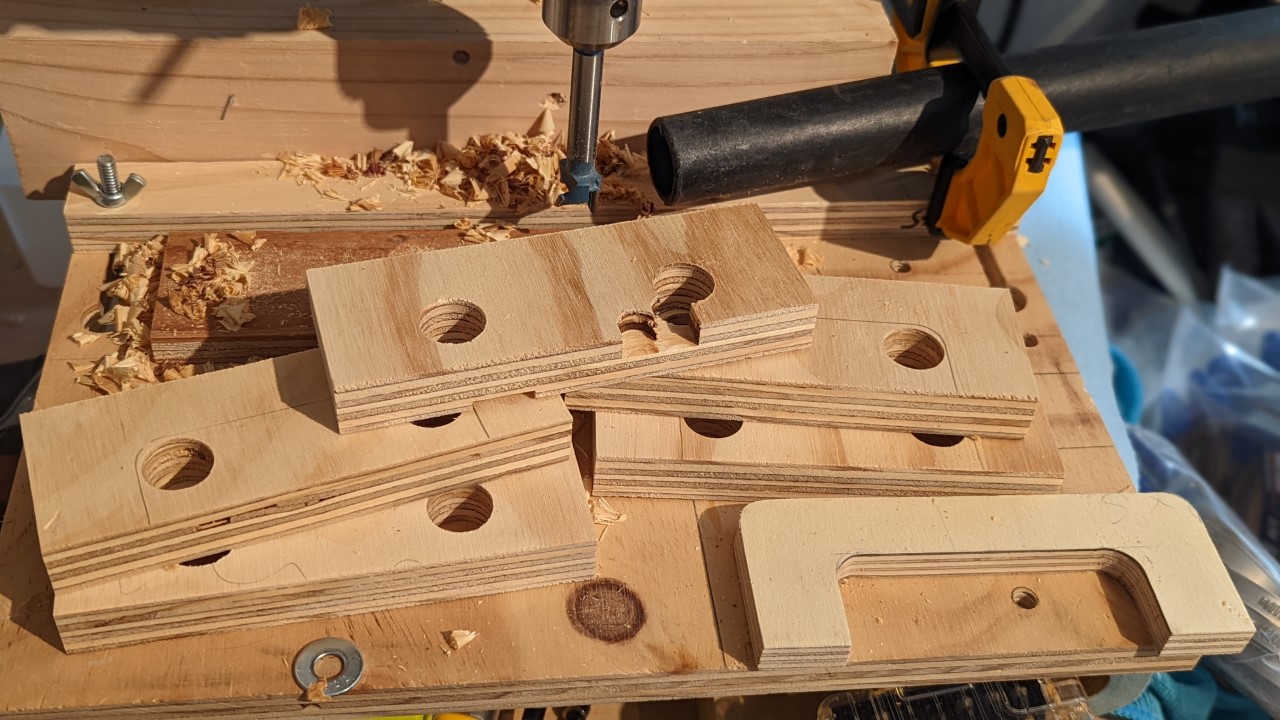
<p>The handles are also cut from ACX as I wasn’t willing to buy any from a hardware store and wanted to try making my own ones anyway. Their design is very basic, though I’ve tried to shape them so that I would have it as easy as possible when I try to open them while having my hands full. I also wonted them to have a shape that won’t cause my cargo pants to get hung up on their ends all the time when walking past them closely. Then they should also be sturdy enough to last a long time.</p>

<figure class="half ">
  
    
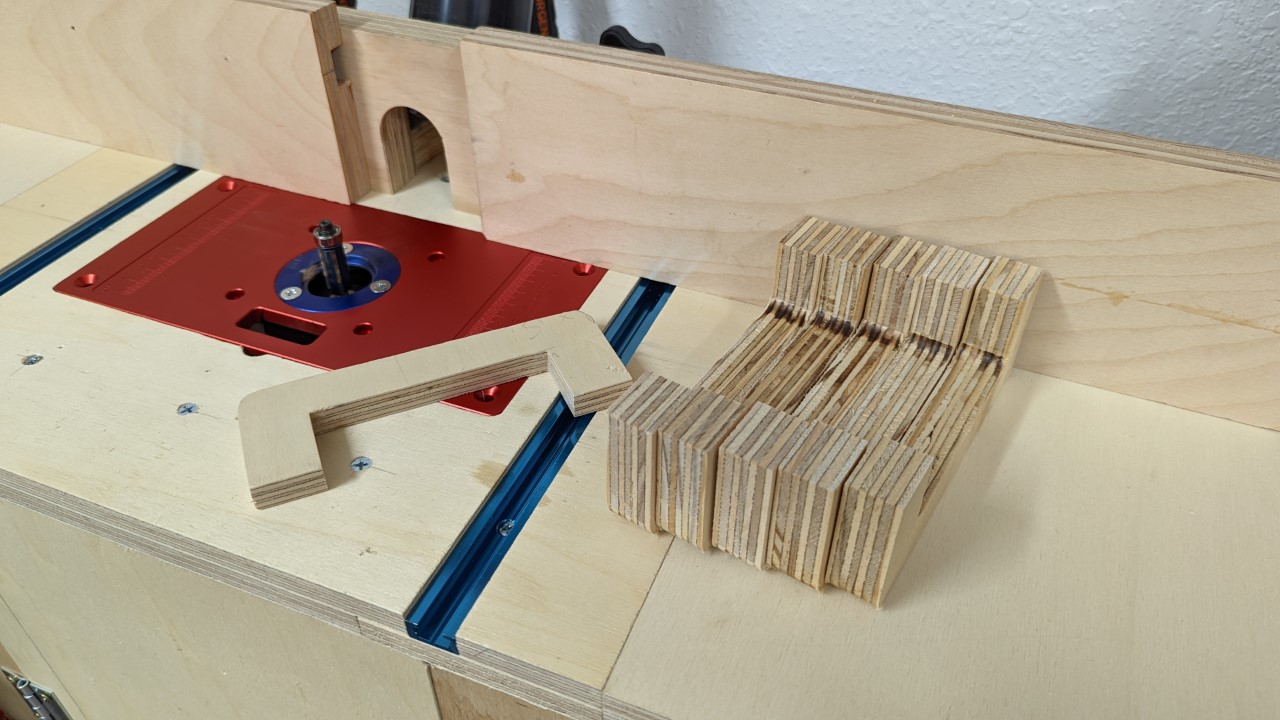
      <a href="/assets/images/woodworking/Building-a-Miter-Saw-Station/miter_saw_station_handles_drill_press.jpg" title="Drilling out the inner rounded corners of the future handles on a drill press">
          <img src="/assets/images/woodworking/Building-a-Miter-Saw-Station/miter_saw_station_handles_drill_press-350.jpg" alt="Drilling out the inner rounded corners of the future handles on a drill press" />
      </a>


      <a href="/assets/images/woodworking/Building-a-Miter-Saw-Station/miter_saw_station_handles_router.jpg" title="Rounding the handle's edges on the router table">
          <img src="/assets/images/woodworking/Building-a-Miter-Saw-Station/miter_saw_station_handles_router-350.jpg" alt="Rounding the handle's edges on the router table" />
      </a>


    <figcaption>Making the drawer handles with the help of a drill press, a band saw and a router table
</figcaption>
  
</figure>

<p>To ensure they are consistent I’ve first cut a template, and then used this to route the handles themselves on the router table with a trim bit after cutting off most of the waste with the band saw. A small round-over bit in the router table then cleaned up the edges, so everything is nice and smooth.</p>

<h2 id="side-panels-wings">Side panels (“wings”)</h2>

<p>On both sides of the cabinet is another panel installed, that can be folded up to provide extra support for longer work pieces, and down, so it gets out of the way when not needed - just like a wing.</p>

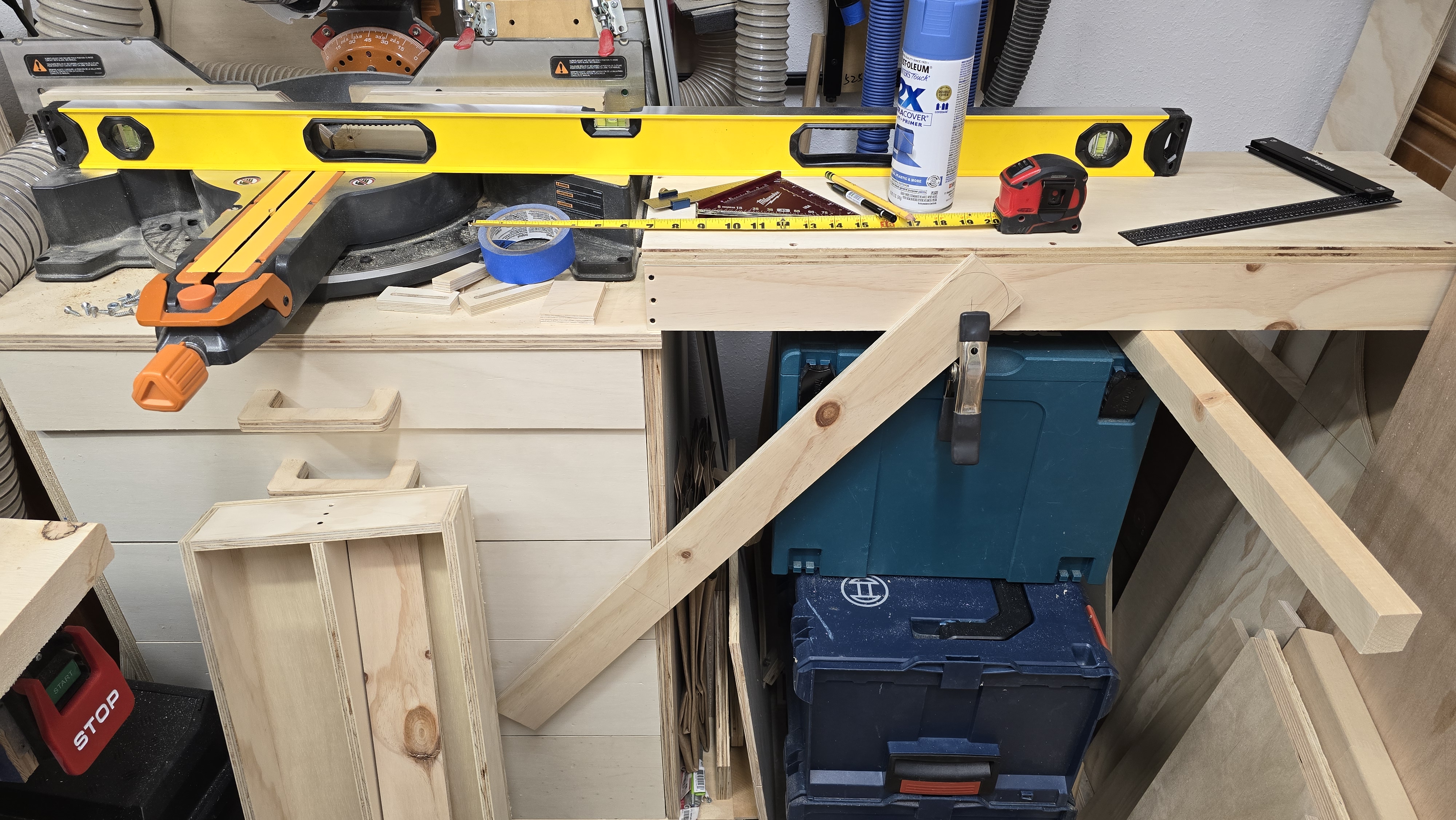
<p>Each wing has a frame that consists of a set of 2-5/8” wide strips of plywood that are butt-joined with trim screws. On top of that sits a 3/4” plywood panel that has a T-track inserted lengthwise to allow for movable stops to be used for repeated cuts on pieces that extend beyond the saw’s fences. The supports that hold each wing in the horizontal position rest on a french cleat at each side of the cabinet.</p>

<figure class="third ">
  
    
      <a href="/assets/images/woodworking/Building-a-Miter-Saw-Station/miter_saw_station_wing_frames.jpg" title="The wing frames are butt-joined with trim screws that work great when screwed into plywood edges after pre-drilling with a #6 bit">
          <img src="/assets/images/woodworking/Building-a-Miter-Saw-Station/miter_saw_station_wing_frames-350.jpg" alt="The wing frames are butt-joined with trim screws that work great when screwed into plywood edges after pre-drilling with a #6 bit" />
      </a>


      <a href="/assets/images/woodworking/Building-a-Miter-Saw-Station/miter_saw_station_wing_support_build.jpg" title="The supports are cut from a set of extra strips after clamping them in place to determine their length">
          <img src="/assets/images/woodworking/Building-a-Miter-Saw-Station/miter_saw_station_wing_support_build-350.jpg" alt="The supports are cut from a set of extra strips after clamping them in place to determine their length" />
      </a>


      <a href="/assets/images/woodworking/Building-a-Miter-Saw-Station/miter_saw_station_wing_support.jpg" title="The support's frame is also butt-joined with trim screws">
          <img src="/assets/images/woodworking/Building-a-Miter-Saw-Station/miter_saw_station_wing_support-350.jpg" alt="The support's frame is also butt-joined with trim screws" />
      </a>


    <figcaption>The wing construction took a couple plywood strips and panels, some trim screws, and a two sets of short french cleats
</figcaption>
  
</figure>

<h2 id="fences">Fences</h2>

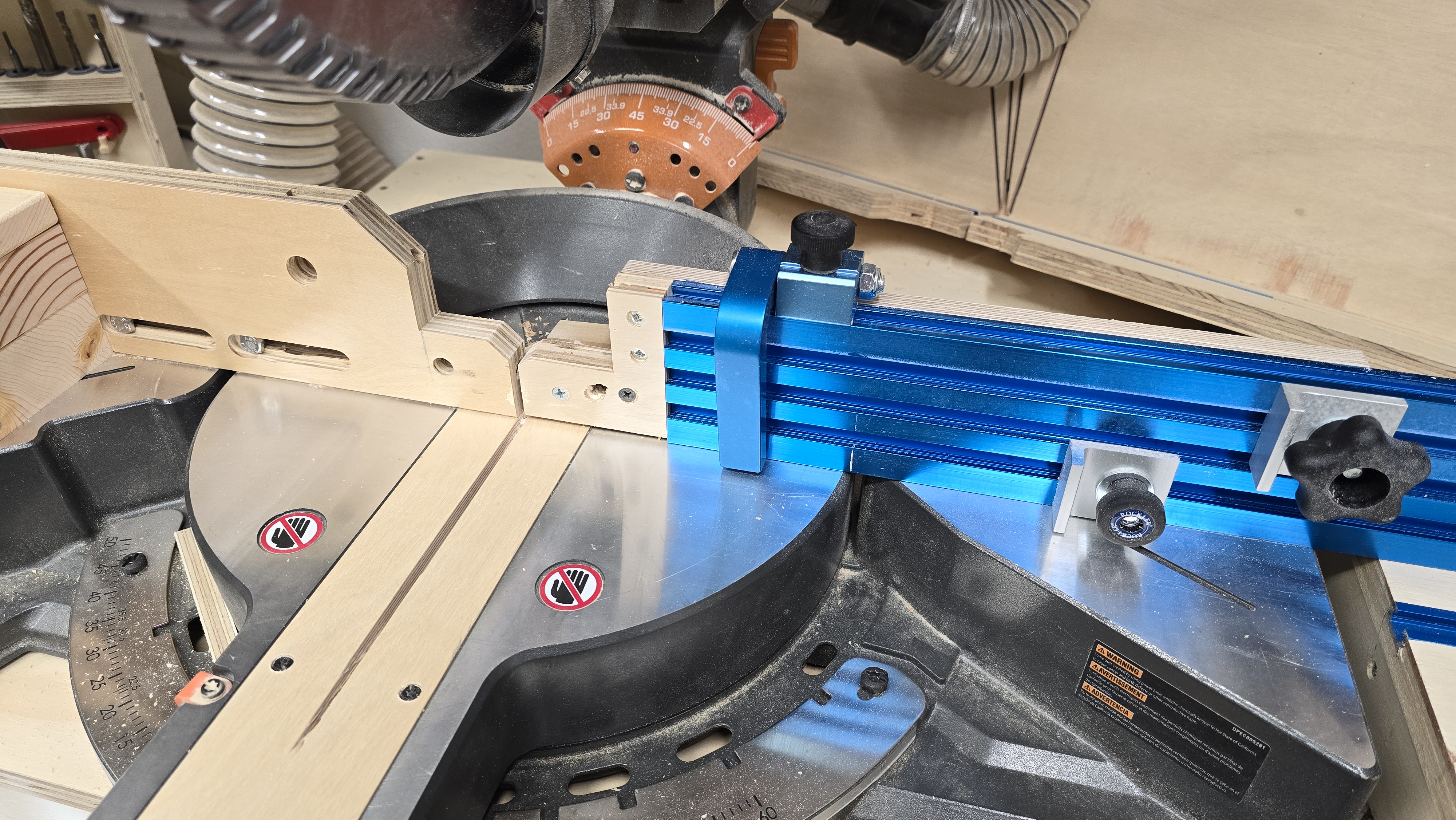
<p>I’ve replaced the movable upper metal fence parts that were originally installed, with full-size Fences that sit in front of the original fences, and are held in place with T-bolts and can slide in and out as needed. The left fence now is just a piece of 3/4” plywood, while the right fence is a piece of 36” triple T-track that I bought some time ago with the idea to make it a fence of some sort, but then never did. Now it finally is used as originally intended and allows to operate a set of movable stops, even when the wings aren’t folded up.</p>

<p>The stops consist of an unused flip stop from an old table saw sled, as well as some other smaller stops that are meant to sit flat on a T-track.</p>

<figure class="justify-content">
  
    
      <a href="/assets/images/woodworking/Building-a-Miter-Saw-Station/miter_saw_station_fences.jpg" title="The new fences are more useful with a multitude of movable stops">
          <img src="/assets/images/woodworking/Building-a-Miter-Saw-Station/miter_saw_station_fences-350.jpg" alt="The new fences are more useful with a multitude of movable stops" />
      </a>


    <figcaption>The new fences are more useful with a multitude of movable stops
</figcaption>
  
</figure>

<h2 id="the-finished-project">The finished project</h2>

<p>So, despite this being a relatively easy build it was the first time I had attempted to make an actual cabinet with more than one or two drawers. As expected I ran into some difficulties, mainly rooted in a lack of experience. So, for instance, I struggled with mounting the drawers and their respective slides in a consistent way. While likely nobody ever will notice any of the flaws I still want to improve the standards I hold myself to, so I’ll keep practicing.</p>

<p>Another difficulty was the mounting of the wings, which needed to be attached in a way that allows them to fold up far enough to allow the support cleat to be positioned as needed, as well as carrying the weight well enough to not just break off when placing a 4x6 on it, for instance. Then I also messed up the length of the wings by a 1/4 inch, which caused them to not fold down all the way as they were hitting the bottom. Instead of just cutting of the upper ends and make 2 new short strips to put in I’ve opted for two different ways to move the hinges so it created more clearance.
I’ve also had to set the hinges into the top panel a bit to make them flush with the top so they won’t get in the way of the saw’s feet - yes, I made the cabinet about 1/2” too narrow.</p>

<p>The saw is usually bolted down with some 1/4” bolts with knobs and threaded inserts, but can easily be removed if needed.</p>

<p>Overall I am pretty satisfied with how everything turned out. The drawers are already well used, and the height is perfect for me whenever I need to use the miter saw. The additional space provided by the wings already came in handy when working with 6’ to 8’ long workpieces - or just to set the coffee mug on.</p>

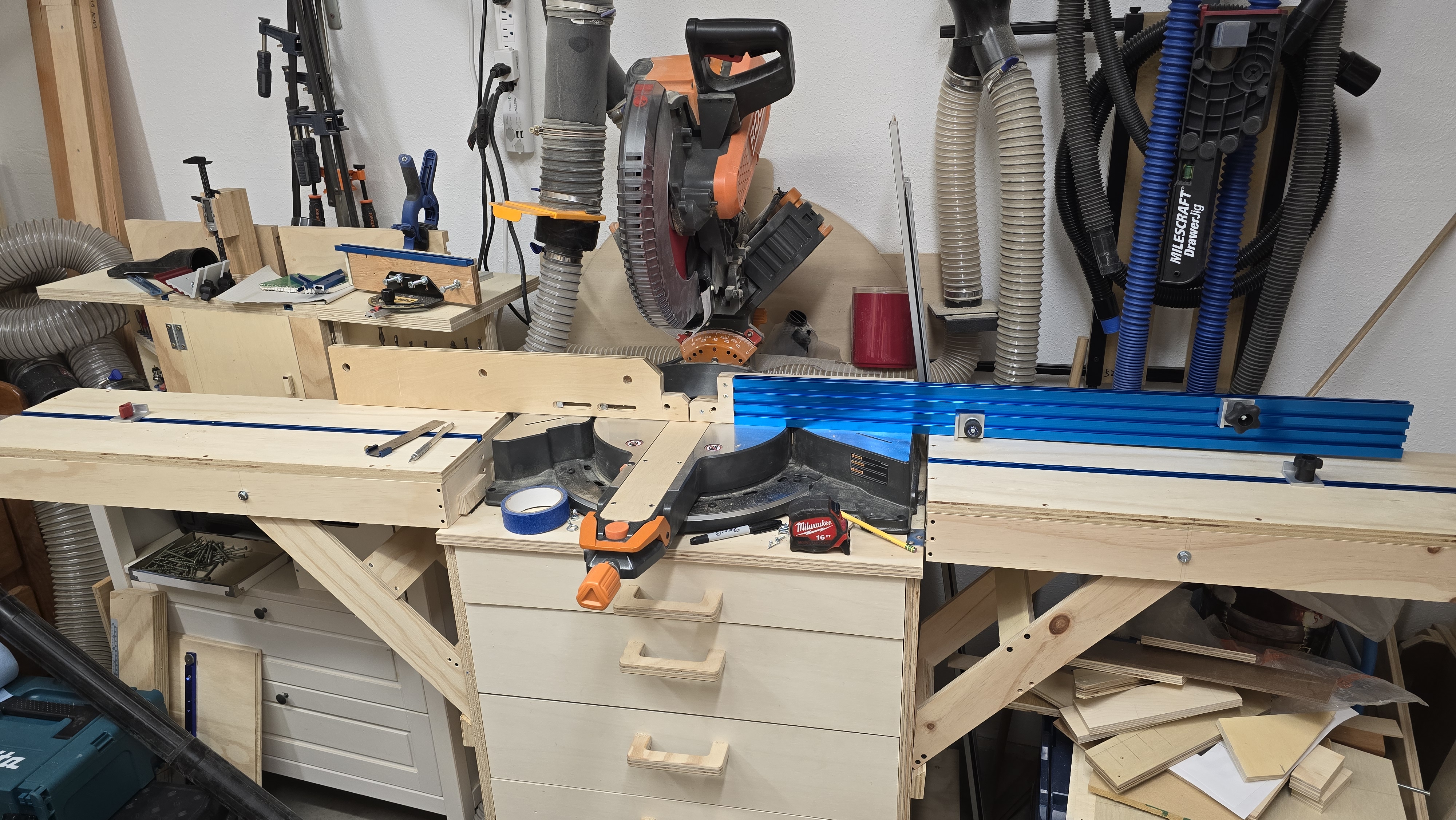
<p>I’ve also used the chance and made a zero-clearance insert for the saw as the original insert has a really wide gab to account for beveled cuts and the additional space the saw blade then needs. Since I usually don’t do these cuts on the miter saw anyway, I don’t need to account for that. If I ever need to make one I’ll just put a sacrificial piece underneath the workpiece to protect the insert.</p>

<figure class="justify-content">
  
    
      <a href="/assets/images/woodworking/Building-a-Miter-Saw-Station/miter_saw_station_finished.jpg" title="The finished miter saw station with the wings, the saw, and its new fences and insert installed">
          <img src="/assets/images/woodworking/Building-a-Miter-Saw-Station/miter_saw_station_finished-350.jpg" alt="The finished miter saw station with the wings, the saw, and its new fences and insert installed" />
      </a>


    <figcaption>The finished miter saw station with the wings, the saw, and its new fences and insert installed
</figcaption>
  
</figure>]]></content><author><name>Mario Fischer</name></author><category term="Woodworking" /><category term="Woodworking" /><summary type="html"><![CDATA[There is never enough space in the shop, and the miter saw needs a place to stay as well - so why not building a miter saw station with storage for other things?]]></summary></entry><entry><title type="html">Docker Inside an Unprivileged Proxmox LXC Container</title><link href="https://blog.mcfisch.com/virtualization/linux/docker/Docker-Inside-Unprivileged-Proxmox-LXC/" rel="alternate" type="text/html" title="Docker Inside an Unprivileged Proxmox LXC Container" /><published>2023-07-12T18:00:00-07:00</published><updated>2023-07-12T18:00:00-07:00</updated><id>https://blog.mcfisch.com/virtualization/linux/docker/Docker-Inside-Unprivileged-Proxmox-LXC</id><content type="html" xml:base="https://blog.mcfisch.com/virtualization/linux/docker/Docker-Inside-Unprivileged-Proxmox-LXC/"><![CDATA[<p>Instead of running a full VM just to run a bunch of Docker containers, I wanted to utilize the LXC feature of Proxmox. It allows for running a full Debian system in a container that, instead of emulating the hardware of a complete virtual machine, shares hardware and kernel with the Proxmox host.</p>

<p>It also allows to operate containers in an unprivileged mode, increasing security by reducing the permission level. But in order for this to work there are some special preparations needed.</p>

<h2 id="note">Note</h2>

<p>There is one thing that won’t work in this scenario due to the lack of permissions: setting a domain name or an FQDN in a docker container. If either the <code class="language-plaintext highlighter-rouge">domainname</code> setting is used in the <code class="language-plaintext highlighter-rouge">docker-compose.yml</code>, or if the <code class="language-plaintext highlighter-rouge">hostname</code> setting contains an FQDN instead of a regular hostname (no periods!), the start of the container will fail with a permission error.</p>

<p>However, there is nothing speaking against using a hostname with an app that runs inside the container, it just can not be set as a container parameter.</p>

<h2 id="docker-inside-proxmox-lxc">Docker inside Proxmox LXC</h2>

<p>Set up an unprivileged container in Proxmox using the latest Debian template (at the time of writing this is Debian 12 “Bookworm”).</p>

<h3 id="inside-the-container">Inside the container</h3>

<p>The following describes the basic setup inside the container, the commands are run as root.</p>

<h4 id="configure-password-less-ssh-login">Configure password-less SSH login</h4>

<p>All that’s needed to allow a key-based login is adding the respective public key to the root user’s <code class="language-plaintext highlighter-rouge">authorized_keys</code> file:</p>

<div class="language-sh highlighter-rouge"><div class="highlight"><pre class="highlight"><code><span class="nb">echo</span> <span class="s1">'ssh-ed25519 AAAAC3NzaC1lZDI1NTE5AAAAIB0t4snxPv/aibNCtIujhkwVBRclKFtXKDwCG5WBANuj mcfisch@local'</span> <span class="o">&gt;</span> /root/.ssh/authorized_keys
</code></pre></div></div>

<p>Now the local system’s key-store (Debian/Ubuntu keyring, Windows SSH-agent, etc.) can store the private part of the key, asking for its password once, and from there password-less SSH logins should make the following even easier, especially if one doesn’t use the Proxmox Gui to connect to the container.</p>

<h4 id="update-packages">Update packages</h4>

<p>Next we update the repo list and install all package updates.</p>

<div class="language-sh highlighter-rouge"><div class="highlight"><pre class="highlight"><code>apt update <span class="o">&amp;&amp;</span> apt upgrade <span class="nt">-y</span>
</code></pre></div></div>

<p>A reboot shouldn’t be necessary as the container uses the host’s kernel, but it can help with getting the services started as supposed. It also helps with verifying that all settings are properly applied on boot.</p>

<h4 id="install-additional-packages">Install additional packages</h4>

<p>Some tools might be needed for later steps, or just to satisfy personal preferences. I use <code class="language-plaintext highlighter-rouge">curl</code> and <code class="language-plaintext highlighter-rouge">vim</code> a lot, so these are on my list. <code class="language-plaintext highlighter-rouge">fuse-overlayfs</code> is necessary as in an unprivileged LXC container there are some permission issues prohibiting the default docker storage driver <code class="language-plaintext highlighter-rouge">overlayfs</code> from working correctly. <code class="language-plaintext highlighter-rouge">vfs</code> could be an alternative, but it lacks the space-saving features of <code class="language-plaintext highlighter-rouge">overlayfs</code> and can cause a massive headache by using disk space uncontrollably. That’s where <code class="language-plaintext highlighter-rouge">fuse-overlayfs</code> comes in, the FUSE implementation of <code class="language-plaintext highlighter-rouge">overlayfs</code>.</p>

<div class="language-sh highlighter-rouge"><div class="highlight"><pre class="highlight"><code>apt <span class="nb">install</span> <span class="nt">-y</span> curl vim fuse-overlayfs
</code></pre></div></div>

<p>Once <code class="language-plaintext highlighter-rouge">apt</code> has finished, open the container’s options in Proxmox and enable <code class="language-plaintext highlighter-rouge">FUSE</code> under the <code class="language-plaintext highlighter-rouge">Features</code> setting. Restart the container.</p>

<h4 id="install-docker">Install Docker</h4>

<p>Now the container is ready to get Docker. I prefer the convenience script that Docker provides. And since <code class="language-plaintext highlighter-rouge">curl</code> is already on the system I use it to fetch the script. For <code class="language-plaintext highlighter-rouge">wget</code> adjust the command accordingly (<code class="language-plaintext highlighter-rouge">curl</code>’s <code class="language-plaintext highlighter-rouge">-L</code> stands for “follow redirects”).</p>

<div class="language-sh highlighter-rouge"><div class="highlight"><pre class="highlight"><code>curl <span class="nt">-fsSL</span> https://get.docker.com | sh
</code></pre></div></div>

<p>Once the script is done the system should have the docker container service running.</p>

<p>Now configure the new storage driver and restart the service.</p>

<div class="language-sh highlighter-rouge"><div class="highlight"><pre class="highlight"><code><span class="nb">cat</span> <span class="o">&lt;&lt;</span><span class="no">EOF</span><span class="sh"> &gt;/etc/docker/daemon.json 
{
  "storage-driver": "fuse-overlayfs"
}
</span><span class="no">EOF
</span>systemctl restart docker.service
</code></pre></div></div>

<h4 id="create-regular-user">Create regular user</h4>

<p>In order to avoid working with the root user all the time, as even in a rootless container this is still the superuser that has all available permissions. So I create a regular user that is also allowed to maintain docker resources.</p>

<div class="language-sh highlighter-rouge"><div class="highlight"><pre class="highlight"><code>useradd <span class="nt">-m</span> <span class="nt">-d</span> /home/mcfisch <span class="nt">-U</span> <span class="nt">-s</span> /bin/bash mcfisch
usermod <span class="nt">-aG</span> docker mcfisch
<span class="nb">echo</span> <span class="s1">'ssh-ed25519 AAAAC3NzaC1lZDI1NTE5AAAAIB0t4snxPv/aibNCtIujhkwVBRclKFtXKDwCG5WBANuj mcfisch@local'</span> <span class="o">&gt;</span> /home/mcfisch/.ssh/authorized_keys
<span class="nb">chown</span> <span class="nt">-R</span> mcfisch:mcfisch /home/mcfisch/.ssh/
<span class="nb">chown</span> <span class="nt">-R</span> mcfisch:docker /docker/
<span class="nb">chmod </span>700 /home/mcfisch/.ssh/
<span class="nb">chmod </span>600 /home/mcfisch/.ssh/authorized_keys
</code></pre></div></div>

<p>The ssh key allows me to directly connect to the user without setting a password, so a password-based login will always fail.</p>

<h3 id="set-up-a-container">Set up a container</h3>

<p>Now we can begin setting up docker containers. I usually prefer docker-compose files combined with environmental variables in either <code class="language-plaintext highlighter-rouge">.env</code> files or stored in my shell profile.</p>

<p>The process usually resembles something like this:</p>

<div class="language-sh highlighter-rouge"><div class="highlight"><pre class="highlight"><code><span class="nb">mkdir</span> <span class="nt">-p</span> /docker/grafana <span class="o">&amp;&amp;</span> <span class="nb">cd</span> /docker/grafana
curl <span class="nt">-fsSL</span> https://github.com/docker/awesome-compose/raw/master/prometheus-grafana/compose.yaml <span class="nt">-o</span> /docker/grafana/docker-compose.yml
docker compose <span class="nt">-f</span> /docker/grafana/docker-compose.yml pull
docker compose <span class="nt">-f</span> /docker/grafana/docker-compose.yml up <span class="nt">-d</span>
</code></pre></div></div>

<p>If all goes well this will start an instance of each <code class="language-plaintext highlighter-rouge">Prometheus</code> and <code class="language-plaintext highlighter-rouge">Grafana</code>, using the sample <code class="language-plaintext highlighter-rouge">docker-compose</code> file from the Docker github repo.</p>

<p><em>Happy Containerizing!</em></p>]]></content><author><name>Mario Fischer</name></author><category term="Virtualization" /><category term="Linux" /><category term="Docker" /><category term="docker" /><category term="proxmox" /><category term="linux" /><summary type="html"><![CDATA[Instead of running a full VM just to run a bunch of Docker containers, I wanted to utilize the LXC feature of Proxmox. It allows for running a full Debian system in a container that, instead of emulating the hardware of a complete virtual machine, shares hardware and kernel with the Proxmox host.]]></summary></entry><entry><title type="html">Making a Doll Bunk Bed from Scraps</title><link href="https://blog.mcfisch.com/woodworking/Making-a-Doll-Bunk-Bed/" rel="alternate" type="text/html" title="Making a Doll Bunk Bed from Scraps" /><published>2022-05-31T12:00:00-07:00</published><updated>2022-05-31T12:00:00-07:00</updated><id>https://blog.mcfisch.com/woodworking/Making-a-Doll-Bunk-Bed</id><content type="html" xml:base="https://blog.mcfisch.com/woodworking/Making-a-Doll-Bunk-Bed/"><![CDATA[<p>A couple of weeks before her fifth birthday my little girl told me that her favorite dolls Anna and Elsa - two Barbie-sized Dolls of the famous “Frozen” characters - would have nowhere to sleep. She then asked if I could build a bunk bed for them, and obviously I couldn’t deny her that wish. So I sketched a plan out in SketchUp, got a thin board of oak from my scraps pile, two bamboo skewers from the kitchen, and then started working.</p>

<h1 id="modeling">Modeling</h1>

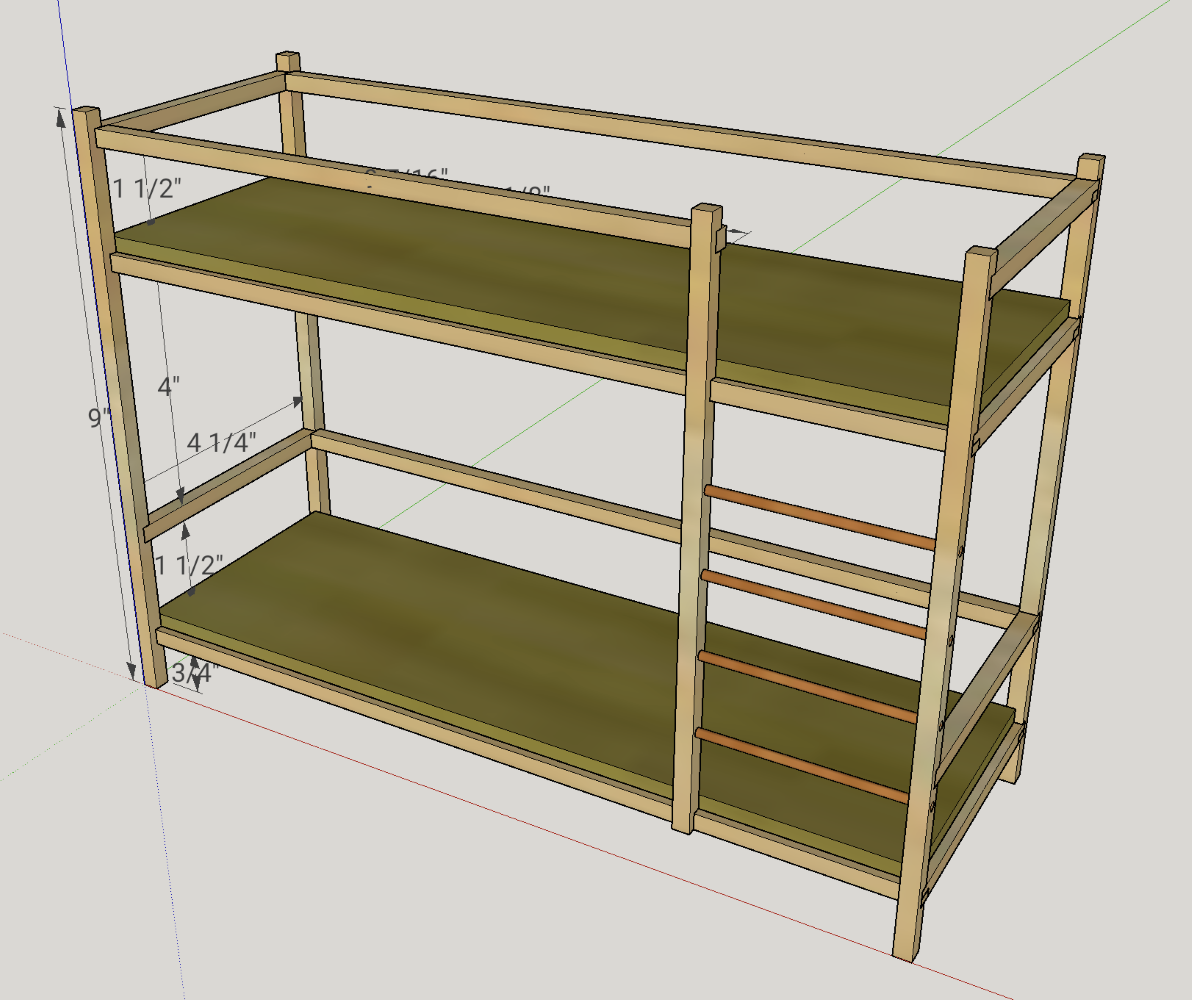
<p>I used SketchUp to plan out a model based on some ideas that I had in mind. One idea was to take a board I had, cut it into some strips, and then glue them together to resemble a bed.</p>

<p>Usually I tend to put a lot of thought into this kind of preparation, and this project wasn’t any different. I just got my hands onto some boards of oak flooring cut-offs, and at first I thought about milling some of those to the right size. But then I remembered that I had one, which should have the right size, and that was already milled to the right thickness - and which I had no use for during the past 2 years. So after making up my mind about the material I designed a bunk bed with the measurements of roughly 12” x 6” x 9”.</p>

<figure class="justify-content">
  
    
      <a href="/assets/images/woodworking/Making-a-Doll-Bunk-Bed/doll_bunk_bed_plan.png" title="Model of the bunk bed made in SketchUp">
          <img src="/assets/images/woodworking/Making-a-Doll-Bunk-Bed/doll_bunk_bed_plan-350.png" alt="Model of the bunk bed made in SketchUp" />
      </a>


    <figcaption>Model of the bunk bed made in SketchUp
</figcaption>
  
</figure>

<p>While modeling the details and checking the material requirements I’ve noticed that not only was my model much wider than necessary, it would also exceed the amount of material the board would provide. So I reduced the width to about 4.5 inches. The length I also increased by half an inch to account for the thickness of the stiles that were about to make up the posts of the bed.</p>

<p>For almost all joinery I’ve planned on using half-lap joints, but I felt like I would need to add some extra strength to the build, so it would have a better chance of surviving when my daughter was going to play with it. That’s where the bamboo skewers came into play. They were going to become dowels, used as loose tenons to reinforce the entire structure.</p>

<p>When I felt like my model was done I’ve made a part list. That I fed into my favorite <a href="https://www.cutlistoptimizer.com">cut list generator</a> that allowed me to not only verify that I actually had enough material, but also gave me a visualization of which cuts to make to get the most out of the board.</p>

<h1 id="materials-and-tools">Materials and tools</h1>

<h2 id="wood">Wood</h2>

<h3 id="square-stock-oak-board">Square stock: oak board</h3>

<p>This piece of oak I had left from one of my earliest builds: a smartwatch charging stand where I used strips of this big box store purchase as miter keys to strengthen some joints. It was roughly of the size 20” x 3” x 1/4”, and I never really found another use for this thin board. But now was the time to finally use it up.</p>

<figure class="justify-content">
  
    
      <a href="/assets/images/woodworking/Making-a-Doll-Bunk-Bed/doll_bunk_bed_oak_board.jpg" title="An oak board of about 20&quot; x 3&quot; x 1/4&quot;, that I still had, now finally found it use">
          <img src="/assets/images/woodworking/Making-a-Doll-Bunk-Bed/doll_bunk_bed_oak_board-350.jpg" alt="An oak board of about 20&quot; x 3&quot; x 1/4&quot;, that I still had, now finally found it use" />
      </a>


    <figcaption>An oak board of about 20" x 3" x 1/4", that I still had, now finally found it use
</figcaption>
  
</figure>

<h3 id="round-stock-bamboo-skewers">Round stock: bamboo skewers</h3>

<p>For the ladder steps as well as the dowels/tenons I wanted some round stock. This I found in the kitchen in the form of two bamboo skewers.</p>

<h3 id="sheet-goods-plywood">Sheet goods: plywood</h3>

<p>For the boards that would make those parts of the bed that hold the mattresses I’ve cut up a scrap piece of a really soft 1/4” ply that I had. In hindsight it would have been better to use either MDF or hardboard because of their much smoother surface, but when I realized this it was already too late and the plywood glued in. <em>Meh…</em></p>

<h2 id="tools">Tools</h2>

<p>There was nothing too special to the tool set, although it likely goes a little beyond what most DIY people have in their garage or tool shed. However, if these tools wouldn’t have been available, a set of hand saws (like japanese pull saws), a chisel and a power drill would have worked out, too - but the effort and required skill level would have been a little higher, I guess.</p>

<h3 id="table-saw">Table saw</h3>

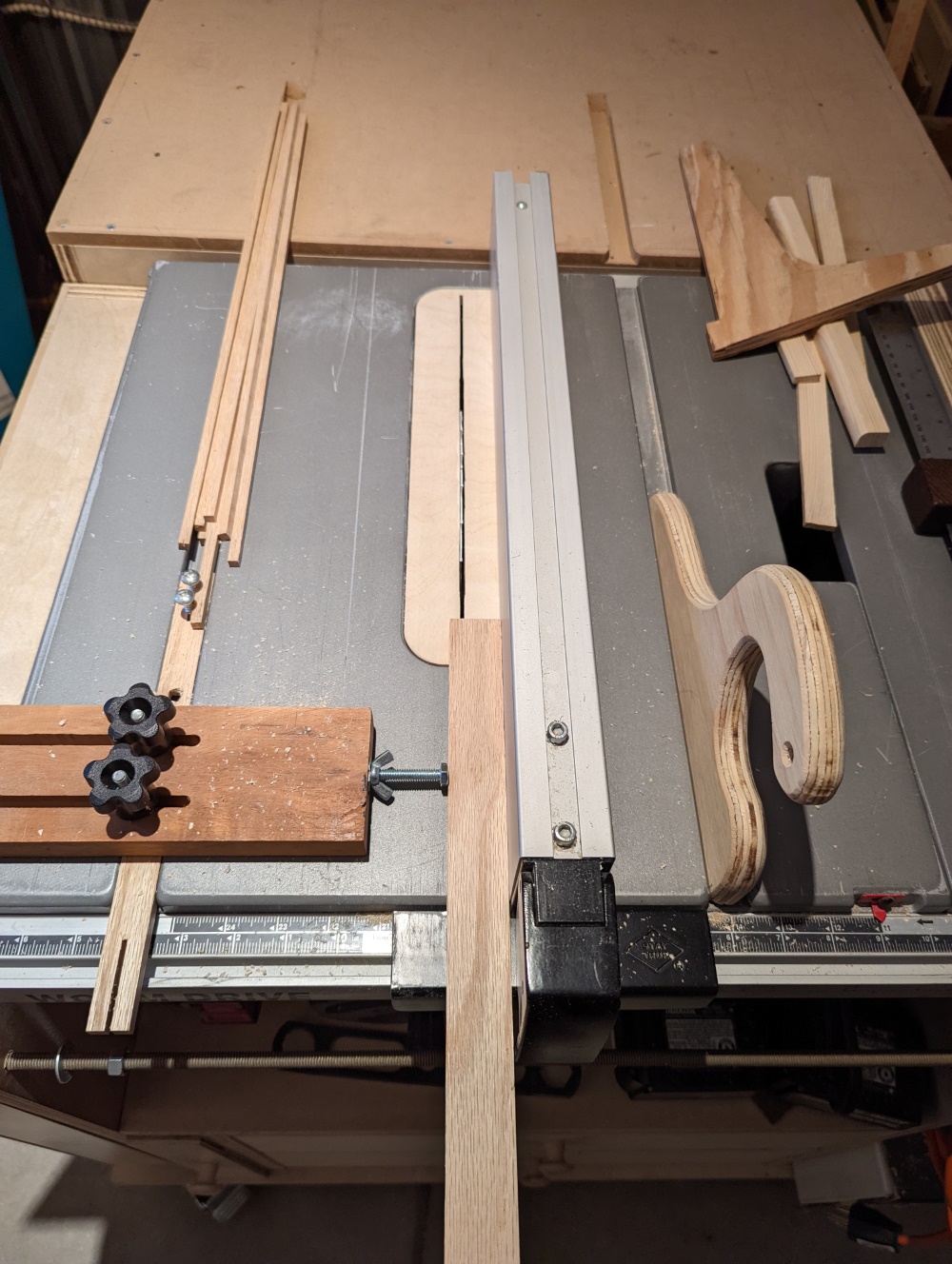
<p>To cut the oak board into strips, the table saw was pretty handy, and better suited, for instance, than a band saw. I’ve used two kind of special blades this time.</p>

<figure class="third ">
  
    
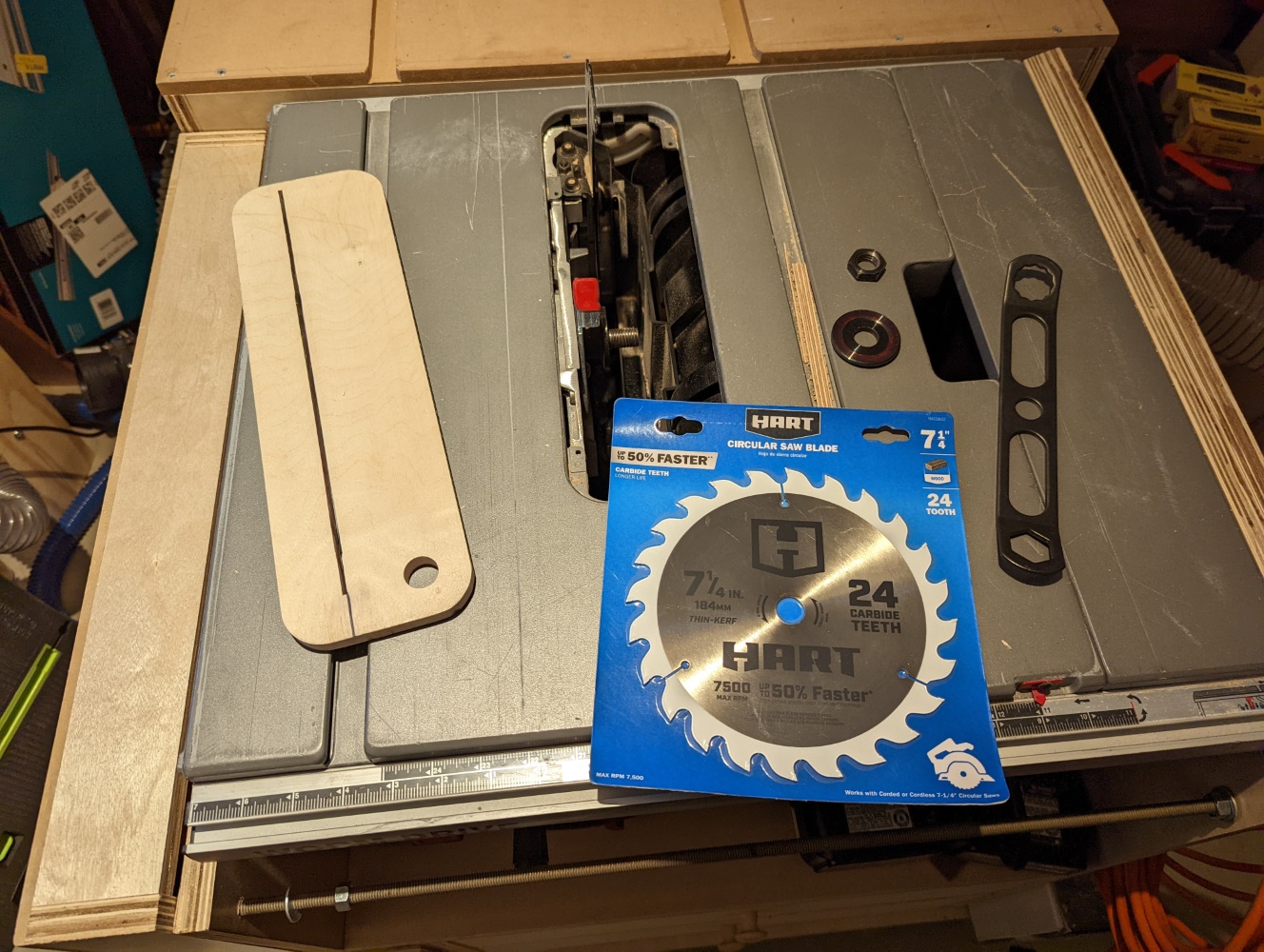
      <a href="/assets/images/woodworking/Making-a-Doll-Bunk-Bed/doll_bunk_bed_rip_blade.jpg" title="7-1/4&quot; rip blade, zero clearance insert">
          <img src="/assets/images/woodworking/Making-a-Doll-Bunk-Bed/doll_bunk_bed_rip_blade-350.jpg" alt="7-1/4&quot; rip blade, zero clearance insert" />
      </a>


      <a href="/assets/images/woodworking/Making-a-Doll-Bunk-Bed/doll_bunk_bed_box_joint_blades.jpg" title="Freud box joint blade set">
          <img src="/assets/images/woodworking/Making-a-Doll-Bunk-Bed/doll_bunk_bed_box_joint_blades-350.jpg" alt="Freud box joint blade set" />
      </a>


      <a href="/assets/images/woodworking/Making-a-Doll-Bunk-Bed/doll_bunk_bed_box_joint_blades_2.jpg" title="Box joint blades close-up, showing the overlapping teeth">
          <img src="/assets/images/woodworking/Making-a-Doll-Bunk-Bed/doll_bunk_bed_box_joint_blades_2-350.jpg" alt="Box joint blades close-up, showing the overlapping teeth" />
      </a>


    <figcaption>7-1/4” rip blade, zero clearance insert, box joint blade set
</figcaption>
  
</figure>

<h4 id="thin-kerf-7-14-circ-saw-blade">Thin kerf 7-1/4” circ saw blade</h4>

<p>Though my table saw is made for 10” blades I’ve specifically chosen to use a smaller blade to cut up the oak board. This helped keeping the waste down: the kerf (the width of the actual cut) is just slightly larger than half the kerf of my regular (full kerf) 10” combination blade, and still a third thinner than a 10” thin kerf rip blade. I got this blade in a clearance sale at a big box store specifically for ripping smaller pieces of wood like this.</p>

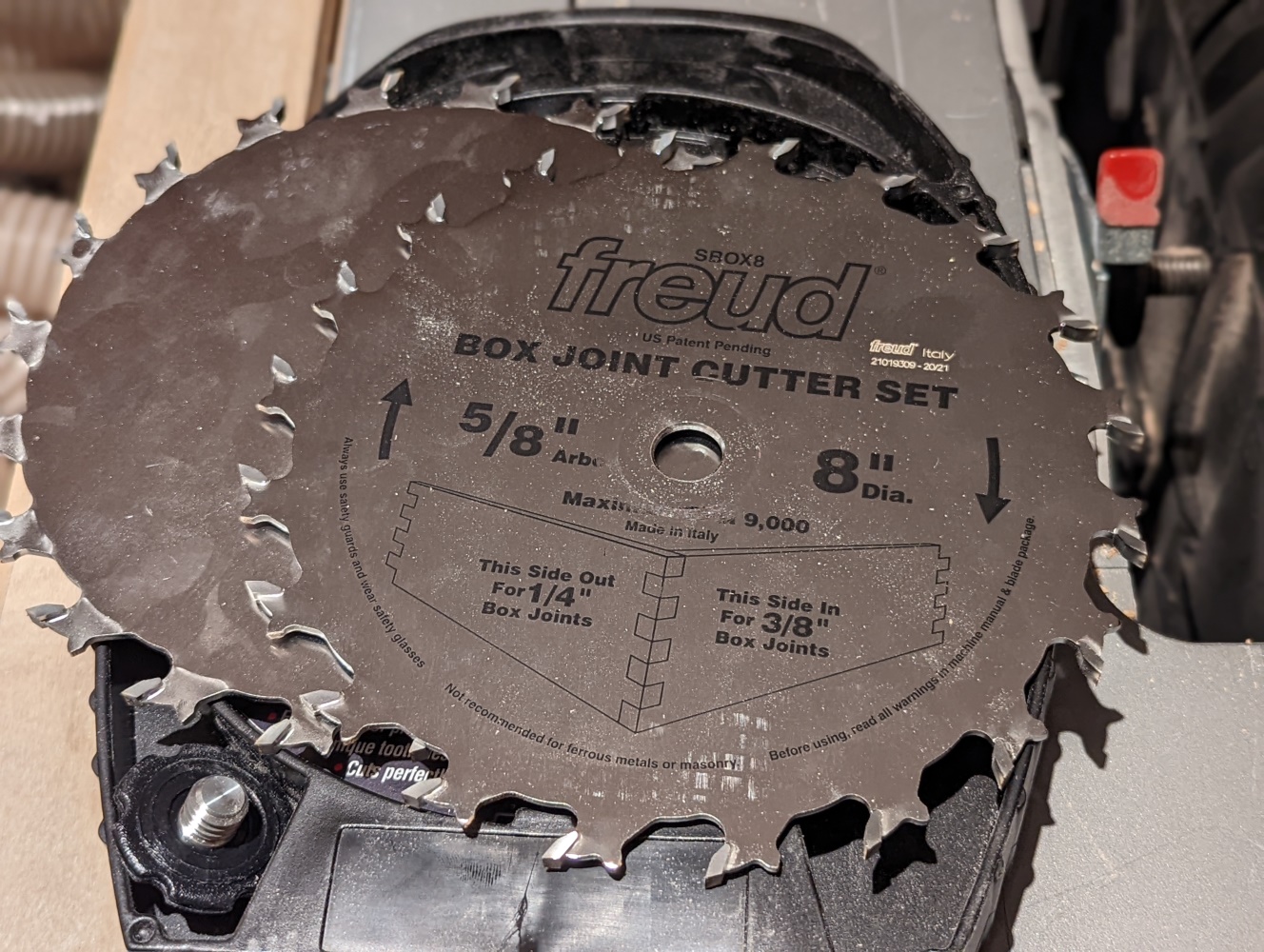
<h4 id="box-joint-blade">Box joint blade</h4>

<p>This is a form of a dado blade made by Freud, just that it lacks the shims and chipper blades that would be used in a regular dado stack. This specific blade set consists of 2 blades with wide, offset teeth, that - depending of the way they are positioned to each other - have a kerf width of either 1/4” or 3/8”. Though this blade set is specifically meant for cutting box joints it works for dados of certain widths as well. Another benefit for my personal setup is that they fit the max size of dado cuts that my table saw can do anyway - and that without even having to get or make a dado insert for the saw.</p>

<p>This blade set I’ve used to cut the half laps into the oak strips.</p>

<h3 id="drill-press">Drill press</h3>

<p>Though it certainly would have been possible to drill the holes for the bamboo skewers by hand I have used my drill press for that as it is a much more stable way to drill consistently perpendicular holes into the oak strips, especially after the glue-up.</p>

<h3 id="flush-cut-saw-chisel">Flush cut saw, chisel</h3>

<p>For cleaning up the ends of the skewers after gluing them in I used a flush cut saw as well as chisel. The latter also came to use for the mortises where the stretchers under the boards were added for stability.</p>

<h2 id="fabrics-and-filling">Fabrics and filling</h2>

<p>For the bedding I’ve used some packaging material: pieces of a rigid plastic foam as mattresses, and some thin, soft foam that came from a TV protective packaging, as filling for the blankets and pillows. The fabric for all these was sewn by my wife, using up some leftover fabric from when she made masks for the kids during the pandemic.</p>

<h1 id="the-build-process">The build process</h1>

<h2 id="cutting">Cutting</h2>

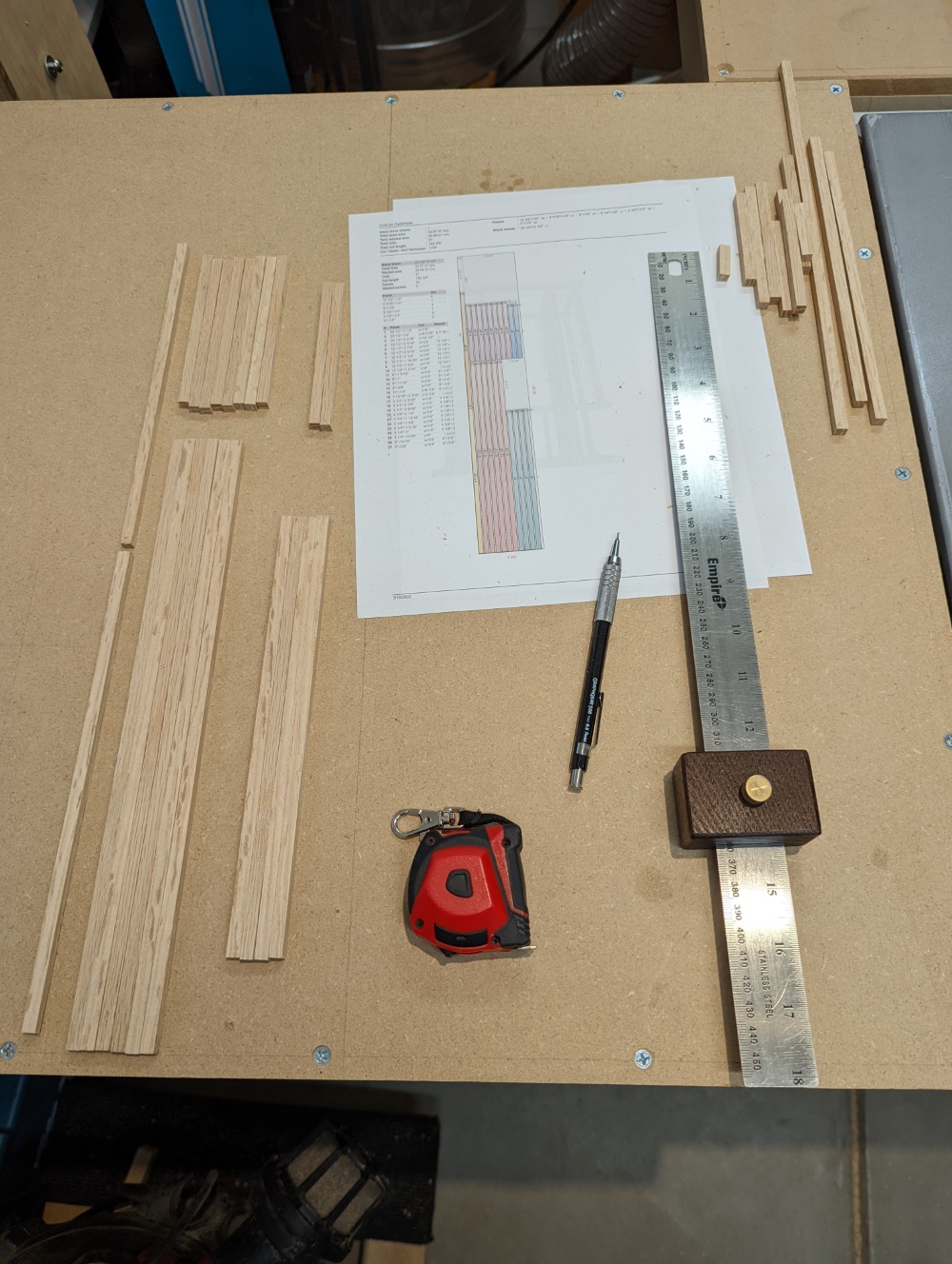
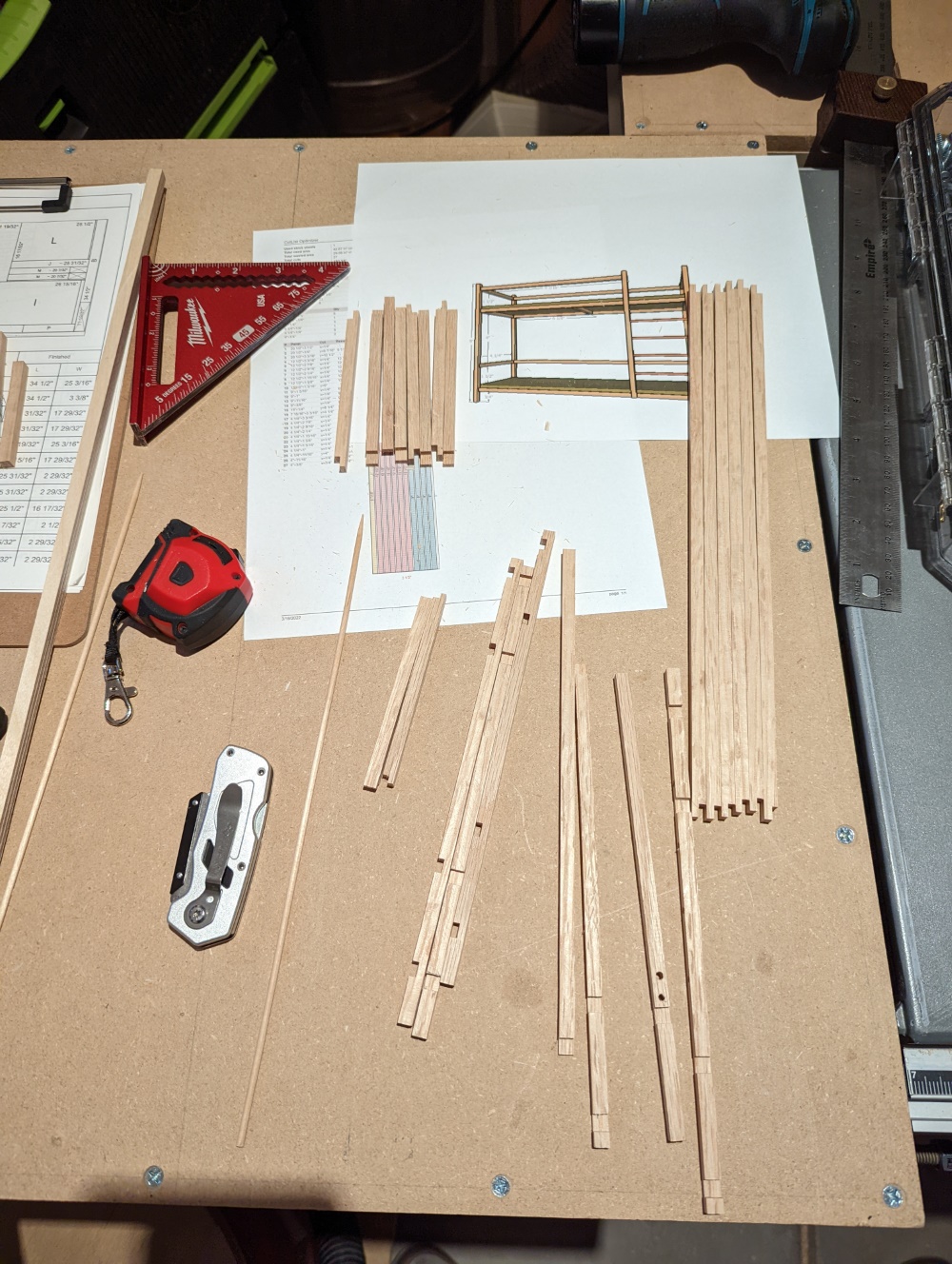
<p>The first step was to rip down the oak board into strips that were 1/4” wide, following the cut list I created earlier. Then the strips were cut to length.</p>

<figure class="half ">
  
    
      <a href="/assets/images/woodworking/Making-a-Doll-Bunk-Bed/doll_bunk_bed_ripping_strips.jpg" title="Ripping the oak board into 1/4&quot; strips">
          <img src="/assets/images/woodworking/Making-a-Doll-Bunk-Bed/doll_bunk_bed_ripping_strips-350.jpg" alt="Ripping the oak board into 1/4&quot; strips" />
      </a>


      <a href="/assets/images/woodworking/Making-a-Doll-Bunk-Bed/doll_bunk_bed_all_pieces.jpg" title="All pieces cut according to cut list">
          <img src="/assets/images/woodworking/Making-a-Doll-Bunk-Bed/doll_bunk_bed_all_pieces-350.jpg" alt="All pieces cut according to cut list" />
      </a>


    <figcaption>Ripping the oak board into thin strips, then cutting those to length
</figcaption>
  
</figure>

<p>After switching to the box joint blades I’ve cut the rabbets and dados into these strips where they were going to be joined later with half laps.</p>

<p>I’ve also cut the plywood strip into 2 pieces of the same size to make up the mattress boards.</p>

<h2 id="fitting">Fitting</h2>

<p>Some of the rabbets and dados needed a bit of cleanup, so I took a chisel, a few thin pieces of wood, some sand paper and a file and made them work as good as I could. Some still look a bit sloppy, but for my first time doing that kind of detail work I think it is good enough.</p>

<figure class="third ">
  
    
      <a href="/assets/images/woodworking/Making-a-Doll-Bunk-Bed/doll_bunk_bed_mortising.jpg" title="Drilling some mortises for the ladder steps">
          <img src="/assets/images/woodworking/Making-a-Doll-Bunk-Bed/doll_bunk_bed_mortising-350.jpg" alt="Drilling some mortises for the ladder steps" />
      </a>


      <a href="/assets/images/woodworking/Making-a-Doll-Bunk-Bed/doll_bunk_bed_more_mortises.jpg" title="Chiseling out the mortises for the board support stretchers">
          <img src="/assets/images/woodworking/Making-a-Doll-Bunk-Bed/doll_bunk_bed_more_mortises-350.jpg" alt="Chiseling out the mortises for the board support stretchers" />
      </a>


      <a href="/assets/images/woodworking/Making-a-Doll-Bunk-Bed/doll_bunk_bed_all_pieces_2.jpg" title="All pieces prepared for the glue-up">
          <img src="/assets/images/woodworking/Making-a-Doll-Bunk-Bed/doll_bunk_bed_all_pieces_2-350.jpg" alt="All pieces prepared for the glue-up" />
      </a>


    <figcaption>Drilling mortises, cutting half lap joints, until all pieces were prepared
</figcaption>
  
</figure>

<h2 id="glueing">Glueing</h2>

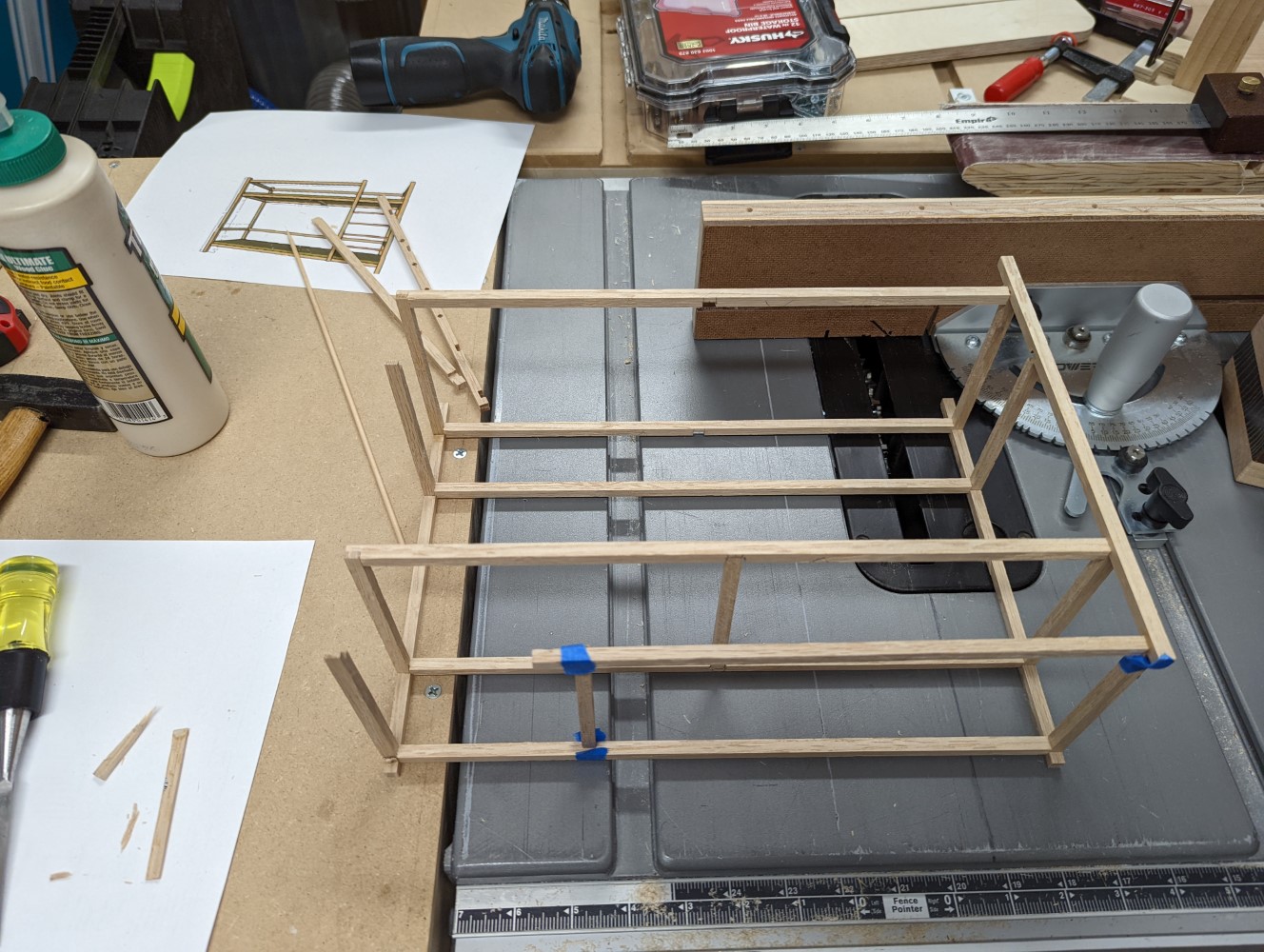
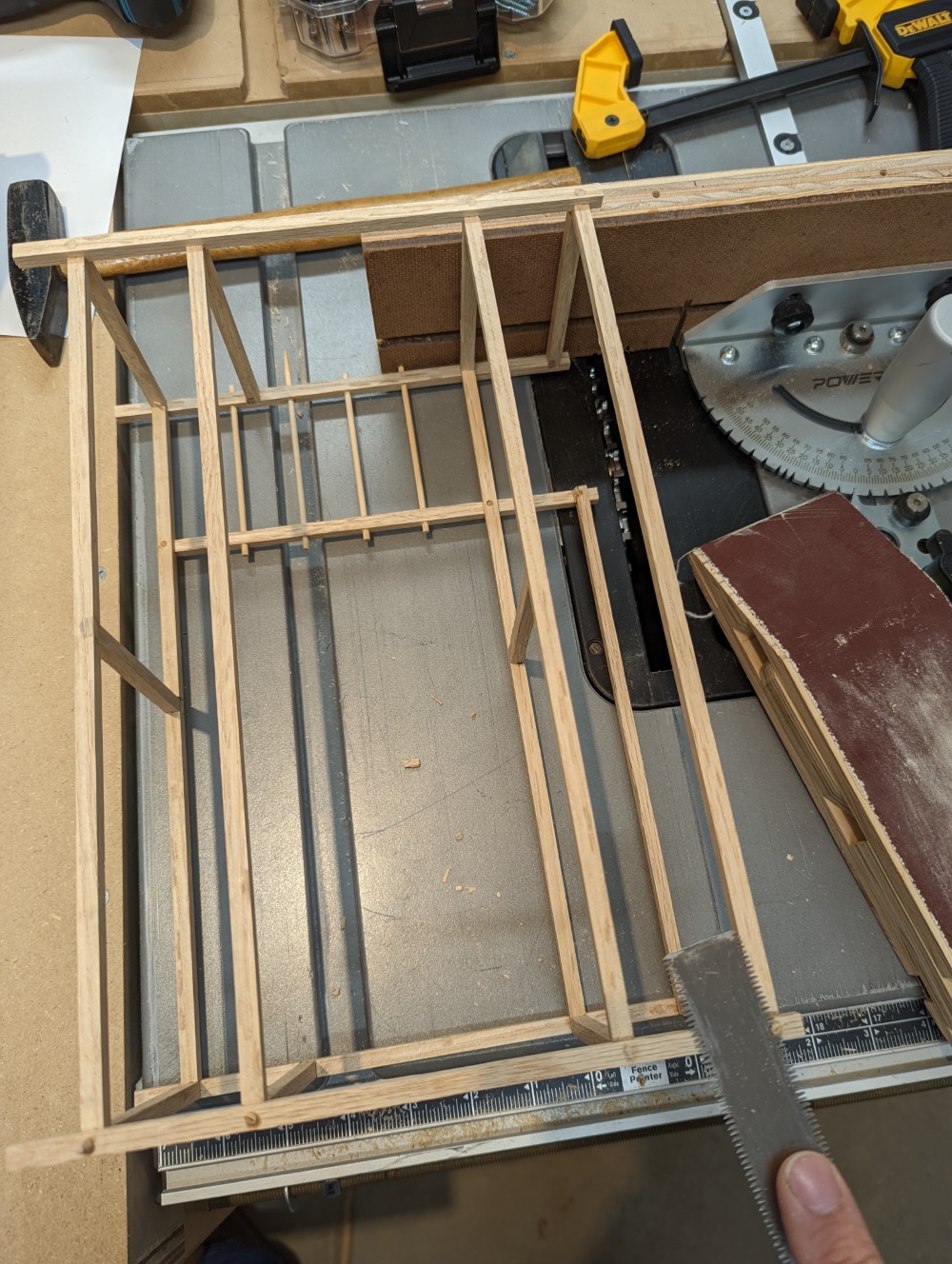
<p>When all parts seemed to fit together well enough I started glueing them together. I used very little clamping pressure, mostly with bandy clamps, just enough to ensure a proper hold at the joints. It went so well that I totally forgot to put the plywood pieces in place. When I noticed that it was already too late - they wouldn’t go in. At that moment I just left them out, postponing the search for an alternative way to make them work.</p>

<figure class="half ">
  
    
      <a href="/assets/images/woodworking/Making-a-Doll-Bunk-Bed/doll_bunk_bed_glue-up.jpg" title="Glueing the strips into a bunk bed shape">
          <img src="/assets/images/woodworking/Making-a-Doll-Bunk-Bed/doll_bunk_bed_glue-up-350.jpg" alt="Glueing the strips into a bunk bed shape" />
      </a>


      <a href="/assets/images/woodworking/Making-a-Doll-Bunk-Bed/doll_bunk_bed_fixing_mistakes.jpg" title="Filling up the gaps in some of the half-lap joints with thin pieces of wood">
          <img src="/assets/images/woodworking/Making-a-Doll-Bunk-Bed/doll_bunk_bed_fixing_mistakes-350.jpg" alt="Filling up the gaps in some of the half-lap joints with thin pieces of wood" />
      </a>


    <figcaption>Glueing the strips, then fixing the sloppy glue joints
</figcaption>
  
</figure>

<h2 id="tenoning">Tenoning</h2>

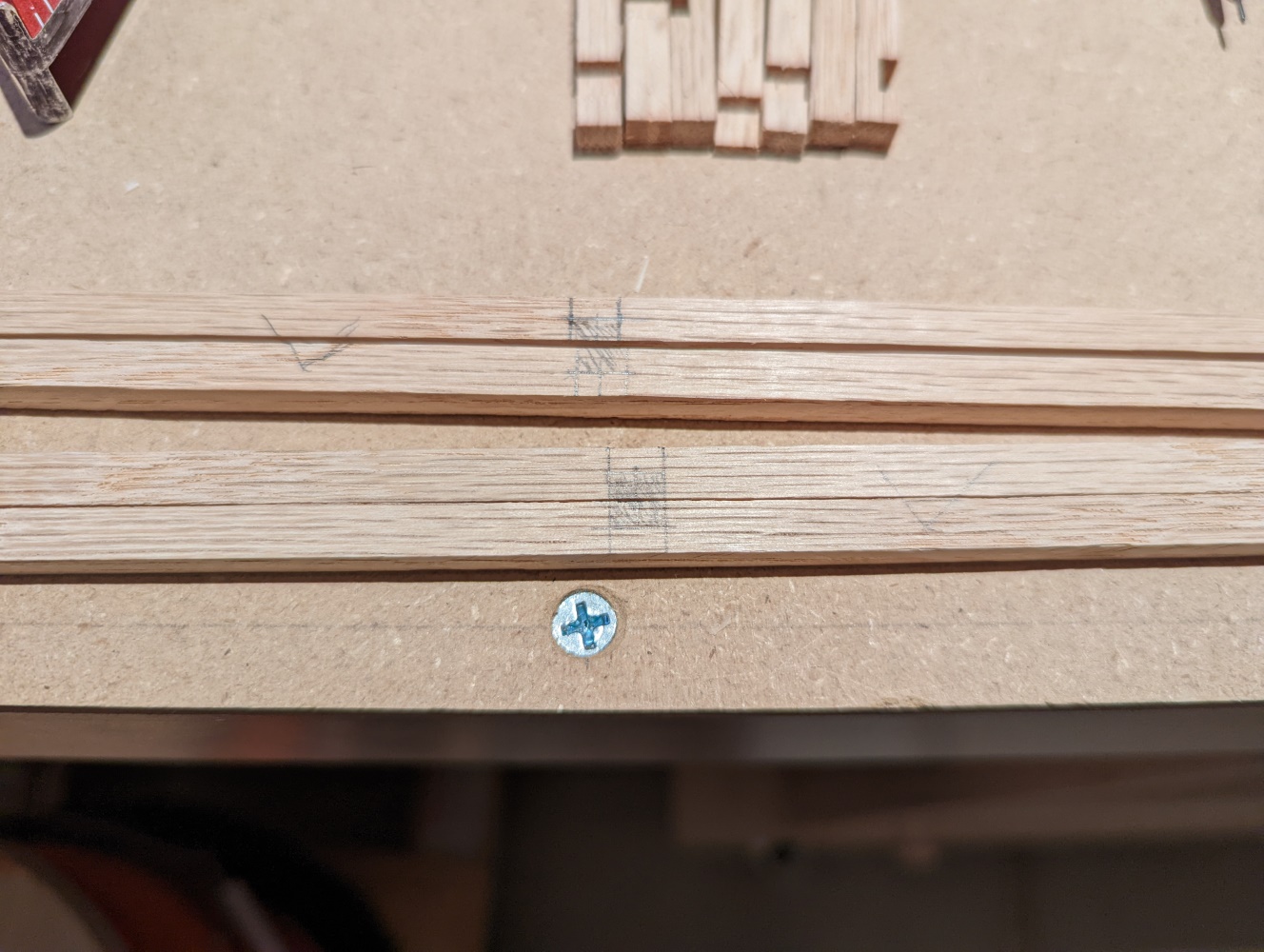
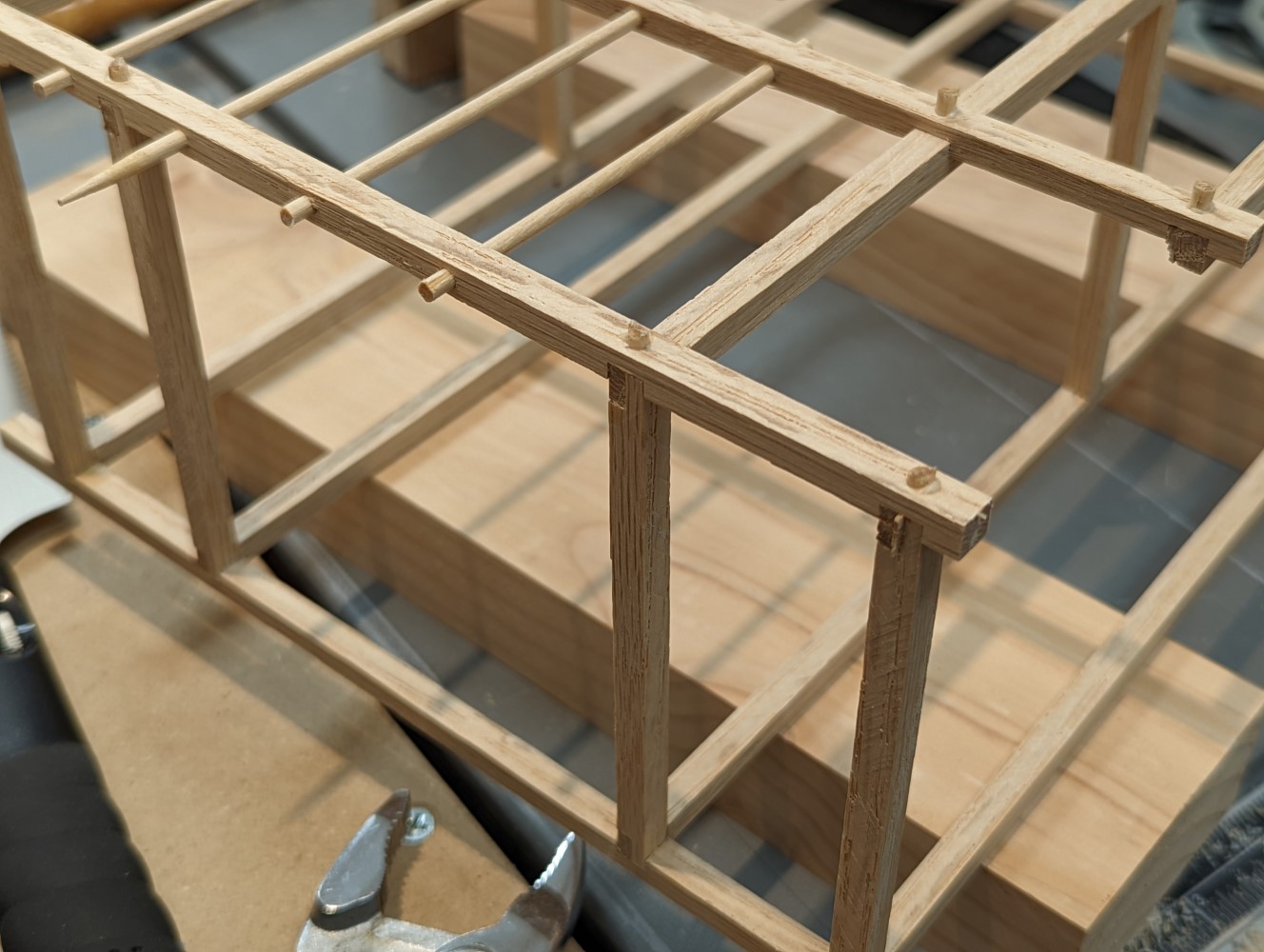
<p>To strengthen the joints I had decided to use small dowels. Well, compared to the size of the oak strips they actually weren’t that small. They were going to be legit lose tenons, half the size of the joined pieces. So I drilled 1/8” holes into each joint, making sure the dowel would get proper contact with all mating pieces.</p>

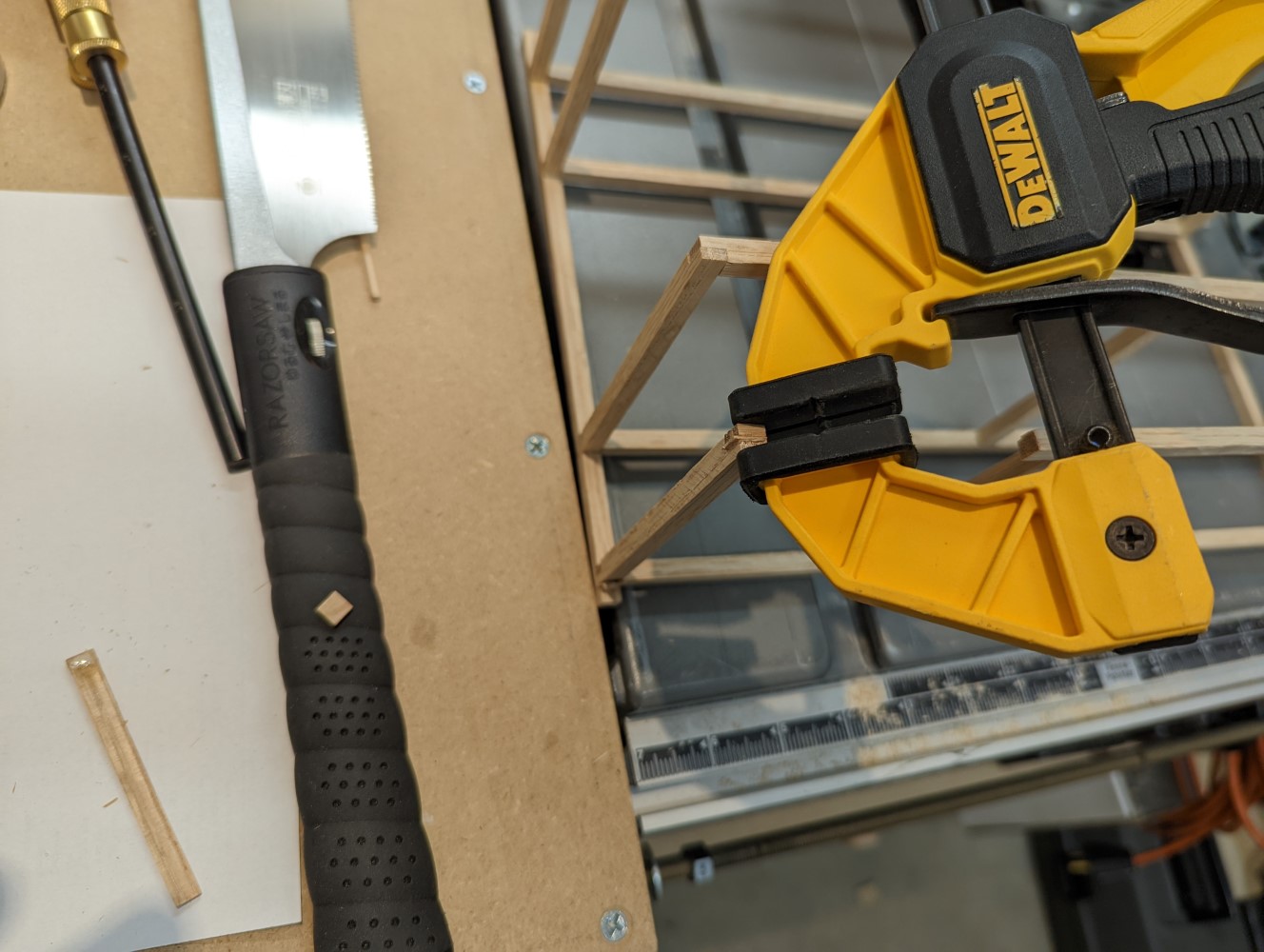
<p>When all holes were drilled I cut the skewers into small sections of about 1/2” each. Then I glued them into the holes I had drilled. When the glue was almost dry I cut off the parts of the dowels that were sticking out, then cleaned them up with a chisel. In this process I’ve also removed the remaining glue squeeze-out.</p>

<figure class="half ">
  
    
      <a href="/assets/images/woodworking/Making-a-Doll-Bunk-Bed/doll_bunk_bed_tenons.jpg" title="Glueing in the skewer pieces as dowel tenons">
          <img src="/assets/images/woodworking/Making-a-Doll-Bunk-Bed/doll_bunk_bed_tenons-350.jpg" alt="Glueing in the skewer pieces as dowel tenons" />
      </a>


      <a href="/assets/images/woodworking/Making-a-Doll-Bunk-Bed/doll_bunk_bed_tenon_clean-up.jpg" title="Trimming off the dowels and cleaning up the glue joints">
          <img src="/assets/images/woodworking/Making-a-Doll-Bunk-Bed/doll_bunk_bed_tenon_clean-up-350.jpg" alt="Trimming off the dowels and cleaning up the glue joints" />
      </a>


    <figcaption>Glueing in the dowels, then cleaning up after letting the glue dry
</figcaption>
  
</figure>

<h2 id="forcing-the-ply-boards-in">Forcing the ply boards in</h2>

<p>Well, before even seriously thinking about an alternative solution I just forced the boards in, going diagonally through the front, partially out the back, then back in, into the final position, pushing the frame as much as it needed to. I figured this would also make for a good test of stability - and it worked: the boards were in, and the whole construction has proven strong enough even for this kind of abuse.</p>

<p>A little bit of glue and the weight of some heavier wooden blocks were enough to secure the boards in place.</p>

<figure class="justify-content">
  
    
      <a href="/assets/images/woodworking/Making-a-Doll-Bunk-Bed/doll_bunk_bed_boards_glued_in.jpg" title="The boards glued in, pressure put on by using small clamps, wood scraps, a sanding block and a glue bottle as weights">
          <img src="/assets/images/woodworking/Making-a-Doll-Bunk-Bed/doll_bunk_bed_boards_glued_in-350.jpg" alt="The boards glued in, pressure put on by using small clamps, wood scraps, a sanding block and a glue bottle as weights" />
      </a>


    <figcaption>The boards glued in, pressure put on by using small clamps, wood scraps, a sanding block and a glue bottle as weights
</figcaption>
  
</figure>

<h2 id="cleanup">Cleanup</h2>

<p>After the construction was done, I took some sand paper and cleaned up the surfaces. I didn’t go too crazy, just knocking off the saw marks and smoothing the edges, just so everything felt nice to the touch. I also had to sand down one of the foots of the bed a little bit because it was rocking.</p>

<h2 id="finish">Finish</h2>

<p>To finish the doll bed I used a butcher block conditioner, based on mineral oil, beeswax, and carnauba wax. I rubbed in 2 coats, wiped off the excess and polished it a little. The important thing here was that the conditioner is safe for food contact, even exceeding the FDA regulations. So it would be safe for kids, too, even if they would decide to chew on the wood.</p>

<h1 id="bedding">Bedding</h1>

<p>The last task remaining was to make some bedding. My wife used her sewing skills to sew some foam packing material into the fabrics she’s chosen, creating mattresses, pillows and blankets for the dolls.</p>

<figure class="justify-content">
  
    
      <a href="/assets/images/woodworking/Making-a-Doll-Bunk-Bed/doll_bunk_bed_fabric.jpg" title="The fabric used for the bedding came from mask sewing leftovers">
          <img src="/assets/images/woodworking/Making-a-Doll-Bunk-Bed/doll_bunk_bed_fabric-350.jpg" alt="The fabric used for the bedding came from mask sewing leftovers" />
      </a>


    <figcaption>The fabric used for the bedding came from mask sewing leftovers
</figcaption>
  
</figure>

<h1 id="the-final-result">The final result</h1>

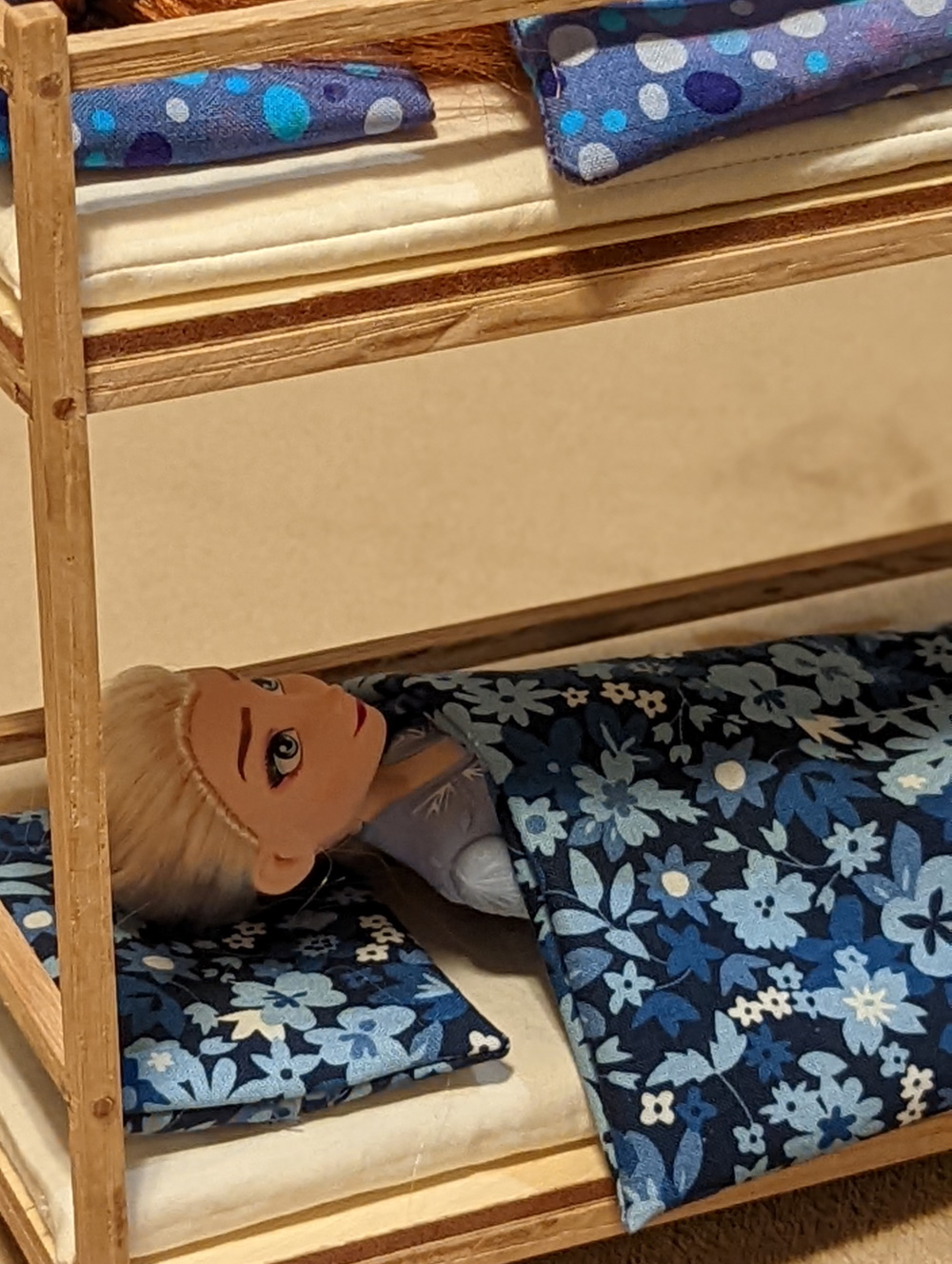
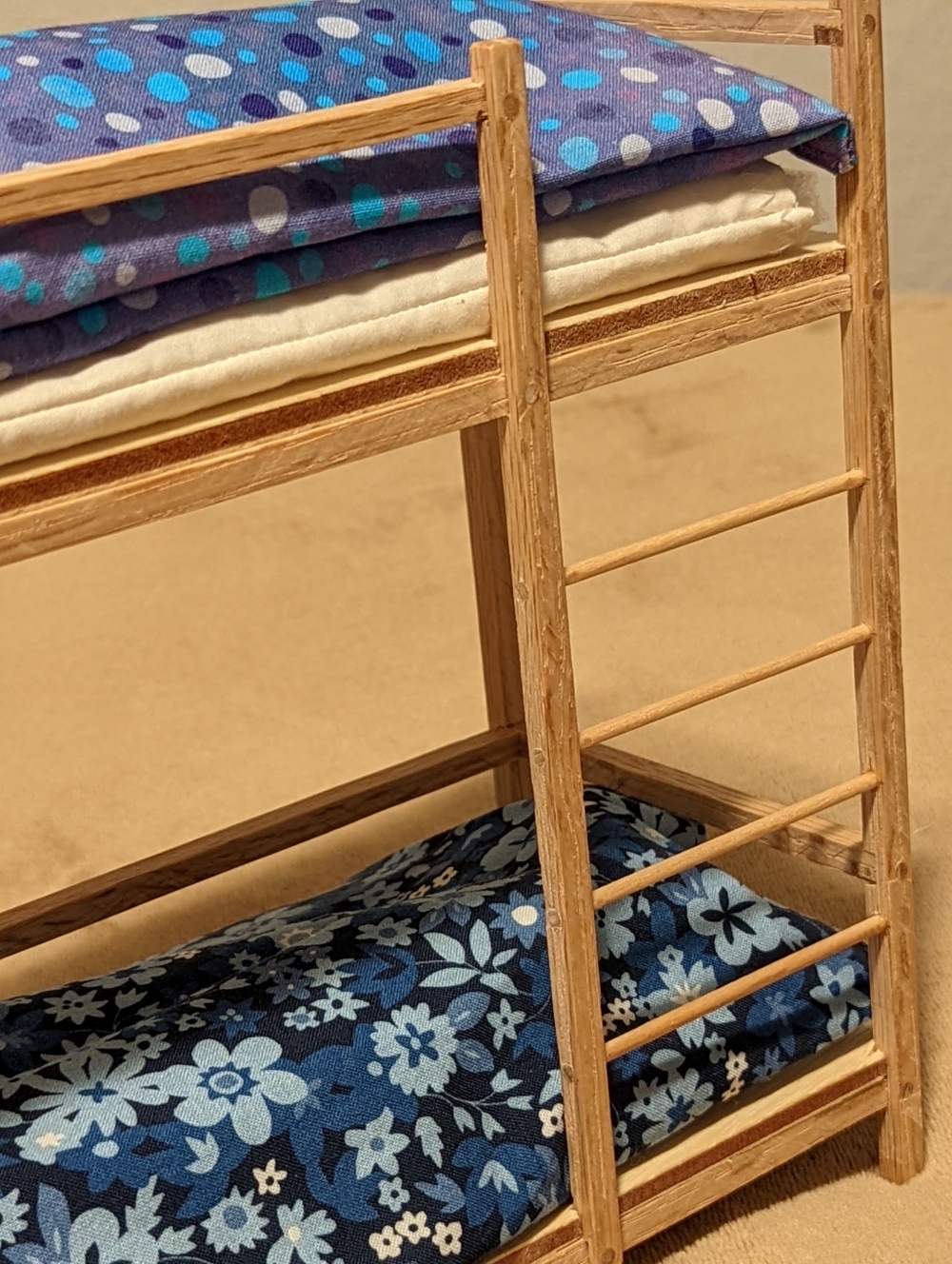
<p>When we presented our daughter the now finished toy she really did love it. Seeing this kind of happiness in your child is one of the greatest things in live as a parent.</p>

<figure class="third ">
  
    
      <a href="/assets/images/woodworking/Making-a-Doll-Bunk-Bed/doll_bunk_bed_with_dolls.jpg" title="Elsa presents: the bunk bed">
          <img src="/assets/images/woodworking/Making-a-Doll-Bunk-Bed/doll_bunk_bed_with_dolls-350.jpg" alt="Elsa presents: the bunk bed" />
      </a>


      <a href="/assets/images/woodworking/Making-a-Doll-Bunk-Bed/doll_bunk_bed_ladder.jpg" title="Close-up of the ladder">
          <img src="/assets/images/woodworking/Making-a-Doll-Bunk-Bed/doll_bunk_bed_ladder-350.jpg" alt="Close-up of the ladder" />
      </a>


      <a href="/assets/images/woodworking/Making-a-Doll-Bunk-Bed/doll_bunk_bed_with_dolls_2.jpg" title="Anna and Elsa &quot;sleeping&quot;">
          <img src="/assets/images/woodworking/Making-a-Doll-Bunk-Bed/doll_bunk_bed_with_dolls_2-350.jpg" alt="Anna and Elsa &quot;sleeping&quot;" />
      </a>


    <figcaption>The finished build looks pretty decent, I think.
</figcaption>
  
</figure>

<p>This was a really fun build, totally worth the effort and a great way to use up some scrap and household materials. I’m looking forward to building more furniture, next time in full size. I’ve already made some plans for the next projects, so stay tuned…</p>]]></content><author><name>Mario Fischer</name></author><category term="Woodworking" /><category term="Woodworking" /><category term="Scraps" /><category term="Furniture" /><summary type="html"><![CDATA[My 5yo asked me if I could build a bunk bed for her favorite dolls - of course I said 'yes' and went to work, using mostly scraps.]]></summary></entry><entry><title type="html">Convert VM from OVA to QCOW2 and run on QEMU/KVM</title><link href="https://blog.mcfisch.com/virtualization/Convert-VM-from-OVA-to-QCOW2-and-run-on-QEMU-KVM/" rel="alternate" type="text/html" title="Convert VM from OVA to QCOW2 and run on QEMU/KVM" /><published>2021-11-29T11:00:00-08:00</published><updated>2021-11-29T11:00:00-08:00</updated><id>https://blog.mcfisch.com/virtualization/Convert-VM-from-OVA-to-QCOW2-and-run-on-QEMU-KVM</id><content type="html" xml:base="https://blog.mcfisch.com/virtualization/Convert-VM-from-OVA-to-QCOW2-and-run-on-QEMU-KVM/"><![CDATA[<p>Sometimes you don’t have the environment to run a virtual appliance the way it is meant to be. Then you need to get creative. Here I am showing how I took a virtual appliance, that was delivered in VMWare’s <code class="language-plaintext highlighter-rouge">OVA</code> format, and converted it to OpenStack’s <code class="language-plaintext highlighter-rouge">QCOW2</code> format so it would run on QEMU and KVM.</p>

<h2 id="situation">Situation</h2>

<p>I was handed a virtual appliance that had to be run in a customer’s OpenStack environment. For licensing reasons there was no way to run the appliance on ESXi in this particular case. Unfortunately this is exactly what the appliance was built for: VMWare’s ESXi resp. vSphere, and there was no alternative build process set up yet. This might change in the future, but for now I had to find a way to make this work.</p>

<p>So my plan was to run a virtual machine with CentOS 7 in vSphere (something baremetal would have worked as well, but using our existing infrastructure was more convenient). Then this would run QEMU with KVM and operate the appliance from a converted virtual hard disk file using <code class="language-plaintext highlighter-rouge">libvirtd</code>.</p>

<blockquote class="notice--warning">
  <p>This post refers to the steps to make that conversion working on CentOS 7. If you run a different OS you need to adjust the commands accordingly.</p>
</blockquote>

<h2 id="preparations">Preparations</h2>

<p>Some things have to be prepared first to make all of that work. The easiest way for me to do this was to set up a system which later runs all the commands and the virtual appliance too. However, there is no need to do all of that on the same system, just go with a setup that fits your circumstances best.</p>

<h3 id="install-tools">Install tools</h3>

<p>The necessary tools to convert the virtual hard disk need to be installed. In CentOS 7 that happens by installing QEMU and its surrounding packages.</p>

<div class="language-bash highlighter-rouge"><div class="highlight"><pre class="highlight"><code><span class="nb">install</span> <span class="nt">-y</span> qemu qemu-common qemu-img qemu-kvm-common qemu-system-x86 qemu-user bridge-utils
</code></pre></div></div>

<h3 id="set-up-environment">Set up environment</h3>

<p>In RedHat/CentOS the default location to store virtual disks, images etc. is <code class="language-plaintext highlighter-rouge">/var/lib/libvirt/images</code>. So let’s set a variable and make sure that directory does exist:</p>

<div class="language-bash highlighter-rouge"><div class="highlight"><pre class="highlight"><code><span class="nb">export </span><span class="nv">VMDIR</span><span class="o">=</span>/var/lib/libvirt/images
<span class="nb">mkdir</span> <span class="nt">-p</span> <span class="nv">$VMDIR</span>
</code></pre></div></div>

<p>Then let’s give the new appliance VM a short distinct name - e.g. orienting on its purpose and version number - and create its own directory.</p>

<div class="language-bash highlighter-rouge"><div class="highlight"><pre class="highlight"><code><span class="nb">export </span><span class="nv">VMNAME</span><span class="o">=</span>edge-151
<span class="nb">mkdir</span> <span class="nt">-p</span> <span class="nv">$VMDIR</span>/<span class="nv">$VMNAME</span>
</code></pre></div></div>

<p>Also we need an environmental variable set for the QEMU virtual filesystem handling:</p>

<div class="language-bash highlighter-rouge"><div class="highlight"><pre class="highlight"><code><span class="nb">export </span><span class="nv">LIBGUESTFS_BACKEND</span><span class="o">=</span>direct
</code></pre></div></div>

<h2 id="conversion">Conversion</h2>

<p>To get a vSphere appliance image working on QEMU we first need to convert the encapsuled disk image into a supported format, here <code class="language-plaintext highlighter-rouge">QCOW2</code>.</p>

<h3 id="extract-the-ova-file">Extract the <code class="language-plaintext highlighter-rouge">OVA</code> file</h3>

<p>Copy your original OVA file into your virtual machine image library (I’m using <code class="language-plaintext highlighter-rouge">$VMDIR</code> for this). The create a temporary directory - or if it exists already, make sure it is cleaned up - and unpack the OVA’s contents:</p>

<div class="language-bash highlighter-rouge"><div class="highlight"><pre class="highlight"><code><span class="nb">mkdir</span> <span class="nt">-p</span> <span class="nv">$VMDIR</span>/tmp
<span class="nb">rm</span> <span class="nt">-rf</span> <span class="nv">$VMDIR</span>/tmp/<span class="k">*</span>
<span class="nb">tar </span>xf <span class="nv">$VMDIR</span>/<span class="nv">$VMNAME</span><span class="nt">-vsphere</span>.ova <span class="nt">-C</span> <span class="nv">$VMDIR</span>/tmp
</code></pre></div></div>

<h3 id="convert-the-virtual-disk">Convert the virtual disk</h3>

<p>QEMU comes with the <code class="language-plaintext highlighter-rouge">qemu-img</code> command that is not only used to create new images, but also for converting between different formats. Use it to make the virtual disk conversion, adjust the pattern to match the actual name of the <code class="language-plaintext highlighter-rouge">VMDK</code> file.</p>

<p>If there are more than one disk images than repeat the step for each of them and remember to attach them all to the new VM later.</p>

<div class="language-bash highlighter-rouge"><div class="highlight"><pre class="highlight"><code>qemu-img convert <span class="nt">-f</span> vmdk <span class="nv">$VMDIR</span>/tmp/<span class="k">*</span><span class="nt">-disk1</span>.vmdk <span class="nv">$VMDIR</span>/<span class="nv">$VMNAME</span>.qcow2
</code></pre></div></div>

<p>This step will leave the file at its <em>intended</em> size: i.e. if the original image of the virtual appliance was configured with a size of 100GB, this new <code class="language-plaintext highlighter-rouge">QCOW2</code> image will be as big, too. So there is another step to reduce that size to what the file actually needs on the file system:</p>

<div class="language-bash highlighter-rouge"><div class="highlight"><pre class="highlight"><code>qemu-img convert <span class="nt">-O</span> qcow2 <span class="nv">$VMDIR</span>/<span class="nv">$VMNAME</span>.qcow2 <span class="nv">$VMDIR</span>/<span class="nv">$VMNAME</span><span class="nt">-shrunk</span>.qcow2
</code></pre></div></div>

<p>The bigger file can be removed, and so can the other files that came with the <code class="language-plaintext highlighter-rouge">OVA</code>:</p>

<blockquote class="notice--warning">
  <p>Remember to get other information from the original <code class="language-plaintext highlighter-rouge">VMX</code> configuration file first, i.e. specific <code class="language-plaintext highlighter-rouge">MAC addresses</code> that you may need to configure in the VM to satisfy an existing DHCP config or so.</p>
</blockquote>

<div class="language-bash highlighter-rouge"><div class="highlight"><pre class="highlight"><code><span class="nb">rm</span> <span class="nt">-f</span> <span class="nv">$VMDIR</span>/<span class="nv">$VMNAME</span>.qcow2
<span class="nb">rm</span> <span class="nt">-rf</span> <span class="nv">$VMDIR</span>/tmp/<span class="k">*</span>
</code></pre></div></div>

<p>The last step here is to copy/move the new disk image to your virtual machine’s directory:</p>

<div class="language-bash highlighter-rouge"><div class="highlight"><pre class="highlight"><code><span class="nb">cp</span> <span class="nv">$VMDIR</span>/<span class="nv">$VMNAME</span><span class="nt">-shrunk</span>.qcow2 <span class="nv">$VMDIR</span>/<span class="nv">$VMNAME</span>/<span class="nv">$VMNAME</span>.qcow2
</code></pre></div></div>

<p>Or - as I like to do - create a snapshot from the image which makes it faster and more efficient to start over if needed. This also allows for running multiple virtual machines from the same image.</p>

<div class="language-bash highlighter-rouge"><div class="highlight"><pre class="highlight"><code><span class="nb">cd</span> <span class="nv">$VMDIR</span>/<span class="nv">$VMNAME</span>
qemu-img create <span class="nt">-b</span> ../<span class="nv">$VMNAME</span><span class="nt">-shrunk</span>.qcow2 <span class="nt">-f</span> qcow2 <span class="nv">$VMNAME</span>.qcow2 100G
</code></pre></div></div>

<h3 id="prepare-a-config-iso-image">Prepare a config ISO image</h3>

<p>To use cloud images you may need a config ISO image that the system would mount as CD-ROM during a cloud-init run. If that image doesn’t exist yet you can use the following examples and modify them to fit your needs.
Both files are written in the YAML format, a simple to understand descriptive language that you may already know from other DevOps tools.</p>

<h4 id="create-the-cloud-init-config-files">Create the cloud-init config files</h4>

<p>The first file provides meta information about the system, like internal and external hostnames:</p>

<div class="language-bash highlighter-rouge"><div class="highlight"><pre class="highlight"><code><span class="nb">cat</span> <span class="o">&lt;&lt;</span><span class="no">EOF</span><span class="sh">&gt; </span><span class="nv">$VMDIR</span><span class="sh">/</span><span class="nv">$VMNAME</span><span class="sh">/meta-data
instance-id: </span><span class="nv">$VMNAME</span><span class="sh">
local-hostname: </span><span class="nv">$VMNAME</span><span class="sh">
</span><span class="no">EOF
</span></code></pre></div></div>

<p>The second file contains instructions for cloud-init to execute during the initial setup. In this basic example the first user is created and set up with an SSH key and sudo permission, so you can log in right after the system came up and start working on it.</p>

<div class="language-bash highlighter-rouge"><div class="highlight"><pre class="highlight"><code><span class="nb">cat</span> <span class="o">&lt;&lt;</span><span class="no">EOF</span><span class="sh">&gt; </span><span class="nv">$VMDIR</span><span class="sh">/</span><span class="nv">$VMNAME</span><span class="sh">/user-data
#cloud-config 
preserve_hostname: False
hostname: </span><span class="nv">$VMNAME</span><span class="sh">
fqdn: </span><span class="nv">$VMNAME</span><span class="sh">.yourdomain.local
users:
    - default
    - name: mcfisch
      groups: ['wheel']
      shell: /bin/bash
      sudo: ALL=(ALL) NOPASSWD:ALL
      ssh-authorized-keys:
        - ssh-ed25519 AAAACDFMSNLKGDJSRETWOEIIIDFGJDT+SORk4v+dsERFGvsdfgseT35Fv35Vssdoegff KVM Lab SSH Login mcfisch
output:
  all: "&gt;&gt; /var/log/cloud-init.log"
ssh_genkeytypes: ['ed25519', 'rsa']
ssh_authorized_keys:
  - ssh-ed25519 AAAACDFMSNLKGDJSRETWOEIIIDFGJDT+SORk4v+dsERFGvsdfgseT35Fv35Vssdoegff KVM Lab SSH Login key mcfisch
timezone: America/Los_Angeles
runcmd:
  - systemctl stop network &amp;&amp; systemctl start network
  - yum -y remove cloud-init
</span><span class="no">EOF
</span></code></pre></div></div>

<p>Since this file allows for a lot more than this - including arbitrary file creation - you can define an entire system that does it supposed work without you ever logging in personally. This is one way to keep cloud images simple, clean and easily maintainable by separating them from the customization, which then can easily be managed in a code repository.</p>

<h4 id="create-the-iso-file">Create the ISO file</h4>

<p>Now these files need to go into an ISO image, and all that’s needed for this is the <code class="language-plaintext highlighter-rouge">genisoimage</code> command that can be installed from the systems package repo:</p>

<div class="language-bash highlighter-rouge"><div class="highlight"><pre class="highlight"><code>yum <span class="nb">install </span>genisoimage
</code></pre></div></div>

<p>Then run the following command to built an ISO file with the 2 files created above:</p>

<div class="language-bash highlighter-rouge"><div class="highlight"><pre class="highlight"><code>genisoimage <span class="nt">-output</span> <span class="nv">$VMDIR</span>/<span class="nv">$VMNAME</span>/<span class="nv">$VMNAME</span><span class="nt">-config</span>.iso <span class="nt">-volid</span> config <span class="nt">-joliet</span> <span class="nt">-r</span> meta-data user-data
</code></pre></div></div>

<h4 id="modify-an-existing-iso-image">Modify an existing ISO image</h4>

<p>In case you already have an image that just needs to get adjusted, you can do that, too. Just mount the image, copy its contents somewhere else, then modify them and rebuild the image:</p>

<div class="language-bash highlighter-rouge"><div class="highlight"><pre class="highlight"><code><span class="c"># mount and copy the existing files to a local directory</span>
<span class="nv">MNTDIR</span><span class="o">=</span>/mnt
<span class="nv">TMPDIR</span><span class="o">=</span>/tmp
mount <span class="nv">$VMDIR</span>/<span class="nv">$VMNAME</span><span class="nt">-config</span>.iso <span class="nv">$MNTDIR</span>
<span class="nb">mkdir</span> <span class="nt">-p</span> <span class="nv">$TMPDIR</span>
<span class="nb">cp</span> <span class="nv">$MNTDIR</span>/<span class="k">*</span> <span class="nv">$TMPDIR</span>/
umount <span class="nv">$MNTDIR</span>
<span class="c"># make your changes in $TMPDIR, then repack it</span>
genisoimage <span class="nt">-output</span> <span class="nv">$VMDIR</span>/<span class="nv">$VMNAME</span><span class="nt">-config-new</span>.iso <span class="nt">-volid</span> config <span class="nt">-joliet</span> <span class="nt">-r</span> <span class="nv">$TMPDIR</span>/<span class="k">*</span>
<span class="nb">rm</span> <span class="nt">-rf</span> <span class="nv">$TMPDIR</span>/<span class="k">*</span>
</code></pre></div></div>

<h2 id="configure-a-bridged-virtual-network">Configure a bridged virtual network</h2>

<p>If your VM needs a regular IP address within your network over which it can be reached, serve incoming requests etc. then you will need a bridged network the VM can use. For that simply create an additional KVM network and a local bridge it can use.
The culprit here is that, depending on your particular setup, in the moment you reconfigure your network interfaces you may lose access to the system. So make sure you have direct access to its console before following these steps.</p>

<h3 id="add-virtual-bridge-to-physical-interface">Add virtual bridge to physical interface</h3>

<p>This example is for an additional interface, that is attached to a virtual bridge, which then is assigned a fixed IP, so the host system has two network interfaces connected.</p>

<div class="language-bash highlighter-rouge"><div class="highlight"><pre class="highlight"><code>brctl addbr br0
ip <span class="nb">link set </span>dev br0 up
ip addr add 192.168.1.10/24 dev br0
</code></pre></div></div>

<p>The same affect can be achieved by directly adding/editing the configuration files:</p>

<div class="language-text highlighter-rouge"><div class="highlight"><pre class="highlight"><code>cat &lt;&lt;EOF &gt;/etc/sysconfig/network-scripts/ifcfg-br0
STP=yes
TYPE=Bridge
BOOTPROTO=static
NAME=br0
DEVICE=br0
ONBOOT=yes
IPADDR=192.168.1.10
PREFIX=24
GATEWAY=192.168.1.1
DNS1=192.168.1.1
PROXY_METHOD=none
BROWSER_ONLY=no
DEFROUTE=yes
IPV4_FAILURE_FATAL=no
IPV6INIT=no
AUTOCONNECT_SLAVES=yes
DOMAIN=yourdomain.local
BRIDGING_OPTS=priority=32768
EOF

cat &lt;&lt;EOF &gt; /etc/sysconfig/network-scripts/ifcfg-ens224 
TYPE=Ethernet
NAME=ens224
DEVICE=ens224
ONBOOT=yes
BRIDGE=br0
BOOTPROTO=none
DEFROUTE=yes
EOF

systemctl restart network
</code></pre></div></div>

<h3 id="create-a-virtual-network">Create a virtual network</h3>

<p>To be able to use this new bridge we also need a virtual network defined that QEMU can attack virtual machines to.
Specify the respective configuration in an <code class="language-plaintext highlighter-rouge">XML</code> file, then import that into the QEMU setup.</p>

<div class="language-bash highlighter-rouge"><div class="highlight"><pre class="highlight"><code><span class="nb">cat</span> <span class="o">&lt;&lt;</span><span class="no">EOF</span><span class="sh"> &gt; host-bridge.xml
&lt;network&gt;
  &lt;name&gt;host-bridge&lt;/name&gt;
  &lt;forward mode='bridge'/&gt;
  &lt;bridge name='br0'/&gt;
&lt;/network&gt;
</span><span class="no">EOF
</span>virsh net-define host-bridge.xml
virsh net-start host-bridge
virsh net-autostart host-bridge
</code></pre></div></div>

<h3 id="enable-packet-forwarding">Enable packet forwarding</h3>

<p>The following part my differ from what your system needs, it totally depends on how the host system is configured. In my case, where I was provided a ready-to-use VM in vSphere by another team, I had to follow these steps to make sure virtual machines nested in QEMU/KVM inside a vSphere machine can actually talk to the local network.</p>

<div class="language-bash highlighter-rouge"><div class="highlight"><pre class="highlight"><code><span class="nb">cat</span> <span class="o">&lt;&lt;</span><span class="no">EOF</span><span class="sh"> &gt; /etc/udev/rules.d/99-bridge.rules
ACTION=="add", SUBSYSTEM=="module", KERNEL=="br_netfilter", RUN+="/sbin/sysctl -p /etc/sysctl.d/bridge.conf"
</span><span class="no">EOF
</span><span class="nb">cat</span> <span class="o">&lt;&lt;</span><span class="no">EOF</span><span class="sh"> &gt; /etc/sysctl.d/bridge.conf
net.bridge.bridge-nf-call-ip6tables=0
net.bridge.bridge-nf-call-iptables=0
net.bridge.bridge-nf-call-arptables=0
</span><span class="no">EOF
</span><span class="nb">echo</span> <span class="s2">"NM_BOND_BRIDGE_VLAN_ENABLED=yes"</span> <span class="o">&gt;&gt;</span> /etc/sysconfig/network
<span class="nb">echo</span> <span class="s2">"net.ipv4.ip_forward=1"</span> <span class="o">&gt;&gt;</span> /etc/sysctl.d/99-sysctl.conf
sysctl <span class="nt">-p</span> /etc/sysctl.d/99-sysctl.conf
service NetworkManager restart
</code></pre></div></div>

<h3 id="enable-promiscuous-mode-on-vsphere-vswitch-port">Enable promiscuous mode on vSphere vSwitch port</h3>

<p>If you’re attempting this setup as I did in vSphere, you (or the respective vSphere admin) probably need to set up a port or port group that is configured to operate in <code class="language-plaintext highlighter-rouge">promiscuous mode</code> and allows for <code class="language-plaintext highlighter-rouge">address spoofing</code>. The reason for this potentially dangerous setup is, that the nested virtual network internally uses a routed connection between the VM’s and the bridge interface. So this physical interface needs to listen to all packets of the incoming traffic, not just those addressed to its own MAC address (<code class="language-plaintext highlighter-rouge">promiscuous mode</code>), and it needs to send packets in the name of the VM’s interfaces and their MAC addresses (<code class="language-plaintext highlighter-rouge">address spoofing</code>).</p>

<p>To keep the security impact of these settings as low as possible I’d recommend using a dedicated port group for this VM in vSphere that has the following settings enabled:</p>

<ul>
  <li><code class="language-plaintext highlighter-rouge">Promiscuous mode</code></li>
  <li><code class="language-plaintext highlighter-rouge">MAC address changes</code></li>
  <li><code class="language-plaintext highlighter-rouge">Forged transmits</code></li>
</ul>

<p>However, I’d recommend turning these on one at a time and testing after each if your connections start working.</p>

<h2 id="setup-the-vm">Setup the VM</h2>

<p>Once the disk and CD-ROM images are in place it is time to configure the actual VM. The process for an official cloud-image of CentOS 7 for instance is relatively straightforward:</p>

<div class="language-bash highlighter-rouge"><div class="highlight"><pre class="highlight"><code>virt-install <span class="nt">--import</span> <span class="nt">--name</span> <span class="nv">$VMNAME</span> <span class="nt">--virt-type</span><span class="o">=</span>kvm <span class="nt">--memory</span> 2048 <span class="nt">--vcpus</span> 2 <span class="nt">--cpu</span> host <span class="nt">--disk</span> <span class="nv">$VMDIR</span>/<span class="nv">$VMNAME</span>/<span class="nv">$VMNAME</span>.qcow2,format<span class="o">=</span>qcow2,device<span class="o">=</span>disk <span class="nt">--hvm</span> <span class="nt">--disk</span> <span class="nv">$VMDIR</span>/<span class="nv">$VMNAME</span>/<span class="nv">$VMNAME</span><span class="nt">-seed</span>.iso,device<span class="o">=</span>cdrom <span class="nt">--network</span> <span class="nv">network</span><span class="o">=</span>host-bridge <span class="nt">--os-type</span><span class="o">=</span>linux <span class="nt">--os-variant</span><span class="o">=</span>centos7.0 <span class="nt">--graphics</span> vnc <span class="nt">--noautoconsole</span>
</code></pre></div></div>

<p>However, for my specific case I needed a specific setup that required a couple things:</p>

<ul>
  <li>3 NICs</li>
  <li>static IP addresses that will be utilized by a package installed by the config ISO</li>
  <li>fixed MAC addresses to use the company’s DHCP that I preconfigured for these</li>
</ul>

<p>To satisfy these I used the following command:</p>

<div class="language-bash highlighter-rouge"><div class="highlight"><pre class="highlight"><code>virt-install <span class="nt">--import</span> <span class="nt">--name</span> <span class="nv">$VMNAME</span> <span class="nt">--virt-type</span><span class="o">=</span>kvm <span class="nt">--memory</span> 8192 <span class="nt">--vcpus</span> 8 <span class="nt">--cpu</span> host <span class="nt">--disk</span> <span class="nv">$VMDIR</span>/<span class="nv">$VMNAME</span>/<span class="nv">$VMNAME</span>.qcow2,format<span class="o">=</span>qcow2,device<span class="o">=</span>disk,bus<span class="o">=</span>ide <span class="nt">--hvm</span> <span class="nt">--disk</span> <span class="nv">$VMDIR</span>/<span class="nv">$VMNAME</span>/<span class="nv">$VMNAME</span><span class="nt">-config</span>.iso,device<span class="o">=</span>cdrom <span class="nt">--network</span><span class="o">=</span><span class="nv">network</span><span class="o">=</span>host-bridge,model<span class="o">=</span>virtio,mac<span class="o">=</span>52:54:00:a7:85:d8 <span class="nt">--network</span><span class="o">=</span><span class="nv">network</span><span class="o">=</span>host-bridge,model<span class="o">=</span>virtio,mac<span class="o">=</span>52:54:00:7b:b3:9f <span class="nt">--network</span><span class="o">=</span><span class="nv">network</span><span class="o">=</span>host-bridge,model<span class="o">=</span>virtio,mac<span class="o">=</span>52:54:00:79:09:c5 <span class="nt">--os-type</span><span class="o">=</span>linux <span class="nt">--os-variant</span><span class="o">=</span>centos7.0 <span class="nt">--graphics</span> vnc <span class="nt">--noautoconsole</span>
</code></pre></div></div>

<p>Not only does that set the basic VM parameters as well as the hard-coded MAC addresses, it also specifies a key setting for the successful conversion of (at least my) vSphere virtual appliance to QEMU/KVM:</p>

<blockquote>
  <p><code class="language-plaintext highlighter-rouge">--disk $VMDIR/$VMNAME/$VMNAME.qcow2,format=qcow2,device=disk,bus=ide</code></p>
</blockquote>

<p>The <code class="language-plaintext highlighter-rouge">bus=ide</code> at the end of the disk definition was crucial as the VMs wouldn’t boot with any other configuration. This may vary for your appliance, so if an appliance won’t boot check if setting another controller type makes it work. The most commonly used type for instance is <code class="language-plaintext highlighter-rouge">virtio</code>, but depending on your version of KVM it might be something like <code class="language-plaintext highlighter-rouge">scsi0.0</code>, <code class="language-plaintext highlighter-rouge">ahci.0</code> or <code class="language-plaintext highlighter-rouge">sata</code> instead, usually accompanied by a device id. Check the documentation for your particular QEMU/KVM installation.</p>

<h2 id="operation">Operation</h2>

<p>With this all set the new VM should be ready to be used.</p>

<h3 id="startstop-the-vm">Start/stop the VM</h3>

<p>The last thing to do is to start the VM up:</p>

<div class="language-bash highlighter-rouge"><div class="highlight"><pre class="highlight"><code>virsh start <span class="nv">$VMNAME</span>
</code></pre></div></div>

<p>If the VM needs to be shutdown this can be done so:</p>

<div class="language-bash highlighter-rouge"><div class="highlight"><pre class="highlight"><code>virsh shutdown <span class="nv">$VMNAME</span>
</code></pre></div></div>

<p>To pull the VM’s virtual power plug run this:</p>

<div class="language-bash highlighter-rouge"><div class="highlight"><pre class="highlight"><code>virsh destroy <span class="nv">$VMNAME</span>
</code></pre></div></div>

<p>This would be also helpful when you’re going to replace the VM’s disk but want to keep the actual VM configuration.</p>

<p>Now if that’s not the case and you need to completely start over - or simply clean up - the following command will remove the VM from inventory:</p>

<div class="language-bash highlighter-rouge"><div class="highlight"><pre class="highlight"><code>virsh undefine <span class="nv">$VMNAME</span>
</code></pre></div></div>

<h3 id="viewedit-the-vm-configuration">View/edit the VM configuration</h3>

<p>However, if you ever need to access or change the VM’s configuration, it is possible to just output it to the command line:</p>

<div class="language-bash highlighter-rouge"><div class="highlight"><pre class="highlight"><code>virsh dumpxml <span class="nv">$VMNAME</span>
</code></pre></div></div>

<p>Or load it into your systems’s default editor to make permanent changes to the VM setup:</p>

<div class="language-bash highlighter-rouge"><div class="highlight"><pre class="highlight"><code>virsh edit <span class="nv">$VMNAME</span>
</code></pre></div></div>

<h3 id="connect-to-vm-console">Connect to VM console</h3>

<p>Sometimes there is no way to access the VM remotely - maybe the network interfaces are getting moved into Docker containers, maybe it has no route to your other networks, no SSH server is installed, or the appliance just doesn’t allow for any incoming connections. Either wey, there are other ways to access a VM’s console through the host system. What worked best for me was VNC. The VMs in such setup get VNC display IDs attached, starting with <code class="language-plaintext highlighter-rouge">0</code>, and incrementing with each VM that get’s started.</p>

<p>To access any of them in a restricted network I use the port forwarding/tunnelling functionality that SSH provides. Starting at <code class="language-plaintext highlighter-rouge">5900</code> the last digit of the port number represents the VNC display ID: <code class="language-plaintext highlighter-rouge">5900</code> connects to VM <code class="language-plaintext highlighter-rouge">0</code>, <code class="language-plaintext highlighter-rouge">5901</code> connects to VM <code class="language-plaintext highlighter-rouge">1</code>, etc.</p>

<p>To access any of these VMs I add the parameters <code class="language-plaintext highlighter-rouge">-L &lt;VNC port&gt;:127.0.0.1:&lt;local port&gt;</code> to my SSH command:</p>

<p>I then point a VNC viewer to <code class="language-plaintext highlighter-rouge">localhost:&lt;VNC display ID&gt;</code> (not the full port) and are connected to the respective VM’s actual console.</p>

<div class="language-bash highlighter-rouge"><div class="highlight"><pre class="highlight"><code>ssh <span class="nt">-L</span> 5900:127.0.0.1:5900 root@192.168.1.10
</code></pre></div></div>

<h2 id="conclusion">Conclusion</h2>

<p>At this point I had a working procedure to manually convert and run a VMware appliance on QEMU. This is still lacking the implementation in OpenStack, but at least it is a workaround to get going. OpenStack nodes usually have the needed services and drivers already installed, so for the moment this setup will do it. Finding a way to convert the CD-ROM image into an OpenStack config drive is the one task on my ToDo list, building a Jenkins job for this procedure is another.</p>

<p><em>Happy virtualizing!</em></p>]]></content><author><name>Mario Fischer</name></author><category term="Virtualization" /><category term="vmware" /><category term="qemu" /><category term="kvm" /><summary type="html"><![CDATA[Sometimes you don't have the environment to run a virtual appliance the way it is meant to be. Then you need to get creative...]]></summary></entry><entry><title type="html">Making Halloween Lawn Decorations from Construction Plywood - with my Kid</title><link href="https://blog.mcfisch.com/woodworking/Making-Halloween-Lawn-Decorations-from-Plywood/" rel="alternate" type="text/html" title="Making Halloween Lawn Decorations from Construction Plywood - with my Kid" /><published>2021-10-24T12:00:00-07:00</published><updated>2021-10-24T12:00:00-07:00</updated><id>https://blog.mcfisch.com/woodworking/Making-Halloween-Lawn-Decorations-from-Plywood</id><content type="html" xml:base="https://blog.mcfisch.com/woodworking/Making-Halloween-Lawn-Decorations-from-Plywood/"><![CDATA[<p>About 6 weeks before Halloween this year my 7yo son came to me and said: “Daddy, can we have some decorations for Halloween on the lawn and the porch? You know, you could, maybe, make some in your workshop!”</p>

<p>So I said: “That’s a great idea, but - you gotta help me with this so we get this done before Halloween. Alright?”</p>

<p>Of course he said “yes” and did get to “work” right away…</p>

<h1 id="brainstorming">Brainstorming</h1>

<p>First I’ve asked him to think about what he actually wanted, and then to draw some sketches on paper, so we can assess what resources we would need. He came up with a list of items:</p>

<ul>
  <li>three Pumpkins</li>
  <li>a cat</li>
  <li>some bats</li>
  <li>a ghost</li>
  <li>a spider</li>
</ul>

<p>Once he scribbled them on some sheets of paper we thought about how big all of that was supposed to get, where we were going to put them, and what materials we would actually need.</p>

<figure class="justify-content">
  
    
      <a href="/assets/images/woodworking/Making-Halloween-Lawn-Decorations-from-Plywood/spider_sketch.jpg" title="The kiddo's sketch of a scary spider">
          <img src="/assets/images/woodworking/Making-Halloween-Lawn-Decorations-from-Plywood/spider_sketch_375.jpg" alt="The kiddo's sketch of a scary spider" />
      </a>


    <figcaption>The kiddo’s sketch of a scary spider - with lots of eyes…
</figcaption>
  
</figure>

<h1 id="materials">Materials</h1>

<p>Lucky me again got some 5/8in plywood from a construction site that was about to be thrown away there. I’ve also collected some other pieces from a household that had their garage shelves removed and were giving away some boards, too. Given that my wife also asked for a decorative piece I knew that we needed about one full sheet.</p>

<h2 id="tools">Tools</h2>

<p>Since I was going to work on this project with a seven years old child (and sometimes a 4yo was around, too) I wanted to keep it to the small tools - no table saw, no miter saw etc. Just the good old jigsaw and a power drill.</p>

<p>Well, we actually did use the bandsaw for cutting the bats out of 1/4in plywood, but this is probably the one larger tool of the bunch that is the safest for kids to use - under permanent direction and supervision, of course.</p>

<p>Another reason to not use the bigger saws or the router was the quality of the material respectively the fact that it was used on the ground on a construction site: while the wood itself was not bad, it had quite some nails, brads, staples and even some small rocks embedded, all of which could lead to disaster when coming in contact with large, powerful, spinning blades.</p>

<p>Besides that I just needed sandpaper as well as a some pencils.</p>

<h2 id="paint">Paint</h2>

<p>For coloring the pieces I’ve got cans spray paint in several colors as well as clear enamel spray, all in a satin finish, from the big box store. The colors were orange, red, black, white, yellow, green and brown. Besides the some parts of one of the pumpkins everything was sprayed directly onto the plywood. The clear coat was put on all surfaces of the workpieces to seal them off from the weather, or any kind of humidity.</p>

<h2 id="hardware">Hardware</h2>

<p>Since some of the pieces were supposed to go on the lawn we needed a way to “mount” them. I actually found 2 ways with the stuff I had laying around:</p>

<ul>
  <li>a remainder of 1/2in PVC Schedule 40 pipe, cut into shorter pieces somewhere between 2 and 2 1/2 inches long</li>
  <li>some plastic pipe straps that I had laying around from when I secured some pipes to wooden beams underneath the house</li>
</ul>

<p>Both kinds were screwed onto the boards from behind, allowing to slide them (with the board they were attached to) over plant stakes that were driven into the ground. These stake my wife got me from her gardening equipment - after I promised to give them back once we take the decorations inside again…</p>

<figure class="third ">
  
    
      <a href="/assets/images/woodworking/Making-Halloween-Lawn-Decorations-from-Plywood/mounts_1.jpg" title="PVC pipe to stick on the stakes">
          <img src="/assets/images/woodworking/Making-Halloween-Lawn-Decorations-from-Plywood/mounts_1_375.jpg" alt="PVC pipe to stick on the stakes" />
      </a>


      <a href="/assets/images/woodworking/Making-Halloween-Lawn-Decorations-from-Plywood/mounts_2.jpg" title="Plastic pipe clamps as another way to mount">
          <img src="/assets/images/woodworking/Making-Halloween-Lawn-Decorations-from-Plywood/mounts_2_375.jpg" alt="Plastic pipe clamps as another way to mount" />
      </a>


      <a href="/assets/images/woodworking/Making-Halloween-Lawn-Decorations-from-Plywood/pumpkin_mounted.jpg" title="One of the pumpkins mounted to garden stakes">
          <img src="/assets/images/woodworking/Making-Halloween-Lawn-Decorations-from-Plywood/pumpkin_mounted_375.jpg" alt="One of the pumpkins mounted to garden stakes" />
      </a>


    <figcaption>Coming up with a way to put the decorations up and secure them
</figcaption>
  
</figure>

<h1 id="the-build">The build</h1>

<h2 id="drawing">Drawing</h2>

<p>Once we had a better idea what we were going to build we started transferring the sketches from paper onto the plywood. My son drew one of the pumpkins and the bat(s). I’ve added two more pumpkins, the spider  and the cat. The latter two were also based on my sons drawing.</p>

<figure class="justify-content">
  
    
      <a href="/assets/images/woodworking/Making-Halloween-Lawn-Decorations-from-Plywood/sketch_transfer.jpg" title="Kid transferring his sketches onto a sheet of plywood">
          <img src="/assets/images/woodworking/Making-Halloween-Lawn-Decorations-from-Plywood/sketch_transfer_375.jpg" alt="Kid transferring his sketches onto a sheet of plywood" />
      </a>


    <figcaption>The kid is transferring the first of his sketches - a pumpkin - onto a sheet of plywood
</figcaption>
  
</figure>

<p>The bat he actually drew on a piece of card board first which I then cut on the bandsaw before hew used it to outline three of these on a thinner sheet of plywood. Everything else went onto the thicker construction plywood, while we were trying to use it as economical as possible.</p>

<h2 id="cutting">Cutting</h2>

<p>The cutting was unspectacular: following the lines with the jigsaw, sometimes drilling a hole first as a starter for narrow cutouts. For the bats and parts of the spider I used the bandsaw - just because I have it and it was easier. Though I could have get by with just the jigsaw if I wanted, too. A scroll saw would also work, at least for the thinner material.</p>

<figure class="justify-content">
  
    
      <a href="/assets/images/woodworking/Making-Halloween-Lawn-Decorations-from-Plywood/all_pieces_cut.jpg" title="All pieces cut and ready to be sanded and painted">
          <img src="/assets/images/woodworking/Making-Halloween-Lawn-Decorations-from-Plywood/all_pieces_cut_375.jpg" alt="All pieces cut and ready to be sanded and painted" />
      </a>


    <figcaption>All pieces cut and ready to be sanded and painted
</figcaption>
  
</figure>

<p>It is more important to use saw blades that are made for your respective material, sharp, and thin enough to cut narrow turns, as well as taking time when moving the saw (or the workpiece).</p>

<h2 id="painting">Painting</h2>

<p>To get the paint on we just placed the pieces on a large liner of cardboard and sprayed them with the cans until we had the desired look. For the pumpkins we needed to apply just a plain color on the front, another color on their stems, and the cutouts in their faces we blacked out from behind so they would not interfere with the fronts.</p>

<figure class="third ">
  
    
      <a href="/assets/images/woodworking/Making-Halloween-Lawn-Decorations-from-Plywood/spider_spray_paint.jpg" title="Spraying a 'face' on the spider">
          <img src="/assets/images/woodworking/Making-Halloween-Lawn-Decorations-from-Plywood/spider_spray_paint_375.jpg" alt="Spraying a 'face' on the spider" />
      </a>


      <a href="/assets/images/woodworking/Making-Halloween-Lawn-Decorations-from-Plywood/painting_pumpkin_1.jpg" title="Painting the details on a pumpkin">
          <img src="/assets/images/woodworking/Making-Halloween-Lawn-Decorations-from-Plywood/painting_pumpkin_1_375.jpg" alt="Painting the details on a pumpkin" />
      </a>


      <a href="/assets/images/woodworking/Making-Halloween-Lawn-Decorations-from-Plywood/painting_pumpkin_2.jpg" title="Painting the details on a pumpkin">
          <img src="/assets/images/woodworking/Making-Halloween-Lawn-Decorations-from-Plywood/painting_pumpkin_2_375.jpg" alt="Painting the details on a pumpkin" />
      </a>


    <figcaption>Spray-painting pieces, then brushing on the details
</figcaption>
  
</figure>

<p>For the “silly” pumpkin I created two small makeshift ashtray-like containers from aluminum foil and used small paint brushes to get the white and red paint onto eyes, teeth and tongue, all of which I had masked with frog tape before when spraying the face with orange.</p>

<figure class="justify-content">
  
    
      <a href="/assets/images/woodworking/Making-Halloween-Lawn-Decorations-from-Plywood/makeshift_paint_pot.png" title="A makeshift paint pot made from aluminum foil and a spray can lid">
          <img src="/assets/images/woodworking/Making-Halloween-Lawn-Decorations-from-Plywood/makeshift_paint_pot_375.png" alt="A makeshift paint pot made from aluminum foil and a spray can lid" />
      </a>


    <figcaption>A makeshift paint pot made from aluminum foil and a spray can lid
</figcaption>
  
</figure>

<p>The cat, the spider and the bats we sprayed black from all sides, the spider also got some red spots by using stencils that were quickly cut from sheets of paper.</p>

<h1 id="the-result">The result</h1>

<p>This is a great DIY project that doesn’t require a lot of woodworking skills or experience, and one a child can easily contribute to. Use leftover plywood, buy some, or - if you have the tools and skills - laminated some boards yourself. Besides that only basic tools are needed to cut and shape the materials. The exterior spray paint is easy to apply and allows to put the then sealed workpieces inside or outside the house. The costs are also relatively low, especially when materials are used that are already there, like garden stakes and pipe cutoffs.</p>

<figure class="third ">
  
    
      <a href="/assets/images/woodworking/Making-Halloween-Lawn-Decorations-from-Plywood/mad_pumpkin.jpg" title="Mad pumpkin">
          <img src="/assets/images/woodworking/Making-Halloween-Lawn-Decorations-from-Plywood/mad_pumpkin_375.jpg" alt="Mad pumpkin" />
      </a>


      <a href="/assets/images/woodworking/Making-Halloween-Lawn-Decorations-from-Plywood/sad_pumpkin.jpg" title="Sad pumpkin">
          <img src="/assets/images/woodworking/Making-Halloween-Lawn-Decorations-from-Plywood/sad_pumpkin_375.jpg" alt="Sad pumpkin" />
      </a>


      <a href="/assets/images/woodworking/Making-Halloween-Lawn-Decorations-from-Plywood/silly_pumpkin.jpg" title="Silly pumpkin">
          <img src="/assets/images/woodworking/Making-Halloween-Lawn-Decorations-from-Plywood/silly_pumpkin_375.jpg" alt="Silly pumpkin" />
      </a>


      <a href="/assets/images/woodworking/Making-Halloween-Lawn-Decorations-from-Plywood/bat.jpg" title="A bat">
          <img src="/assets/images/woodworking/Making-Halloween-Lawn-Decorations-from-Plywood/bat_375.jpg" alt="A bat" />
      </a>


      <a href="/assets/images/woodworking/Making-Halloween-Lawn-Decorations-from-Plywood/spitting_cat.jpg" title="Spitting cat">
          <img src="/assets/images/woodworking/Making-Halloween-Lawn-Decorations-from-Plywood/spitting_cat_375.jpg" alt="Spitting cat" />
      </a>


      <a href="/assets/images/woodworking/Making-Halloween-Lawn-Decorations-from-Plywood/spider.jpg" title="Scary spider">
          <img src="/assets/images/woodworking/Making-Halloween-Lawn-Decorations-from-Plywood/spider_375.jpg" alt="Scary spider" />
      </a>


    <figcaption>The finished halloween decorations put in place
</figcaption>
  
</figure>

<p>And I am really proud of my son, he really did put his mark on the whole project. Not only is more than half of it made after his very own designs, he also helped in the process of making, was cleaning up the mess afterwards and had a say in where to put them once we were done with all the pieces.</p>

<h3 class="text-center" id="jack_o_lantern-spider-happy-halloween-everyone-spider-jack_o_lantern">:jack_o_lantern: :spider: Happy Halloween, everyone! :spider: :jack_o_lantern:</h3>
<p><br /><br />
PS: for next year we’ll also work on a spider web as well as the ghost he was asking for…</p>]]></content><author><name>Mario Fischer</name></author><category term="Woodworking" /><category term="Woodworking" /><category term="Decorations" /><category term="Halloween" /><summary type="html"><![CDATA[My 7yo wanted to have some Halloween lawn and porch decorations - so we made some together from construction plywood.]]></summary></entry><entry><title type="html">Fix outdated Let’s Encrypt root CA certificate on Ubuntu 14</title><link href="https://blog.mcfisch.com/linux/Fixing-Outdated-LetsEncrypt-Root-CA-Certificate/" rel="alternate" type="text/html" title="Fix outdated Let’s Encrypt root CA certificate on Ubuntu 14" /><published>2021-10-06T09:00:00-07:00</published><updated>2021-10-06T09:00:00-07:00</updated><id>https://blog.mcfisch.com/linux/Fixing-Outdated-LetsEncrypt-Root-CA-Certificate</id><content type="html" xml:base="https://blog.mcfisch.com/linux/Fixing-Outdated-LetsEncrypt-Root-CA-Certificate/"><![CDATA[<p>When the initial Let’s Encrypt root CA certificate expired in September 2021, it needed to be manually replaced on outdated systems. Here is how I did this via command line (Bash &amp; SSH) on a bunch of systems that due to their setup weren’t able to get the update automatically.</p>

<hr />

<p>On a system that has SSH access I stash a list of remote names and/or IP adresses in a variable:</p>

<div class="language-bash highlighter-rouge"><div class="highlight"><pre class="highlight"><code><span class="nv">iplist</span><span class="o">=</span><span class="s2">"192.168.1.3
192.168.2.100
10.10.0.5"</span>
</code></pre></div></div>

<hr />

<p>Then I define the list  of commands I want to run through the SSH connection. The reason for me to not issue these directly in the loop was the combination of the use of an <code class="language-plaintext highlighter-rouge">IF</code> condition and using a subshell for root access via sudo. Also this shows an example how to properly nest commands when tunneling through SSH - note the use of <code class="language-plaintext highlighter-rouge">'\''</code> to escape the single quotes.</p>

<div class="language-bash highlighter-rouge"><div class="highlight"><pre class="highlight"><code><span class="nb">export </span><span class="nv">cmdlist</span><span class="o">=</span><span class="s1">'echo "22b557a27055b33606b6559f37703928d3e4ad79f110b407d04986e1843543d1  /tmp/ISRG_Root_X1.crt" &gt; /tmp/ISRG_Root_X1.sha256
curl -k --output "/tmp/ISRG_Root_X1.crt"  "https://letsencrypt.org/certs/isrgrootx1.pem.txt"
sha256sum -c /tmp/ISRG_Root_X1.sha256 &amp;&amp; sudo bash -c '</span><span class="se">\'</span><span class="s1">'
  mv -f /tmp/ISRG_Root_X1.crt /usr/share/ca-certificates/mozilla/ISRG_Root_X1.crt; 
  echo "mozilla/ISRG_Root_X1.crt" | sort -u -o /etc/ca-certificates.conf -m - /etc/ca-certificates.conf; 
  sed -i '</span><span class="se">\'</span><span class="s1">'s|^mozilla\/DST_Root_CA_X3\.crt|!mozilla/DST_Root_CA_X3.crt|'</span><span class="se">\'</span><span class="s1">' /etc/ca-certificates.conf;
  update-ca-certificates
'</span><span class="se">\'</span><span class="s1">'
curl -I https://letsencrypt.org/certs/isrgrootx1.pem.txt'</span>
</code></pre></div></div>

<p>This will create a text file that has the checksum of the certificate file in it. After downloading the new root CA certificate with disabled SSL check (because that would fail as my system doesn’t trust any new certificates yet which use this new CA) the check file allows me to verify that the downloaded file hasn’t been tempered with.</p>

<blockquote class="notice--danger">
  <p>I made sure to get the checksum from a valid copy of the file on my local system which already had this cert added automatically.</p>
</blockquote>

<p>Once that check succeeded the file will be moved to the right place in <code class="language-plaintext highlighter-rouge">/usr/share/ca-certificates/</code> and added to the config while the old certificate will be disabled. Then the ca-certificates database is updated and another call of <code class="language-plaintext highlighter-rouge">curl</code> is issued to verify the system is working as expected.</p>

<hr />

<p>The next step then is to cycle through the list of remote systems and issue the set of commands I’ve defined above.</p>

<div class="language-bash highlighter-rouge"><div class="highlight"><pre class="highlight"><code><span class="k">for </span>i <span class="k">in</span> <span class="nv">$iplist</span> <span class="p">;</span> <span class="k">do </span>ssh <span class="nv">$i</span> <span class="s2">"</span><span class="nv">$cmdlist</span><span class="s2">"</span><span class="p">;</span> <span class="k">done</span>
</code></pre></div></div>

<hr />

<p>Sometimes I may add a <code class="language-plaintext highlighter-rouge">sleep 5</code> or so to the loop if I need to be able to interrupt the process before moving on to the next system.</p>]]></content><author><name>Mario Fischer</name></author><category term="Linux" /><category term="linux" /><category term="certificates" /><category term="letsencrypt" /><summary type="html"><![CDATA[When the initial Let's Encrypt root/CA certificate expired, it needed to be manually replaced on outdated systems. Here is one way to do this.]]></summary></entry><entry><title type="html">Building a Raised Vegetable Garden</title><link href="https://blog.mcfisch.com/woodworking/Building-a-Raised-Vegetable-Garden/" rel="alternate" type="text/html" title="Building a Raised Vegetable Garden" /><published>2021-09-29T09:00:00-07:00</published><updated>2021-09-29T09:00:00-07:00</updated><id>https://blog.mcfisch.com/woodworking/Building-a-Raised-Vegetable-Garden</id><content type="html" xml:base="https://blog.mcfisch.com/woodworking/Building-a-Raised-Vegetable-Garden/"><![CDATA[<p>During last winter my wife decided to try some vegetable gardening the coming spring. Not just to grow some healthy food herself, but to have something to collaborate on with our little ones, too.</p>

<p>So she asked if I could build a plant bed to get this project started.</p>

<p><em>“Of course!”</em> I said. :smile:</p>

<h2 id="planning">Planning</h2>

<p>First we needed to find a space to put the plant bed. We found it along the rear wall of the house we live in. There was a mostly unused flower bed that needed some care anyway, and that was perfect for this project. About 16’ by 2,75’ it had enough space, was in a good place to benefit from weather and sun, and due to its almost rectangular shape it shouldn’t be too hard to build a well fitting plant bed.</p>

<h3 id="making-a-sketchup-model">Making a SketchUp model</h3>

<p>So once I had the measurements I created a model in SketchUp to get the exact dimensions of the material I would need. Constructing it perfectly to the size of the flowerbed allowed me to calculate exactly the sizes of the parts - well, I did subtract some inches to allow for tolerances, and I didn’t want the wood stick to the wall of the house either so they wouldn’t become a moisture trap.</p>

<p>The first iteration of the model was only to be able to calculate for the sizes of the boards I would need, so it was more of a rough draft. But once I knew exactly what material I was getting I finished the design.</p>

<figure class="justify-content">
  
    
      <a href="/assets/images/woodworking/Building-a-Raised-Vegetable-Garden/plant_bed_sketchup.jpg" title="The final model of the plant bed in SketchUp">
          <img src="/assets/images/woodworking/Building-a-Raised-Vegetable-Garden/plant_bed_sketchup-350.jpg" alt="The final model of the plant bed in SketchUp" />
      </a>


    <figcaption>The final SketchUp model of the plant bed
</figcaption>
  
</figure>

<h3 id="gathering-the-material">Gathering the material</h3>

<p>I was lucky to get some redwood scraps from a construction site that were about to be disposed and would provide enough material for the project. It were a couple 1x8 inch redwood boards in multiple length: some at around 12 feet (which came in handy to make the long sides very stable and easy to set), some at 8 feet, and some shorter ones between 3 and 5 feet.</p>

<p>Redwood has a natural resistance to decay and bug infestation, so it is perfect for outside use. One of the key requirements my wife gave me was the absolute avoidance of any hazardous materials - like wood finishes that could be poisonous when seeping into the ground, contaminating the plants. We were aware that it might mean to redo the whole thing in a couple of years, and we are fine with it. By then we’ll know if this is exactly what’s needed, or if and where we would need to make changes then.</p>

<h3 id="measure-twice-cut-once">“Measure twice, cut once”</h3>

<p>When I had the material at home I measured exactly to make sure I only calculate with what I have, and to know what else to buy if needed. It also helped in using the boards in the most efficient way by sorting out holes from knots, cracks and other imperfections. Remember, these came from a construction site, so they weren’t exactly furniture quality.</p>

<p>But they were more than good enough for a plant bed, so I adjusted the SketchUp model to accommodate for the newly gathered information.</p>

<p>Then I took to a cut planning tool: <a href="https://www.cutlistoptimizer.com/">www.cutlistoptimizer.com</a>. Its free version has enough functionality to allow for exact cut list creation and to optimize the the cut list, so I get the most out of the material I had. When I entered all information - measures from the SketchUp model as well as the dimensions of the available boards - and worked out a cut list that I exported as PDF.</p>

<figure class="half ">
  
    
      <a href="/assets/images/woodworking/Building-a-Raised-Vegetable-Garden/plant_bed_plan_1.jpg" title="Printout of the cut list">
          <img src="/assets/images/woodworking/Building-a-Raised-Vegetable-Garden/plant_bed_plan_1-350.jpg" alt="Printout of the cut list" />
      </a>


      <a href="/assets/images/woodworking/Building-a-Raised-Vegetable-Garden/plant_bed_plan_2.jpg" title="Printout of the cut list">
          <img src="/assets/images/woodworking/Building-a-Raised-Vegetable-Garden/plant_bed_plan_2-350.jpg" alt="Printout of the cut list" />
      </a>


    <figcaption>Printout of the cut list
</figcaption>
  
</figure>

<h3 id="marking-the-boards">Marking the boards</h3>

<p>To make sure I can easily tell the boards apart and which part of the cut list applied to them I labeled them all with blue painters tape and a sharpie. These labels were put so that when cutting the boards to size each part would still be labeled with the letter the respective part of the cut list as well as the SketchUp model had. This made the cutting and the assembly really easy.</p>

<h2 id="construction">Construction</h2>

<h3 id="cutting-the-boards">Cutting the boards</h3>

<p>Nothing special here: cutting the boards to length on the miter saw that I rolled into the back yard as it had more space than the shop (which is a garage), and then ripping these boards where needed to their final width.</p>

<figure class="justify-content">
  
    
      <a href="/assets/images/woodworking/Building-a-Raised-Vegetable-Garden/plant_bed_redwood.jpg" title="The first boards labeled and cut">
          <img src="/assets/images/woodworking/Building-a-Raised-Vegetable-Garden/plant_bed_redwood-350.jpg" alt="The first boards labeled and cut" />
      </a>


    <figcaption>The first boards labeled and cut; the short ones will be ripped to make the vertical posts from
</figcaption>
  
</figure>

<h3 id="glue-and-screws">Glue and screws</h3>

<p>To connect the boards I relinquished the finer methods of joinery in woodworking. Instead I made short vertical posts by glueing the faces of two boards together with a waterproof wood glue, so they basically got the circumference of a 2x4.</p>

<figure class="justify-content">
  
    
      <a href="/assets/images/woodworking/Building-a-Raised-Vegetable-Garden/plant_bed_glue_up.jpg" title="Glueing up the vertical posts">
          <img src="/assets/images/woodworking/Building-a-Raised-Vegetable-Garden/plant_bed_glue_up-350.jpg" alt="Glueing up the vertical posts" />
      </a>


    <figcaption>Glueing up the vertical posts
</figcaption>
  
</figure>

<p>These were screwed onto the back of the longer boards with coated deck screws, right at the seams where the ends of the boards meet. The longer boards also got some extra posts screwed on to stabilize them. Some more posts connected the boards at the corners, where the angles on one side required some beveled cuts.</p>

<figure class="justify-content">
  
    
      <a href="/assets/images/woodworking/Building-a-Raised-Vegetable-Garden/plant_bed_assembly_start.jpg" title="Prepared everything to start the assembly">
          <img src="/assets/images/woodworking/Building-a-Raised-Vegetable-Garden/plant_bed_assembly_start-350.jpg" alt="Prepared everything to start the assembly" />
      </a>


    <figcaption>Starting the assembly
</figcaption>
  
</figure>

<p>At roughly a third of the length from each end I’ve put a board across the plant bed and screwed it also to a post on both sides. This gives the whole structure more stability and would keep the soil from pushing the long sides apart over time.</p>

<p>At one of the short sides I let the plant bed end in a triangular shape to follow the lines of the flower bed. This also became kind of a design element that my wife specifically asked for.</p>

<p>To give the build a nicer touch I’ve set kind of a crown on top, using some narrower strips that were screwed into the edges of the top row of boards. Since I’ve layed them out specifically to overlap with the seems of the boards below they too make for an even stronger structural stability of the final build.</p>

<figure class="justify-content">
  
    
      <a href="/assets/images/woodworking/Building-a-Raised-Vegetable-Garden/plant_bed_finished.jpg" title="The assembled plant bed, as planned in SketchUp">
          <img src="/assets/images/woodworking/Building-a-Raised-Vegetable-Garden/plant_bed_finished-350.jpg" alt="The assembled plant bed, as planned in SketchUp" />
      </a>


    <figcaption>The assembled plant bed, as planned in SketchUp, ready to be filled
</figcaption>
  
</figure>

<h3 id="smoothing-out-the-surfaces">Smoothing out the surfaces</h3>

<p>To reduce splintering and ensuring a nice feel to the touch I’ve sanded the top and front. I’ve also rounded the edges and corners to reduce the danger of anyone getting hurt. After all the kids were supposed to join the gardening at some point, so everything has to be as smooth as possible. On the other side it is still an outdoor object, so I didn’t have to get too crazy about it.</p>

<h2 id="finalizing">Finalizing</h2>

<h3 id="soil">Soil</h3>

<p>When the actual build was done we’ve put a double layer of plain cardboard at the bottom to act as a fertilizer when it would start rotting later (a tip that my wife has gotten in a gardening group). Then we’ve filled the plant bed up with soil.</p>

<figure class="justify-content">
  
    
      <a href="/assets/images/woodworking/Building-a-Raised-Vegetable-Garden/plant_bed_filling.jpg" title="Filling the finished plant bed up with a couple bags of soil">
          <img src="/assets/images/woodworking/Building-a-Raised-Vegetable-Garden/plant_bed_filling-350.jpg" alt="Filling the finished plant bed up with a couple bags of soil" />
      </a>


    <figcaption>Filling the finished plant bed up with a couple bags of soil
</figcaption>
  
</figure>

<p>The my wife started dividing the space into small parcels that were planned for the different plants, marking them with some gardening stuff she had (that’s her domain, not mine).</p>

<h3 id="irrigation">Irrigation</h3>

<p>I came back into the game when she knew where to put the irrigation system. I drilled some holes into the sides underneath the crown, so I could fit a hose in. A couple drippers and sprayers as desired, and we now have a pretty well functioning vegetable garden.</p>

<h3 id="produce-and-flowers">Produce and flowers</h3>

<p>This summer it already provided us with quite some nice fruits and vegetables: strawberries, tomatoes, cucumbers, bell peppers, beans and a whole bunch of herbs. Next year it also should have corn and small pumpkins.</p>

<p>For the kids there were also a few different flowers in between the veggies, but the most appreciated by the kids were the sun flowers they planted in that decorative corner at the end of the plant bed.</p>

<h2 id="spontaneous-upgrade">Spontaneous upgrade</h2>

<p>A couple weeks after planting the first plants my wife asked for a top to the plant bed. Since this was after lumber prices started to skyrocket I had to improvise a little: I added a top structure to the existing model in SketchUp and started building this from fence pickets which I cut into strips and screwed together with pocket hole screws.</p>

<p>The base of that was done and put on, but then I got sick and couldn’t work on that for a while, so it currently is stuck at this stage. The sides and back are secured with hardware cloth that we got from a friend some time ago, and the front for now is just covered with a nylon net. that’s ok for now, but over this fall I need to make some doors and put them on…</p>

<figure class="justify-content">
  
    
      <a href="/assets/images/woodworking/Building-a-Raised-Vegetable-Garden/plant_bed_finished_with_top.jpg" title="The veggie garden after the first season">
          <img src="/assets/images/woodworking/Building-a-Raised-Vegetable-Garden/plant_bed_finished_with_top-350.jpg" alt="The veggie garden after the first season" />
      </a>


    <figcaption>The vegetable garden after the first season
</figcaption>
  
</figure>

<h2 id="conclusion">Conclusion</h2>

<p>There we have it: a nice little vegetable garden that keeps some of us busy for quite some time. I’m sure we’ll have more fun and joy with it next year, when soil and plants as well as gardening skill have settled a bit.</p>

<p>My only concern is that the wood may not hold up as well as we’ve hoped, but we are taking that risk anyway. So far it does holt up pretty well, though. Fingers crossed it stays that way. And if not then we already have some more ideas what to improve next time…</p>]]></content><author><name>Mario Fischer</name></author><category term="Woodworking" /><category term="Woodworking" /><category term="Scraps" /><summary type="html"><![CDATA[During winter I've built a 16ft plant bed entirely from construction grade, leftover redwood from a construction site.]]></summary></entry><entry><title type="html">Reconnecting a WearOS Watch after a Phone Reset or Replacement</title><link href="https://blog.mcfisch.com/android/Reconnect-WearOS-Watch-after-Phone-Reset/" rel="alternate" type="text/html" title="Reconnecting a WearOS Watch after a Phone Reset or Replacement" /><published>2021-09-27T09:00:00-07:00</published><updated>2021-09-27T09:00:00-07:00</updated><id>https://blog.mcfisch.com/android/Reconnect-WearOS-Watch-after-Phone-Reset</id><content type="html" xml:base="https://blog.mcfisch.com/android/Reconnect-WearOS-Watch-after-Phone-Reset/"><![CDATA[<p>Sometimes an Android phone is getting replaced, or it gets reset due to a problem, or after flashing a Custom ROM. Then the WearOS companion needs a reset too - or maybe it doesn’t?</p>

<p>Well, it is not. There is a way to reconnect to a phone (no matter if it’s the same as before or not) without resetting the watch, so no apps, watch faces or tiles are getting lost as they wood with a full reset.</p>

<h2 id="preparation">Preparation</h2>

<p>To issue the commands needed to have the watch reconnecting you need to establish a debugging connection via the <code class="language-plaintext highlighter-rouge">Android Debug Bridge</code> or <code class="language-plaintext highlighter-rouge">ADB</code>. The tools for this protocol are part of the Android Studio, a development software provided by Google that is pretty large. Depending on your system you may be able to install a tools-only package from your system’s software repo, or use one from another (trustworthy) source, like the <a href="https://www.xda-developers.com">XDA Developer Forum</a>.</p>

<p>However you get it on the system, make sure you can actually run the <code class="language-plaintext highlighter-rouge">adb</code> command from your preferred command line.</p>

<h3 id="enable-developer-options">Enable <code class="language-plaintext highlighter-rouge">Developer options</code></h3>

<p><a href="/assets/images/2021-09-27-Reconnect-WearOS-Watch-after-Phone-Reset/screen1.png" class="align-right"><img src="/assets/images/2021-09-27-Reconnect-WearOS-Watch-after-Phone-Reset/screen1-200.png" alt="Enable Developer options in Settings" /></a>
If you haven’t done that yet the first thing to do on the watch is to enable the <code class="language-plaintext highlighter-rouge">Developer Settings</code>. In order to do that you open the <code class="language-plaintext highlighter-rouge">Settings</code>, navigate to <code class="language-plaintext highlighter-rouge">System</code>, then <code class="language-plaintext highlighter-rouge">About</code>. There you scroll down and start tapping the line that says <code class="language-plaintext highlighter-rouge">Build number</code>. A toast notification (usually a small text bubble at the bottom of the screen) will appear multiple times and display a countdown. Keep tapping until it says <code class="language-plaintext highlighter-rouge">You are now a Developer</code>, then go back to the <code class="language-plaintext highlighter-rouge">Settings</code>.</p>

<h3 id="enable-adb-debugging">Enable <code class="language-plaintext highlighter-rouge">ADB debugging</code></h3>

<p>Open the <code class="language-plaintext highlighter-rouge">Developer options</code> at the bottom of the list and scroll until you see <code class="language-plaintext highlighter-rouge">ADB debugging</code>. Enable this.</p>

<p>Connect your computer to your watch. If you’re doing it over USB, plug your watch into your computer. If you are going to connect by Wi-Fi then you also need to enable the option <code class="language-plaintext highlighter-rouge">Debug over Wi-Fi</code>. Wait a moment and then note down the IP address that is now shown underneath that option, assuming the watch is on the same Wi-Fi as the computer.</p>

<p>Bluetooth is also an option here, but I’ve never tried that, as I find the Wi-Fi connection the easiest. The handling should be the same as via USB, though.</p>

<h3 id="connect-via-adb">Connect via <code class="language-plaintext highlighter-rouge">ADB</code></h3>

<p><a href="/assets/images/2021-09-27-Reconnect-WearOS-Watch-after-Phone-Reset/screen2.png" class="align-right"><img src="/assets/images/2021-09-27-Reconnect-WearOS-Watch-after-Phone-Reset/screen2-200.png" alt="Enable Developer options in Settings" /></a>
If you have connected the watch to your Wi-Fi, connect to the watch remotely via <code class="language-plaintext highlighter-rouge">ADB</code>. You can do this by typing <code class="language-plaintext highlighter-rouge">adb connect xxx.xxx.x.x:nnnn</code> with the <code class="language-plaintext highlighter-rouge">xxx.xxx.x.xx</code>’s being the IP you noted earlier under the wireless debugging option, and <code class="language-plaintext highlighter-rouge">nnnn</code> is the port <code class="language-plaintext highlighter-rouge">ADB</code> is using. If only one connection is active this port should be <code class="language-plaintext highlighter-rouge">5555</code> by default, otherwise use whatever the watch shows.</p>

<p>For a USB connection no extra command is needed to connect, it happens automatically on the first run of <code class="language-plaintext highlighter-rouge">adb</code>.</p>

<div class="language-bash highlighter-rouge"><div class="highlight"><pre class="highlight"><code>adb connect 192.168.1.187:5555
</code></pre></div></div>

<p>When the <code class="language-plaintext highlighter-rouge">ADB</code> connection is coming up the watch will display a prompt, asking <code class="language-plaintext highlighter-rouge">Allow Debugging?</code>. Chose either <code class="language-plaintext highlighter-rouge">OK</code> or <code class="language-plaintext highlighter-rouge">Always allow debugging from this computer</code>. Once it has successfully connected, run the next command to verify the connection is established. It should print an alphanumeric string that represents the device ID.</p>

<div class="language-bash highlighter-rouge"><div class="highlight"><pre class="highlight"><code>adb devices
</code></pre></div></div>

<p>If this doesn’t work make sure you have an <code class="language-plaintext highlighter-rouge">ADB</code> driver installed. Your phone might have come with one, or the adb package has it, or look up <a href="https://forum.xda-developers.com/t/official-tool-windows-adb-fastboot-and-drivers-15-seconds-adb-installer-v1-4-3.2588979/">this thread on XDA</a> for a universal installer.</p>

<h2 id="remove-the-existing-connection">Remove the existing connection</h2>

<p>Now it is time to reset the connection that is stored inside the watch without resetting the entire watch.</p>

<h3 id="reset-the-watchs-connection-data">Reset the watch’s connection data</h3>

<p>Run this command to remove the existing connection information:</p>

<div class="language-bash highlighter-rouge"><div class="highlight"><pre class="highlight"><code>adb shell <span class="s2">"pm clear com.google.android.gms &amp;&amp; reboot"</span>
</code></pre></div></div>

<p>After a few seconds, you will see the word “Success” appear, followed by your watch rebooting. When it has rebooted, do not attempt to connect to it with your phone”s WearOS app. Connect the watch to your computer again, then reconnect to it via <code class="language-plaintext highlighter-rouge">ADB</code> following the procedure from earlier.</p>

<h3 id="trigger-the-setup-routine">Trigger the setup routine</h3>

<p>When the watch has reconnected, run the following command to manually start the setup routine that let’s the phone discover the watch:</p>

<div class="language-bash highlighter-rouge"><div class="highlight"><pre class="highlight"><code>adb shell <span class="s2">"am start -a android.bluetooth.adapter.action.REQUEST_DISCOVERABLE"</span>
</code></pre></div></div>

<p>Confirm the prompt that appears on the watch, asking for allowing other devices to discover it.</p>

<h2 id="reconnect">Reconnect</h2>

<h3 id="connect-your-phone-to-the-watch">Connect your phone to the watch</h3>

<p>You may now open the Wear OS app on your phone and connect to the watch as if it were new.  If the app gets stuck on searching for updates, close the app and open it again. It’ll go away and the setup should work as usual like before, now with your new phone/ROM setup.</p>

<figure class="third ">
  
    
      <a href="/assets/images/2021-09-27-Reconnect-WearOS-Watch-after-Phone-Reset/screen3.png" title="The phone should now see the watch waiting for a connection">
          <img src="/assets/images/2021-09-27-Reconnect-WearOS-Watch-after-Phone-Reset/screen3-350.png" alt="The phone should now see the watch waiting for a connection" />
      </a>


      <a href="/assets/images/2021-09-27-Reconnect-WearOS-Watch-after-Phone-Reset/screen4.png" title="The watch is building a new connection to the phone">
          <img src="/assets/images/2021-09-27-Reconnect-WearOS-Watch-after-Phone-Reset/screen4-350.png" alt="The watch is building a new connection to the phone" />
      </a>


      <a href="/assets/images/2021-09-27-Reconnect-WearOS-Watch-after-Phone-Reset/screen5.png" title="The connection was successfully established">
          <img src="/assets/images/2021-09-27-Reconnect-WearOS-Watch-after-Phone-Reset/screen5-350.png" alt="The connection was successfully established" />
      </a>


    <figcaption>The watch is building a new connection to the phone without being fully reset
</figcaption>
  
</figure>

<p>Enjoy!</p>]]></content><author><name>Mario Fischer</name></author><category term="Android" /><category term="Android" /><category term="WearOS" /><summary type="html"><![CDATA[Sometimes an Android phone is getting replaced, or it gets reset due to a problem or after flashing a Custom ROM. Then the WearOS companion needs a reset too - or maybe not?]]></summary></entry></feed>